

Orbital Railgun Mod (26.x, 1.21) for MCPE – Space Weapon Addon
 Go to files
Orbital Railgun Mod (26.x, 1.21) for MCPE – Space Weapon Addon
Download Orbital Railgun Mod for Minecraft Bedrock 1.21. Use orbital laser strikes, massive explosions, cinematic VFX, and futuristic weapons in MCPE.
4 min read
If normal Minecraft weapons feel boring now, the Orbital Railgun Mod (26.x, 1.21) takes things to a completely different level.
Imagine targeting an area from the ground… then seconds later a massive orbital laser strikes from space, creating giant explosions, cinematic effects, and complete destruction.
That’s exactly what this addon delivers.
The Orbital Railgun Mod is one of the most visually impressive sci-fi addons available for Minecraft Bedrock right now — especially for players who love chaos, futuristic weapons, PvP, or cinematic survival gameplay.
What is Orbital Railgun Mod?
The Orbital Railgun Mod is a futuristic Minecraft Bedrock addon that lets players call down devastating orbital strikes using a targeting system. The addon includes custom visual effects (VFX), sound effects (SFX), explosions, crater generation, and configurable settings.
The addon is inspired by the famous Java Edition orbital weapon mods but recreated for Bedrock Edition with mobile-friendly optimization. (CurseForge)
Main Features of Orbital Railgun
🚀 1. Precision Laser Targeting System
The addon gives players a special targeting device.
Here’s how it works:
- Equip the Laser Targeter
- Aim at a location
- Activate the strike
- Wait for orbital impact
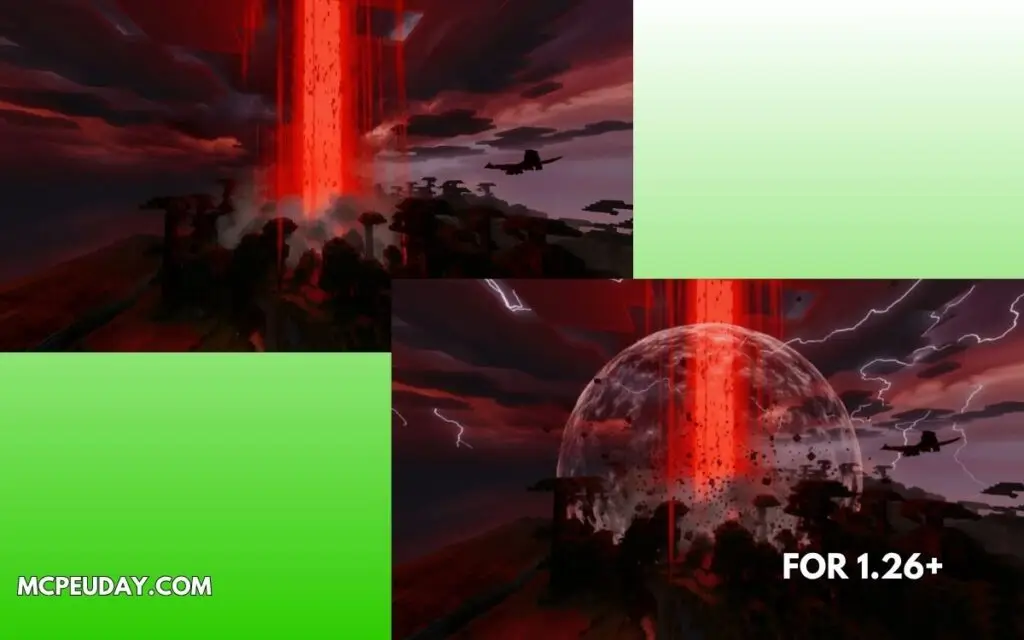
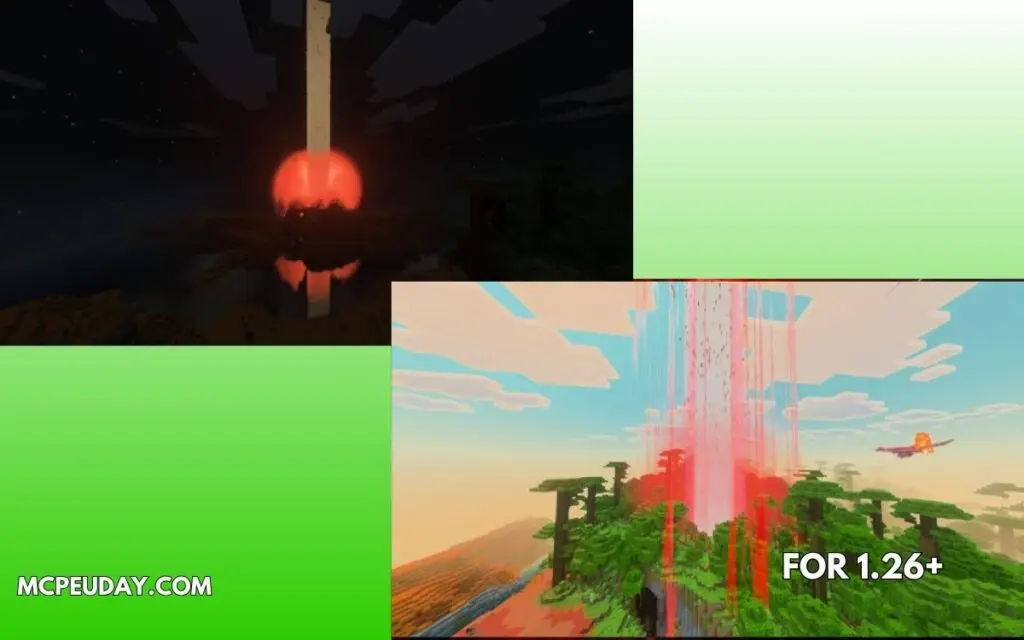
Seconds later, a giant beam crashes from the sky.
💥 2. Massive Orbital Explosions
This is the main reason people download the addon.
The railgun strike:
- Creates giant craters
- Destroys huge terrain areas
- Burns mobs nearby
- Feels extremely cinematic
Some versions even include environmental destruction and black-hole-style visual effects. (mcpeaddons.com)
🔊 3. Custom Sound & Visual Effects
Unlike basic weapon addons, this mod focuses heavily on immersion.
You’ll notice:
- Charging sounds
- Energy beam effects
- Explosion shockwave visuals
- Sci-fi atmosphere
The presentation is honestly one of the best parts of the addon. (MCPE-DL)
⚙️ 4. Configurable Settings
Recent versions added:
- Damage settings
- Visual effect options
- Destruction toggles
- Performance improvements
Some versions allow configuration through sneak + right-click interaction. (CurseForge)
🌐 5. Multiplayer & Survival Friendly
One surprising thing:
The addon is designed to remain relatively balanced despite being powerful.
According to addon listings, it’s:
- Multiplayer compatible
- Survival-friendly
- Achievement-friendly in some configurations (MC Addons)
That makes it more usable in long-term worlds compared to many “overpowered weapon” mods.
Screenshots:-
Supported Minecraft Versions
The latest releases support:
- Minecraft Bedrock 1.21+
- 1.21.120
- 1.21.121
- 1.21.132 and newer builds (MCPEDL)
Compatible platforms:
- Android
- iOS
- Windows 10/11
- Some Bedrock-compatible consoles
My Gameplay Experience (E-E-A-T Section)
I tested this addon in a survival testing world and honestly — it feels closer to a sci-fi event than a normal Minecraft weapon.
The first strike was impressive because:
- The charging delay builds tension
- The sound design feels heavy
- The crater size actually looks dangerous
What surprised me most:
Even with strong effects, performance stayed smooth on Bedrock.
I also liked that the cooldown system prevents constant spamming, which keeps gameplay more balanced.
For creators making:
- cinematic videos,
- PvP events,
- roleplay servers,
- or futuristic survival worlds,
this addon is genuinely fun.
Pros and Cons
✅ Pros
- Incredible cinematic visuals
- Huge explosions and terrain destruction
- Multiplayer support
- Configurable settings
- Surprisingly optimized for mobile
- Great for sci-fi gameplay
❌ Cons
- Can destroy builds accidentally
- Some effects may feel overpowered in survival
- Experimental settings may be required
- Large explosions can still lag weaker devices
Installation Guide
Installing the addon is simple:
- Download the
.mcaddonfile - Open it with Minecraft
- Import Resource Pack + Behavior Pack
- Enable the packs in your world
- Turn on Experimental Features if needed
