Copy link
Banner Markers
 Go to files
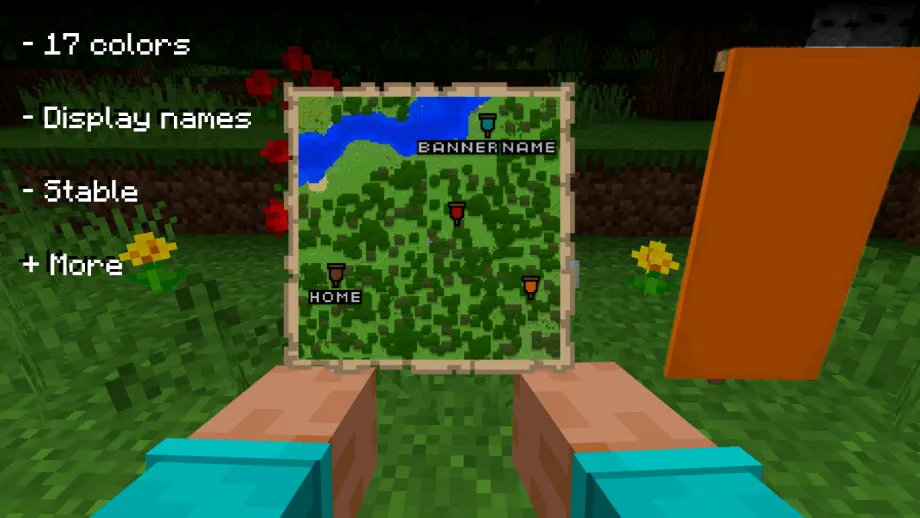
Did you wish that you can place markers in a map? This add-on adds a parity feature from Minecraft: Java Edition. This feature allows you to put markers in your map using banners.
How to use:
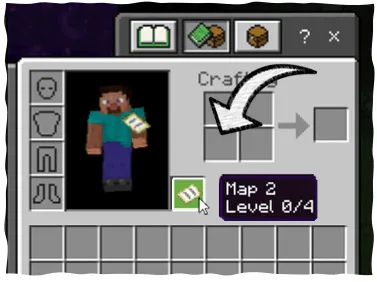
To put markers in the map, hold a filled map in your offhand and put down the banner:
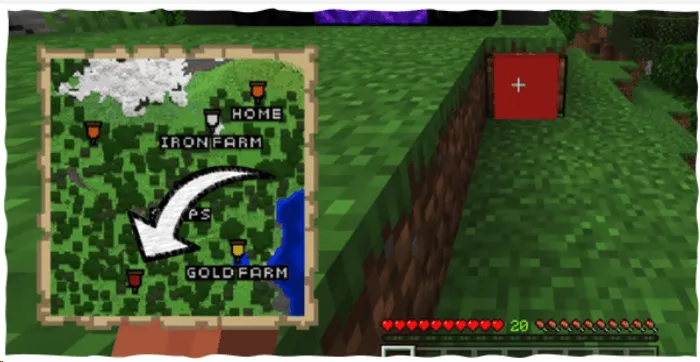
If you didn't rename the banner, the mark will appear without a name:
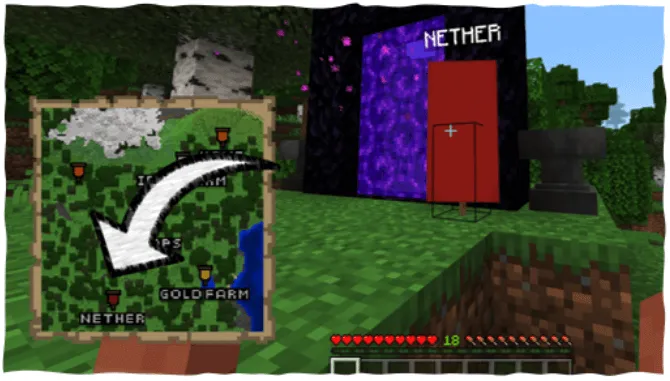
As you see, the banner name appears in the map and on top of the banner:
Updated on August 30, 2026
- No Activation Codes: Removed the unlock code prompt and verification system—the add-on now works immediately upon world entry for all players.
- Upgraded 3D Name Display: Switched to Minecraft's native in-world 3D text primitives for clearer, smoother, and glitch-free banner name labels.
- Major Performance Optimization: Completely removed invisible dummy entities, eliminating background entity ticking and respawn cycles for better performance and reduced lag.
- Reliable Marker Tracking: Redesigned map markers and banner detection to use coordinate-based tracking and persistent world storage.
- Fixed World Load Startup Errors: Resolved early-execution errors when loading into worlds for a seamless startup experience.
- Cleaned Up Dependencies & File Size: Removed unused UI modules, obsolete entity textures, and models for faster loading and improved compatibility across Minecraft versions.
- Banner name only show when looking at the banner.
Changelog for January 13 / Old Update
- Fixed the download links.
v2.0 / August 13 / Old Update
- 1.21.20 support.
v2.0 / July 01 / Old Update
- The add-on now is stable in 1.21+
- New logo to the add-on.
v1.3 / March 15 / Old Update
- 1.20.7x support.
v1.3 / February 08 / Old Update
- 1.20.6x support.
v1.2 / December 08 / Old Update
- 1.20.50+ support.
- Bugs fixed.
- Script improved.
v1.1 / October 25 / Old Update
- 1.20.40 support.
Download links
Tags