

Debug Screen Pro
 Go to files
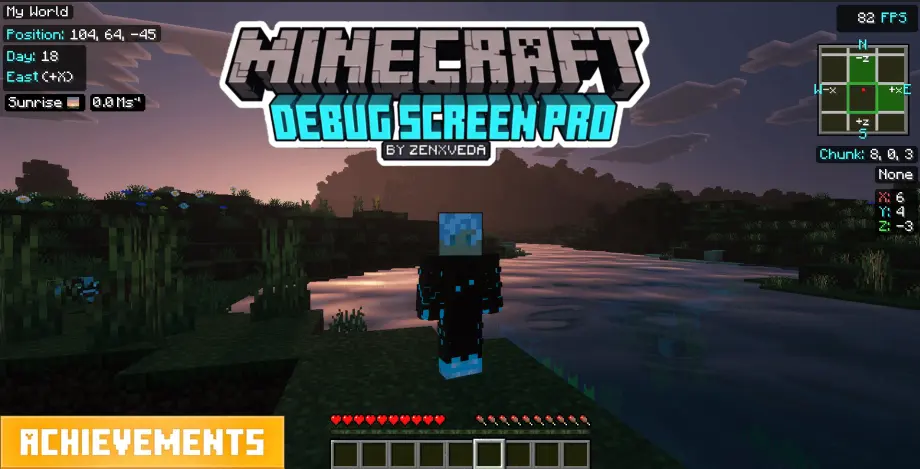
Brings the classic Java Edition F3 Debug Screen to Bedrock, featuring real-time coordinates, an FPS counter, and a realtime chunk map .
🌟 Debug Screen Pro (Java F3, Chunk Map & Slime Finder) by ZenXveda 🌟

Debug Screen Pro brings the iconic Java Edition F3 Debug Screen, Live Chunk Map, and Slime Chunk Finder directly to Minecraft Bedrock Edition—100% Achievement Friendly!
📱 Two Tailored Versions Available! 🖥️
Choose the version that matches your Minecraft UI profile so nothing overlaps:
🖥️ Classic UIDebug Screen Pro (Classic): The original desktop layout designed specifically for players using the Classic UI profile.  |
📱 Pocket UIDebug Screen Pro (Pocket): Re-engineered to fit flawlessly with the Pocket UI profile with zero button overlaps!  |
⚠️ Make sure to download the version that matches your UI profile (Settings > Video > UI Profile)!

✨ Key Features & Video Showcase
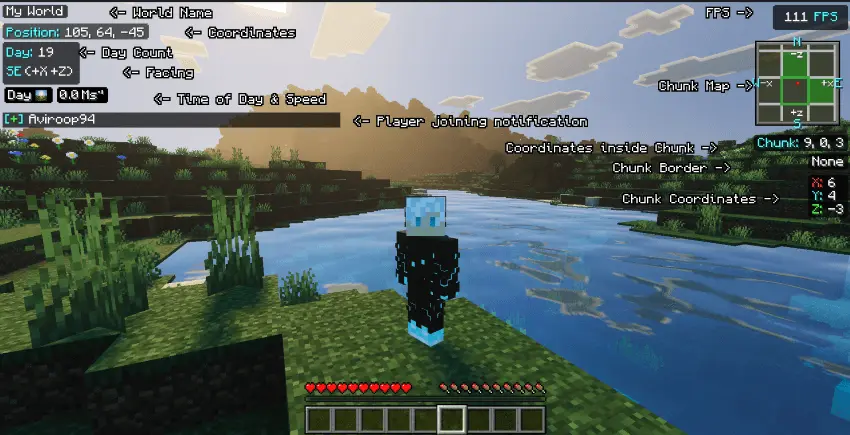
✔️ Java-Style F3 Menu: Accurately displays your coordinates, cardinal facing direction, live FPS, speed, and in-game day/time in a sleek, non-intrusive overlay. 🟩 Chunk Map & Slime Chunk Finder: Built-in live chunk minimap shows chunk borders, chunk coordinates, and automatically highlights Slime Chunks! 🎨 High-Definition UI: Features custom-designed HD icons for time of day (Sunrise, Noon, Sunset, Night, Midnight) in a clean, borderless style. 🏆 100% Achievement Friendly: Pure resource pack requiring zero cheats or experimental toggles—earn achievements in all your survival worlds! 🧩 Ultimate Compatibility: Requires NO player.json modification, working seamlessly alongside all animations, shaders, and add-ons. ⚡ Optimized & Lightweight: Runs with zero lag using pure JSON UI and entity rendering techniques.
📥 Quick Installation & Activation Guide
- Download the correct
.mcpackfile for your UI profile (Classic UI or Pocket UI). - Click/tap the file to automatically import it into Minecraft Bedrock Edition.
- Apply the pack in Global Resources or your World Resource Packs.
- Crucial Setup Step: In your World Settings, enable "Show Coordinates" and "Show Days Played" so the F3 HUD displays all live stats accurately!
- Press
F8(PC) or tap theZXVbutton (Mobile/Console) in-game to toggle your Debug Screen!