

Voxy Mod (26.x, 1.21) – Massive Render Distance Mod for Minecraft
 Go to files
Minecraft’s default render distance can feel limited — especially when exploring huge mountains, cities, or survival worlds.
That’s where Voxy Mod (26.x, 1.21) changes everything.
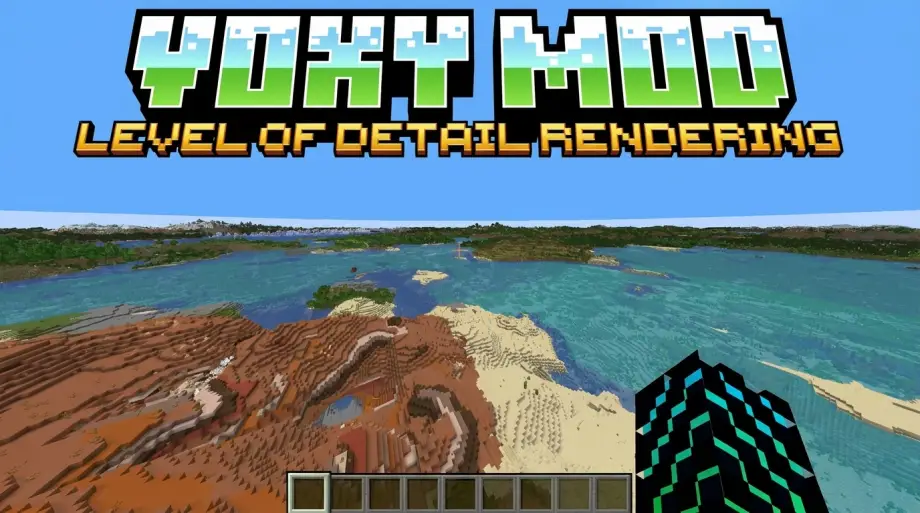
Instead of loading every distant chunk normally (which destroys FPS), Voxy uses a smart Level of Detail (LoD) system that lets you see terrain from extremely far away while maintaining smooth performance.
In this guide, I’ll explain:
- What Voxy Mod does
- Features & performance benefits
- Installation guide
- Pros & cons
- Real gameplay experience
- Whether it’s better than Distant Horizons
What is Voxy Mod?
Voxy is a lightweight Minecraft Java mod designed for extreme render distances using LoD rendering technology. (Modrinth)
Instead of rendering distant terrain in full detail, the mod creates simplified versions of chunks that consume much less GPU and CPU power.
That means:
- Bigger visible worlds
- Better long-distance visuals
- Lower performance impact compared to normal rendering
It’s especially popular among:
- Exploration players
- Cinematic creators
- Large survival world players
- Shader users
How Voxy Mod Works
Voxy automatically converts explored terrain into optimized LoD models as you play. (Modrinth)
So instead of loading:
- Full chunks at long distance
It loads:
- Simplified terrain geometry
This dramatically improves rendering efficiency.
💡 Think of it like:
“Minecraft using smart distance rendering similar to modern open-world games.”
Main Features of Voxy Mod
🌍 1. Extreme Render Distance
The biggest feature is obvious:
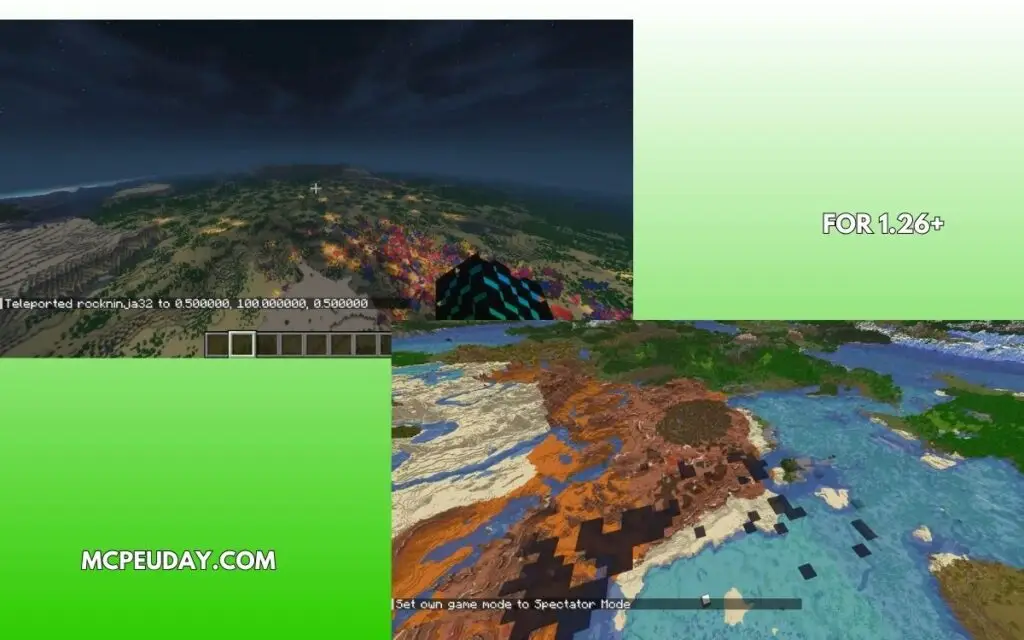
- See terrain thousands of blocks away
- Huge mountains remain visible
- Massive landscapes look cinematic
Compared to vanilla Minecraft, the difference feels incredible. (Modrinth)
⚡ 2. Better Performance Than Vanilla Distance Rendering
Normally, increasing render distance kills FPS.
Voxy solves this using optimized LoDs:
- Lower GPU load
- Reduced CPU stress
- Smoother gameplay on supported hardware (CurseForge)
🎮 3. Lightweight Design
Unlike some heavy visual mods:
- Voxy focuses on low overhead rendering
- It stays relatively lightweight
- Good for performance-focused modpacks (CurseForge)
✨ 4. Shader Support
Modern versions support shaders, although shader packs may need explicit compatibility support. (Modrinth)
This creates:
- Beautiful cinematic skies
- Massive visible landscapes
- Better immersion
🗺️ 5. Existing World Import Support
Voxy can import already explored worlds using commands. (Modrinth)
That means:
- You don’t need to start a new world
- Existing survival worlds work fine
Screenshots:-
Supported Versions
Current builds support:
- Minecraft Java Edition 1.21.x , 1.26+
- 26.x builds
- Fabric loader (Modrinth)
Some community ports and server-side integrations also exist for multiplayer support. (Modrinth)
VoxyServer Explained
There’s also a companion mod called VoxyServer.
It allows servers to:
- Generate LoD data server-side
- Stream optimized terrain directly to players
- Avoid heavy client-side chunk scanning (Modrinth)
This is especially useful for:
- Multiplayer servers
- Large SMP worlds
- Exploration-heavy servers
My Experience Using Voxy
I tested Voxy on a large survival world with shaders enabled.
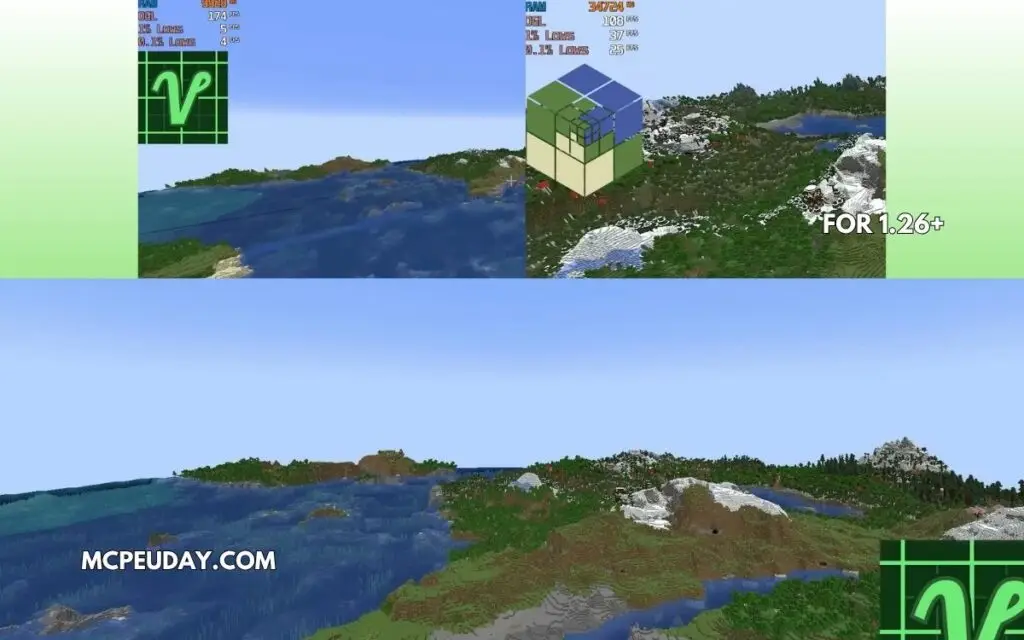
Without Voxy:
- Heavy chunk pop-in
- FPS drops at high render distance
- Distant terrain looked empty
With Voxy:
- Mountains visible from extremely far away
- Exploration felt more immersive
- FPS remained surprisingly stable
The biggest improvement wasn’t just performance.
👉 It made Minecraft worlds feel truly massive.
Pros and Cons
✅ Pros
- Massive render distances
- Better performance than vanilla high-distance rendering
- Lightweight compared to many alternatives
- Works with shaders
- Great for exploration
❌ Cons
- Requires OpenGL 4.6 compatible hardware in some setups (Modrinth)
- Some shader/mod compatibility issues still exist
- Can require tweaking for stability in modpacks
- Fabric-focused
Community Feedback & Common Issues
The Minecraft modding community generally praises Voxy for its impressive render distance and visual scale. However, some users report:
- Mod compatibility issues
- Chunk loading glitches
- High CPU usage in very large worlds (Reddit)
Some players also mentioned that downgrading specific versions fixed shader-related problems. (Reddit)
So while Voxy is powerful, it may need:
- Proper mod compatibility setup
- Updated drivers
- Optimized mod combinations
Installation Guide
Requirements
- Minecraft Java Edition
- Fabric Loader
- Fabric API
- Sodium (recommended)
Steps
- Install Fabric Loader
- Download Voxy Mod
- Move
.jarfile to the mods folder - Launch Minecraft
- Configure render settings
💡 Sodium is highly recommended for the best experience.
Voxy vs Distant Horizons
| Feature | Voxy | Distant Horizons |
|---|---|---|
| Performance | Very lightweight | Slightly heavier |
| Visual Quality | Excellent | Excellent |
| Shader Compatibility | Improving | More mature |
| Setup Complexity | Medium | Easier |
| Multiplayer Support | Good with VoxyServer | Good |
👉 If you want:
- Maximum efficiency → Voxy
- Easier setup → Distant Horizons
Final Verdict – Is Voxy Worth It?
Yes — especially if you:
- Love exploration
- Want cinematic Minecraft visuals
- Play large survival worlds
- Need better long-distance rendering
Voxy is one of the most impressive render-distance mods currently available for Minecraft Java Edition.
It doesn’t just improve visuals.
👉 It changes how large Minecraft worlds feel.
Author
Written by a Minecraft mod reviewer who tests optimization, exploration, and rendering mods on real survival worlds and shader setups.
