
Nordic Frost Shader
 Go to files
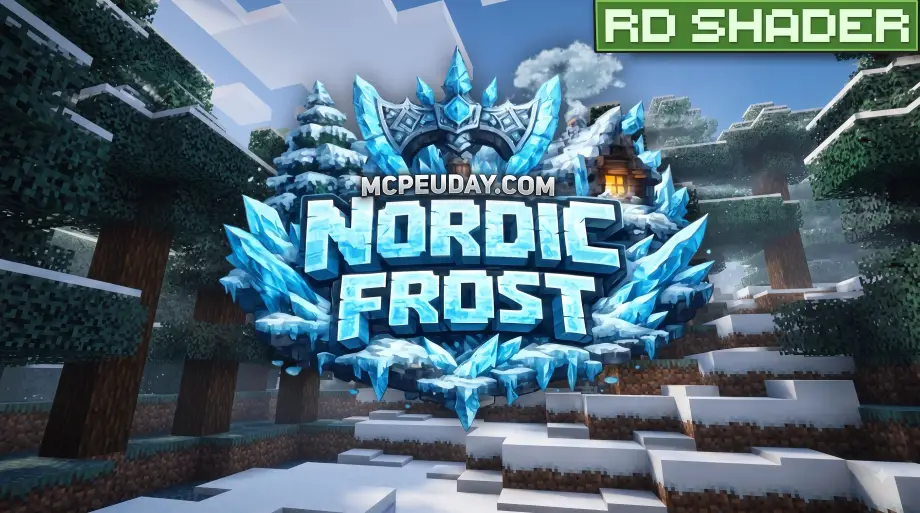
Nordic Frost Shader transforms Minecraft Bedrock Edition into a beautiful frozen landscape with stunning icy blue lighting, enhanced snowy environments, realistic sky colors, and immersive winter-themed visuals. Perfect for players who love exploring snowy biomes with smooth, cinematic graphics and a cool frosty atmosphere.
Direct Download link - Download Shader
Experience the beauty of winter like never before with Nordic Frost Shader for Minecraft Bedrock Edition. Designed especially for players who enjoy snowy landscapes and immersive gameplay, this shader transforms your Minecraft world into a breathtaking frozen kingdom filled with icy blue lighting, crisp skies, realistic fog, and enhanced snow effects.
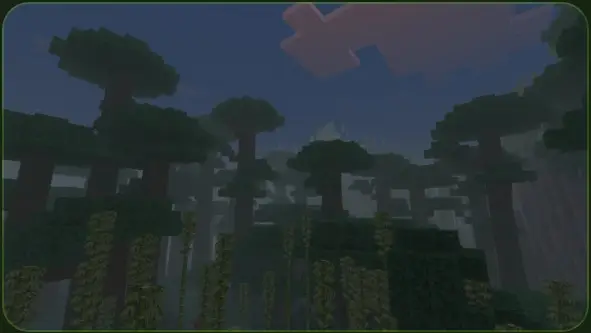
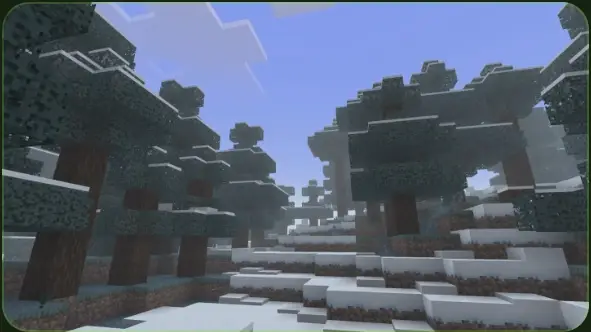
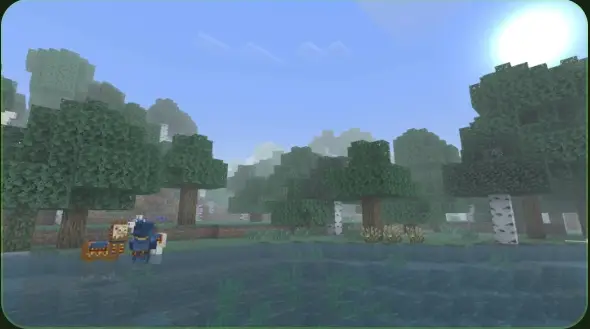
Unlike many heavy shader packs that focus only on realistic lighting, Nordic Frost Shader creates a complete winter atmosphere while maintaining smooth performance on supported devices. Every snowy biome feels more alive, making your survival adventures, creative builds, and exploration far more enjoyable.
From towering snow-covered mountains to peaceful frozen lakes, every environment receives a fresh visual upgrade that captures the magic of winter. Whether you're building an ice castle, exploring frozen villages, or surviving in icy biomes, Nordic Frost Shader delivers a unique and cinematic experience.
Main Features
Icy Blue Lighting
One of the biggest highlights of Nordic Frost Shader is its beautiful blue-tinted lighting. Sunlight reflects naturally across snowy terrain, creating a cold yet vibrant atmosphere that perfectly matches winter environments.
Enhanced Snow Visuals
Snow blocks, snowy mountains, and frozen landscapes appear cleaner, brighter, and more realistic. The shader enhances the overall appearance of snowy regions without changing the original Minecraft textures.
Frosty Atmosphere
Enjoy a cool winter ambiance with improved fog, softer environmental lighting, and balanced color grading. Every area feels calm, peaceful, and immersive.
Crisp Sky Colors
The sky features cleaner gradients, improved daylight colors, and stunning sunrise and sunset effects. During clear weather, the world feels brighter while still maintaining the icy Nordic theme.
Cinematic Visual Effects
Lighting transitions, shadows, atmospheric effects, and color balance work together to provide a more cinematic Minecraft experience. Every screenshot looks beautiful without requiring expensive hardware.
Better Exploration Experience
Exploring snowy mountains, frozen rivers, icy caves, and winter villages becomes much more enjoyable thanks to the enhanced visuals. Players who enjoy adventure maps or survival gameplay will appreciate the immersive atmosphere.
Why Choose Nordic Frost Shader?
Many shaders attempt to make Minecraft look realistic by dramatically increasing lighting intensity. Nordic Frost Shader takes a different approach by focusing on creating a consistent winter aesthetic.
Instead of changing block textures or adding unnecessary visual effects, the shader carefully improves lighting, fog, sky colors, and environmental mood. This preserves Minecraft's original style while giving the game a refreshing seasonal appearance.
The result is a shader that feels natural, clean, and visually pleasing without overwhelming the player.
Perfect For
Nordic Frost Shader is an excellent choice for players who enjoy:
- Snowy biome exploration
- Winter-themed survival worlds
- Ice castle builds
- Frozen village adventures
- Mountain landscapes
- Cinematic gameplay
- Minecraft screenshots
- Content creation
- Roleplay maps
- Creative building projects
Whether you're creating YouTube videos or simply enjoying survival mode, this shader adds a beautiful winter atmosphere to every adventure.
Performance
The shader is designed to provide attractive visuals while maintaining good performance on compatible Minecraft Bedrock devices. Since it focuses primarily on lighting, fog, atmosphere, and color grading instead of replacing textures, it offers a balanced experience between quality and smooth gameplay.
Performance may vary depending on your device specifications and Minecraft version.
Compatibility
Nordic Frost Shader is designed for Minecraft Bedrock Edition and works best on versions that support Vibrant Visuals. Make sure Vibrant Visuals is enabled in your game's video settings before using the shader.
For the best experience, always use the latest compatible version of Minecraft Bedrock Edition.
Installation Guide
Installing Nordic Frost Shader is simple:
- Download the shader pack.
- Open the
.mcpackfile. - Minecraft Bedrock will import the shader automatically.
- Activate the shader from Settings > Global Resources.
- Enable Vibrant Visuals in the Video Settings if required.
- Load your world and enjoy the stunning frozen visuals.
Final Thoughts
If you're looking for a shader that captures the peaceful beauty of winter without sacrificing Minecraft's original charm, Nordic Frost Shader is an excellent choice. Its icy blue lighting, enhanced snowy environments, realistic skies, cinematic atmosphere, and balanced visual improvements create an unforgettable experience for every Minecraft player.
