How to Change Simulation Distance in Minecraft Bedrock
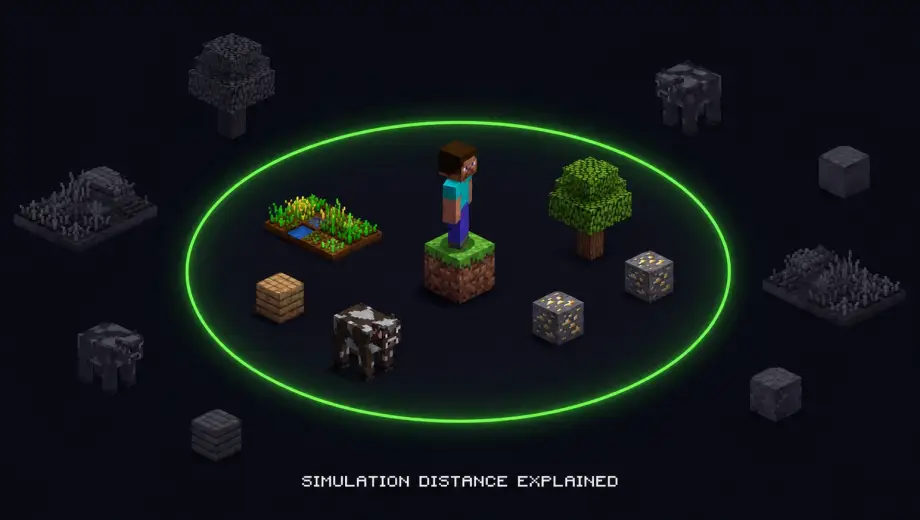
Simulation distance controls how far from you the game actually runs. Mobs move, crops grow, redstone fires, water flows — but only within this radius. Everything beyond it is frozen. If your farms aren't working when you walk away, or mobs stop spawning at your grinder, simulation distance is almost certainly why.
How to Change It
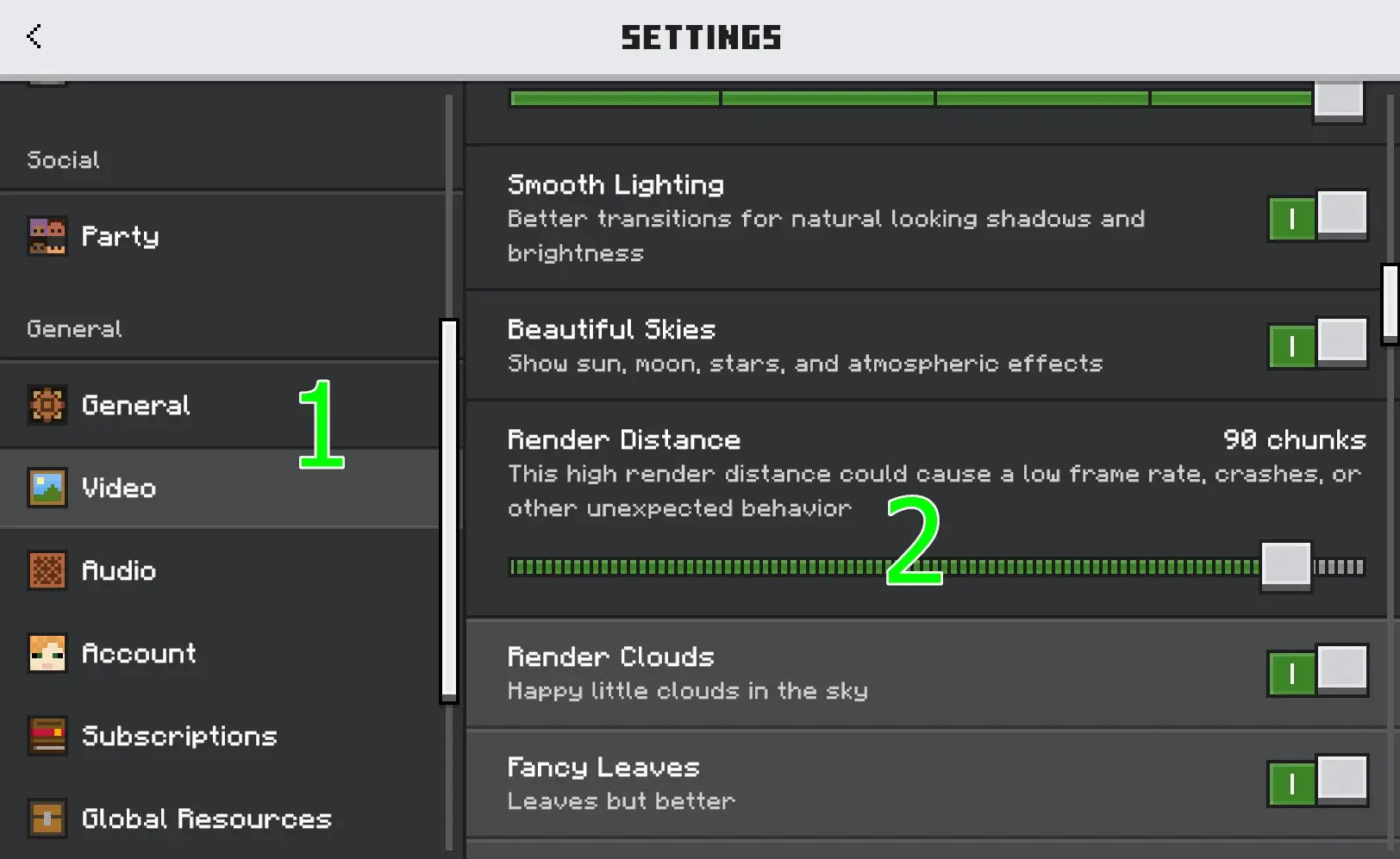
- Open Settings → Video
- Find the Simulation Distance slider
- Adjust it (options are 4, 6, 8, 10, or 12 chunks)
No cheats required. No achievements affected. You can change it anytime, even mid-game.
What Each Value Means
One chunk is 16×16 blocks. So:
- 4 chunks — 64 blocks in each direction. Minimum. Good for low-end devices but farms break easily at this range.
- 6 chunks — 96 blocks. Bedrock default on most platforms.
- 8 chunks — 128 blocks. Solid middle ground. Most farms and mob grinders work reliably at this distance.
- 10 chunks — 160 blocks. Comfortable for redstone builds and large farm setups.
- 12 chunks — 192 blocks. Maximum on Bedrock. Best for keeping everything running but costs the most performance.
Simulation Distance vs Render Distance
These are two different settings and they get confused constantly.
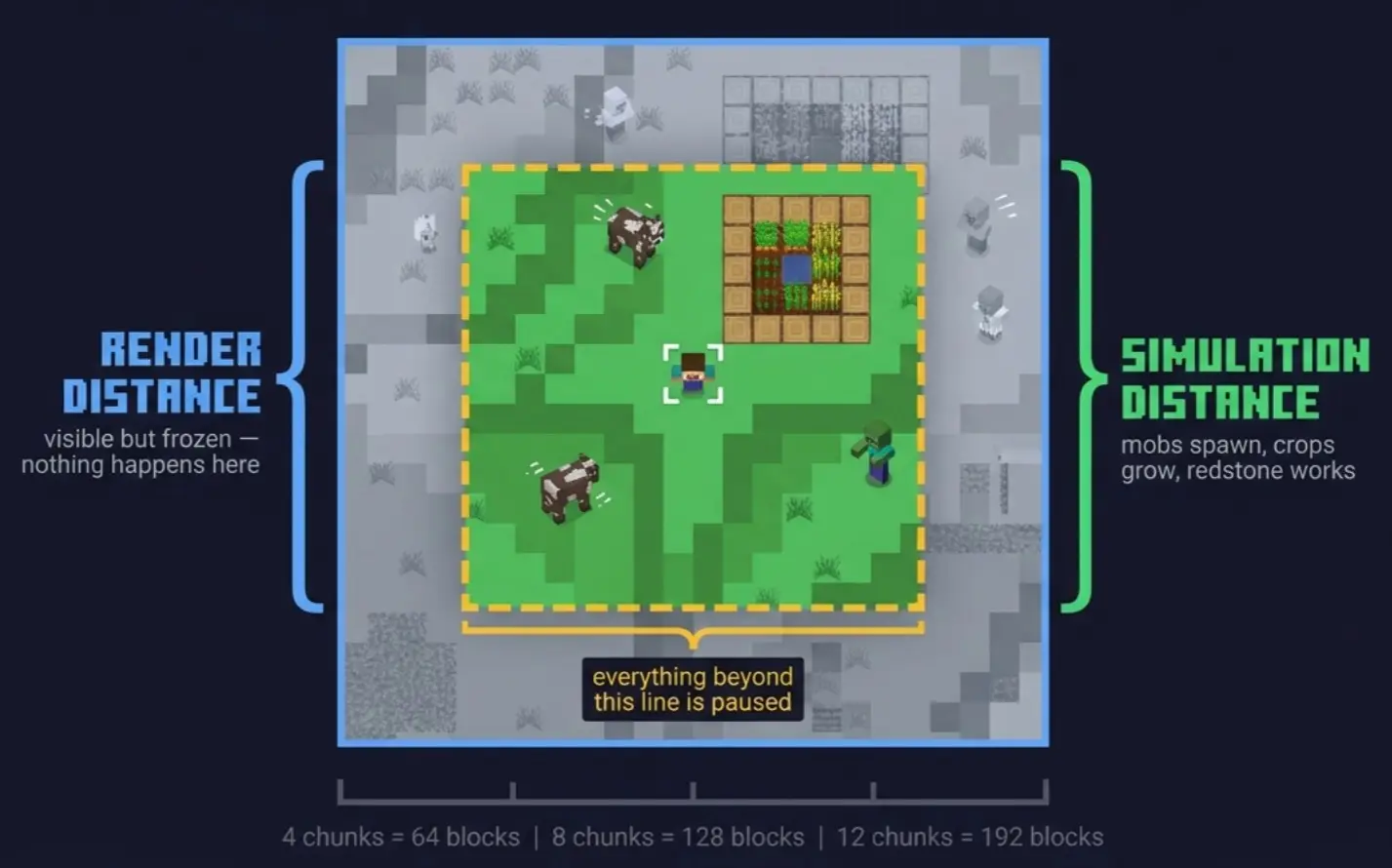
Render distance controls how far you can see. Chunks beyond render distance aren't drawn on screen, but that's purely visual.
Simulation distance controls how far the game thinks. Chunks beyond simulation distance are completely paused. Nothing happens in them. No mob spawning, no crop growth, no redstone, no entity movement.
You can set render distance to 20 chunks and simulation distance to 4. You'll see terrain far away, but nothing will actually be happening out there. For performance, lowering simulation distance helps far more than lowering render distance.
Why This Matters for Farms
This is the main reason people look up this setting. Your mob farm, iron farm, crop farm, or any automated build only works while it's inside your simulation distance. Walk too far away and everything stops.
If you've built a farm and it's not producing while you're at your base, measure the distance between your base and the farm. If it's more than your simulation distance in blocks, that's the problem. Either increase the distance or build your farms closer to where you spend most of your time.
On Realms and multiplayer, simulation distance is set by the host or Realm owner and applies to all players. Each player has their own simulation bubble centered on their position.
Recommended Settings
Casual play on mobile: 4-6 chunks. Saves battery and keeps frame rate stable.
Survival with farms: 8 chunks minimum. Most farm designs assume at least this range.
Technical builds and redstone: 10-12 chunks. Gives you room for complex setups without worrying about things deactivating.
Low-end device with lag: drop simulation distance before touching render distance. It makes a bigger difference.