Copy link
Music UI v2.11.0!
 Go to files
Music UI is a resource pack by AntonyPss that adds a dedicated Music Library screen to Minecraft Bedrock Edition. Browse the bundled tracks, play or stop them with a click, and add your own .ogg songs, all in a Minecraft-inspired interface built entirely with JSON UI.
✨ Features
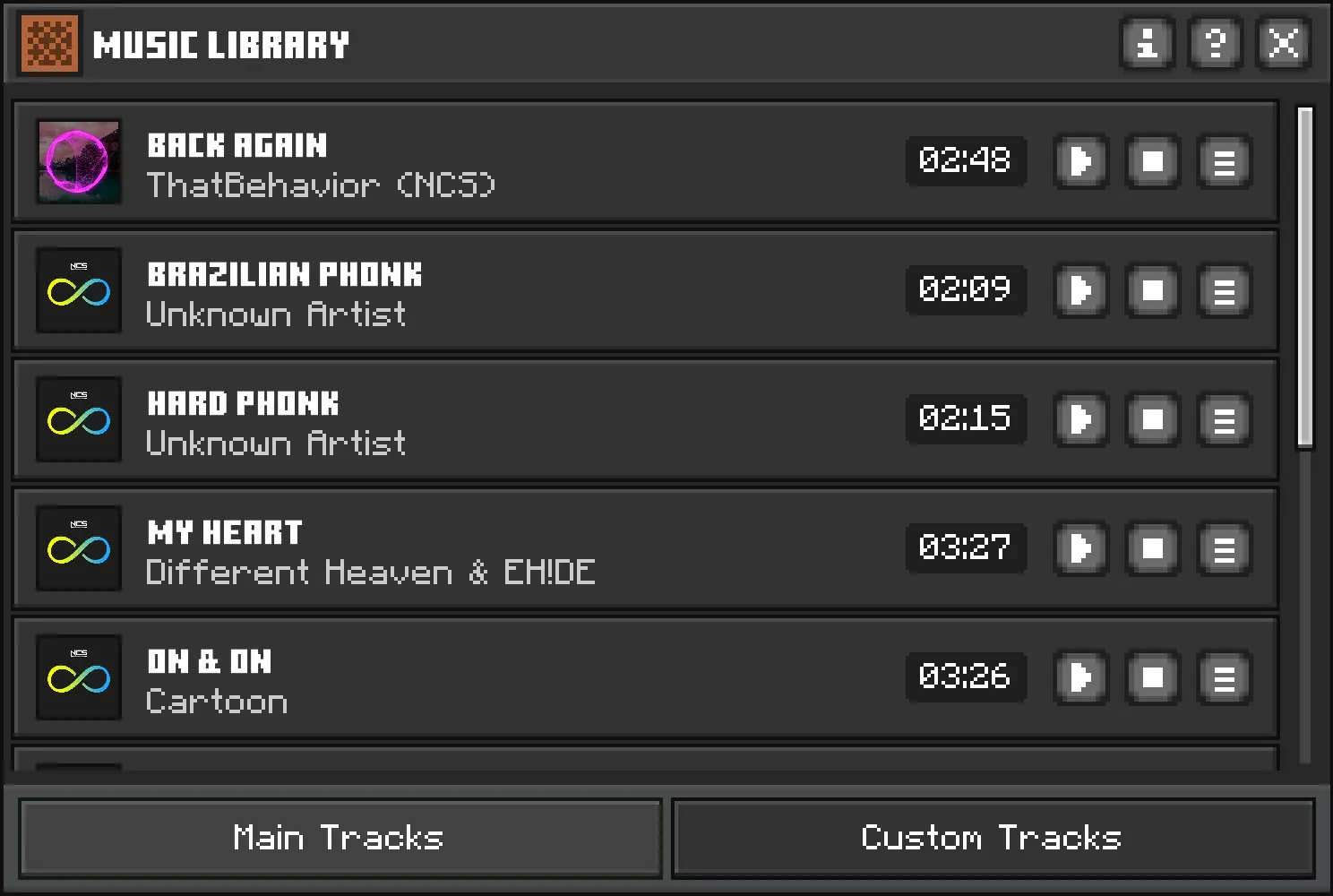
- 🎧 Music Library screen with two tabs: Main Tracks (bundled songs) and Custom Tracks (your own songs).
- 🃏 Track cards showing cover art, title, artist and duration, with Play and Stop buttons.
- 💬 Localized hover tooltips on the Play and Stop buttons.
- 🔍 Details toggle on every track that reveals its sound path.
- ℹ️ About popup with creator, pack version, last update and community link.
- 📁 Audio Path Info popup explaining where custom tracks go, the required format and the recommended sample rate.
- 🎼 10 bundled tracks ready to play.
- ➕ Custom music support using standard
.oggfiles. - 🌍 Languages: English (US, UK), Spanish (Spain, Mexico) and Portuguese (Brazil).
- 📱 Adaptive layout for desktop and touch screens, with a smooth opening animation.
📸 Screenshot Preview
📽️ Showcase Video
Music UI v2.11.0 | Showcase
📋 Requirements
- Minecraft Bedrock Edition 1.21.0 or newer (the pack's
min_engine_version). - A platform and game version that load custom UI resource packs. Support can vary by platform and version, so test on your device.
- Resource packs enabled in your game settings.
- Only for custom songs: a text editor and an audio converter (e.g. Audacity or FFmpeg) to produce
.ogg(Vorbis) files.
⚠️ Other resource packs that modify UI files can conflict with Music UI. If something looks wrong, deactivate other UI packs and try again.
📦 Installation
- Download
Music-UI-v2.11.0.mcpackfrom the Releases page. - Open the file with Minecraft Bedrock Edition. The game imports it automatically.
- Go to Settings → Global Resources → My Packs.
- Select Music UI and press Activate.
- Restart the game and open the Music Library with the Music button added by the pack.
Download links
Tags