DeathCoordsBroadcast for Minecraft Bedrock
 Go to files
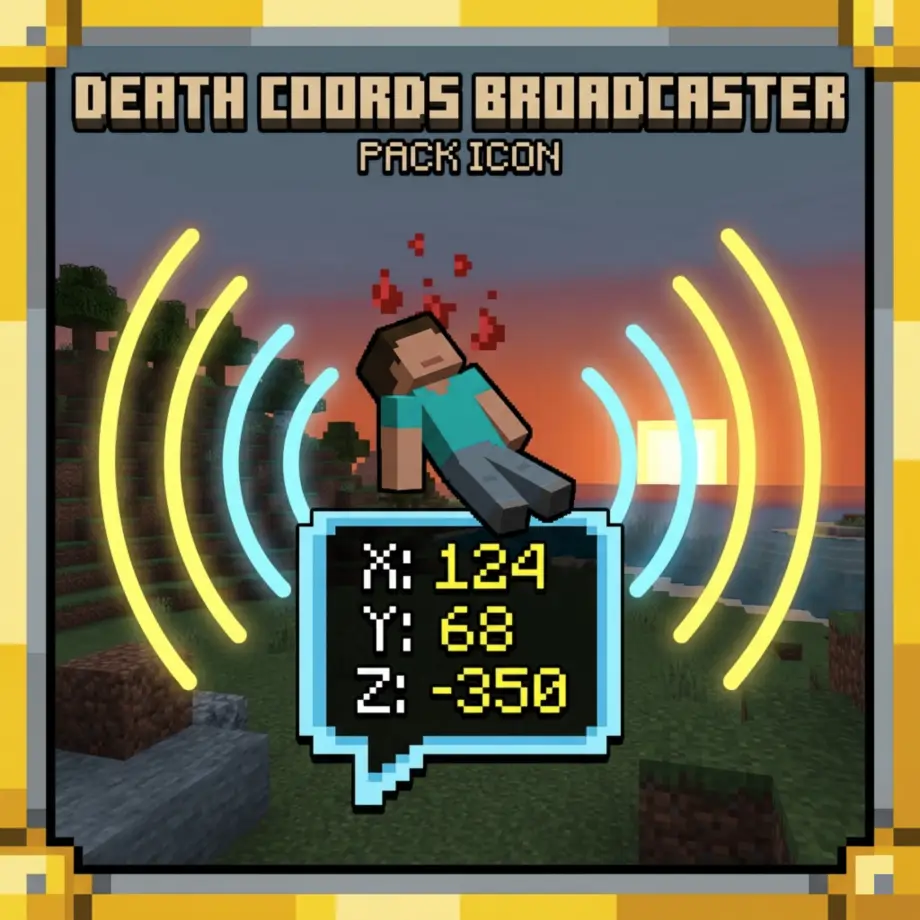
Death Coords Broadcast is a simple and useful Minecraft Bedrock script addon that automatically announces player death locations in chat and logs. When a player dies, their exact coordinates (X, Y, Z) and dimension are broadcast to all players and printed in the server console. The addon also includes detailed cause-of-death information such as attacker or projectile (when available in the event data). It uses a small tracking system to store each player's last known position, so coordinates are still captured even in edge cases like instant deaths or void falls.
This pack is designed to be lightweight, server-friendly, and ideal for multiplayer survival worlds or small community servers.
LIST OF FEATURES
Fully compatible with almost all addons! Without any player.json or anything else!
Instant death coordinate broadcasting! Every time a player dies, their exact X, Y, Z coordinates and current dimension are sent to all online players in chat and printed to the server console.

Cause-of-death detection! The addon detects and reports the cause of death such as fall damage, entity attacks, projectiles, lava, drowning, and more when the event data is available.

Smart fallback tracking system! If a player dies instantly or falls into the void where the exact death location is unavailable, the addon uses the last known position from its interval-based tracking to still capture accurate coordinates.
Server console logging! All death messages are logged in a formatted style to the server console for later review and moderation purposes.
Lightweight and performance-friendly! Runs efficiently using minimal system resources with interval-based position tracking that has virtually no impact on server TPS or client FPS.
Works in multiplayer and singleplayer! Compatible with Realms, dedicated servers, LAN worlds, and local singleplayer worlds.
Easy to install! Just download the .mcpack or .mcaddon file, import it into Minecraft Bedrock, and enable it in the Behavior Packs section. No additional configuration needed to get started!
HOW TO USE
Using this addon is incredibly simple. There are no menus, no commands, and no configuration required. It works automatically as soon as it is enabled in your world.
Download the .mcpack or .mcaddon file from this page.
Import it into Minecraft Bedrock by opening the file or using the in-game import function.
In your world settings, go to Behavior Packs and activate Death Coords Broadcast.
Make sure that the Script API / Beta APIs experiment is enabled in your world settings. Without this, the addon will not function.
Enter your world and play as normal. That's it!
Whenever any player dies in the world, a message will automatically appear in the chat for all online players, and the same message will be logged in the server console. The message format looks like this:
[DeathCoords] Steve died at 120 64 -300 in minecraft:overworld (cause: fall)
[DeathCoords] Alex was slain at -45 70 210 in minecraft:nether (cause: entity, attacker: minecraft:zombie)
The message includes the player's name, the exact coordinates where they died, the dimension, and the cause of death when available. If the death was caused by another entity, the attacker's type is also shown.
TECHNICAL DETAILS
This addon is built using the @minecraft/server scripting API (version 2.4.0). It works by listening to the world.afterEvents.entityDie event, which fires whenever an entity dies in the world. When a player dies, the event data is parsed to extract the player's position, the dimension they were in, and any available cause-of-death information. A small in-memory tracking system runs in the background using system.runInterval to store each player's last known position at regular intervals. This ensures that even in edge cases where the death event does not contain a valid location (such as instant deaths, void falls, or certain scripted deaths), the addon can fall back to the last recorded position and still report accurate coordinates.
The addon consists of the following files:
manifest.json - The addon manifest that defines the pack metadata and script module dependencies.
scripts/main.js - The main script that handles all event listening, position tracking, and message broadcasting logic.
pack_icon.png - The pack icon displayed in the Behavior Packs menu.
FAQ
Does this addon work on Realms?
Yes! Download the world from your Realm, enable the Script API experiment, add this addon to it, and upload it back to the Realm. If it still does not work, it may be a Realm-specific bug.
Does this addon disable achievements?
Yes, enabling any Script API addon will disable achievements for that world. This is a limitation of Minecraft Bedrock itself, not the addon.
Can I customize the message format?
Currently, the message format is fixed. However, since this is an open addon, you can modify the scripts/main.js file to change how the messages are formatted.
Will this work with other addons?
Yes! This addon is fully compatible with almost all other addons. It does not modify any player.json or game files, and it only listens to death events without interfering with other addons.
The addon does not work! What should I do?
First, make sure your Minecraft version is a stable release (not beta or preview) and matches the version listed on this page. Second, check that the Script API / Beta APIs experiment is enabled in your world settings. Third, make sure that only one version of this addon is active in the Behavior Packs, with no duplicates. If you are using a server, check that your hosting provider supports script execution in addons.
If you still find a bug, feel free to report it in the comments!
INSTALLATION
Download the .mcpack or .mcaddon file from the Files tab on this page.
Double-click the file to import it into Minecraft Bedrock, or use the in-game import function (Settings > Storage > Import).
Create a new world or edit an existing one, and go to Behavior Packs.
Select Death Coords Broadcast from the Available list and click the arrow to move it to the Active list.
Enable the Script API / Beta APIs experiment in the Experiments section.
Click Create or Play to enter the world. The addon is now active!
That's all! Enjoy using Death Coords Broadcast in your Minecraft Bedrock world!