
Jenny Mod — Bedrock Addon Install Guide
 Go to files
The Jenny Mod Bedrock addon brings Jenny, a friendly companion NPC, into Minecraft Bedrock Edition on phones, tablets, Windows and consoles. This page is a free ($0) install guide for the original Bedrock pack, with the main file attached below.
About Jenny Mod for Bedrock
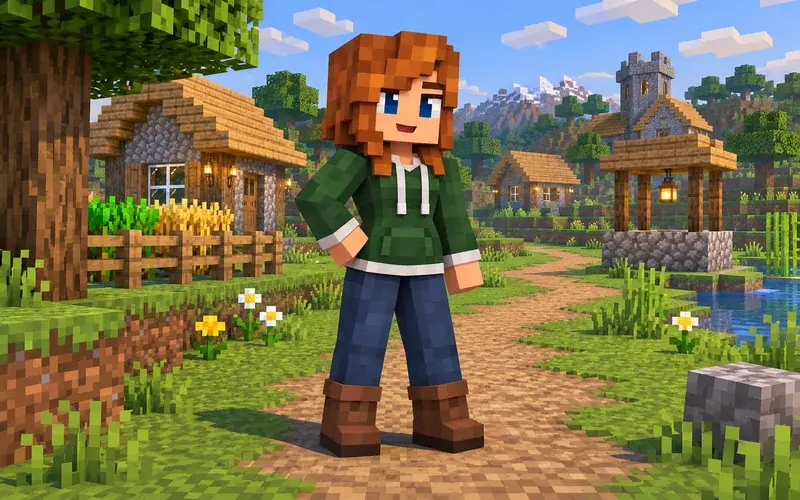
Jenny Mod adds Jenny as an interactive companion in your Bedrock world. You can meet her in villages and around your base, interact with her, give her items, and enjoy new dialogue, animations and companion gameplay in survival and creative worlds. It is made for casual, fun Bedrock play and works best in a new world with Experimental Features turned on. This addon is for adult players aged 18+ only. No ownership of Minecraft, Mojang, Microsoft or the original Jenny Mod is claimed here.
Bedrock packs included
- Main pack - jennymodminecraft.mcpack: the original Bedrock addon file attached to this page. Import this first; it contains the Jenny behaviour and resource packs.
- jenny-texture.mcpack: the Jenny texture pack. Import it after the main pack and activate it in Global Resources or in your world resource packs for the correct Jenny textures.
- jenny-dweller.mcaddon: the Jenny Dweller addon. Import it as an extra .mcaddon if you want the Dweller variant, then activate both its behaviour and resource packs in the same world.
Other versions, listed briefly
For players on other platforms, the same Jenny Mod is also available as 11 Forge .jar files for Java Edition (Forge) and as 5 phone APK installers for Android. The Bedrock .mcpack on this page is the main download here; the Forge jars are for Java/Forge only and the APKs are for Android phones only. Do not mix Forge .jar files with Bedrock - Bedrock uses .mcpack and .mcaddon files only.
Requirements
- Minecraft Bedrock Edition / Minecraft PE, version 1.21.132 or a nearby 1.21 version
- At least 150 MB of free space, plus space for your world
- A new world is recommended; back up any existing world first
- Experimental Features enabled in the world: Holiday Creator Features, Beta APIs and Creator Experiments where shown
- Android 8 or newer, iOS 15 or newer, or Windows 10/11 for the Bedrock app
- An internet connection for the first download and import only
How to install on Bedrock - import and activate
- Download the jennymodminecraft.mcpack file attached to this page.
- Tap or double-click the .mcpack file. Minecraft Bedrock should open and say Import Started, then Import Successful.
- If it does not open automatically, open Minecraft, go to Settings, Storage, or open the file from your Files app and choose Open with Minecraft.
- Create a new world (or edit a copy of an existing world).
- Under Behaviour Packs, select Jenny Mod and activate it. Under Resource Packs, select Jenny Mod and activate it.
- Turn on Experimental Features in the world settings.
- Start the world. Jenny should appear in villages or spawn nearby in a new world.
- To add textures, import jenny-texture.mcpack the same way and activate it in Resource Packs. To add the Dweller variant, import jenny-dweller.mcaddon and activate both of its packs.
Android steps
- Download the .mcpack file on your Android phone.
- Tap the file in Downloads, choose Minecraft, and wait for the import message.
- Open Minecraft, create a new world, activate the Jenny behaviour and resource packs, turn on Experimental Features, and play.
- If tapping the file does nothing, use a file manager, long-press the file, choose Open With, Minecraft.
iPhone steps
- Download the .mcpack file in Safari on your iPhone.
- Tap Downloads, tap the file, choose Share, Minecraft, and wait for the import message.
- Open Minecraft, create a new world, activate the Jenny behaviour and resource packs, turn on Experimental Features, and play.
- If the file will not open, move it to the Minecraft folder in the Files app and tap it again from there.
19 fixes
- Pack will not import: make sure the file ends in .mcpack, re-download it, and open it with Minecraft, not a zip app.
- Import failed: free up storage, restart Minecraft, and import the file again.
- Jenny does not spawn: use a new world, check both packs are activated, and walk to a village.
- Jenny is invisible or pink/black: activate the resource pack and the texture pack, then restart the world.
- Packs are greyed out: turn on Experimental Features and restart Minecraft.
- World crashes on load: remove other addons, use a new world, and update Minecraft.
- File opens as a zip: do not unzip a .mcpack; rename it back to .mcpack and open it with Minecraft.
- Android file will not open: use a file manager and choose Open With, Minecraft.
- iPhone file will not open: use Share, Minecraft from the Files app.
- Behaviour pack missing: import the main .mcpack again; behaviour and resource packs import together.
- Resource pack missing: import jenny-texture.mcpack and activate it in the world.
- Dweller variant not working: import jenny-dweller.mcaddon and activate both of its packs in the same world.
- Old version error: update Minecraft to 1.21.132 or a nearby 1.21 version and re-import.
- Multiplayer friends cannot see Jenny: every player needs the same packs imported and activated.
- Realm does not show the addon: upload the world with the packs activated from a device, not from the Realm menu alone.
- Textures look wrong after an update: delete the old Jenny packs, re-import the latest files, and start a new world.
- Game lags: lower render distance, close other apps, and use a new world with fewer addons.
- Jenny will not interact: stand close, look at her, remove other NPC addons, and try again in a new world.
- Still not working: back up your world, delete and reinstall Minecraft, re-import only the Jenny packs, and test in a new world.
FAQ
Is Jenny Mod for Bedrock free? Yes. The Bedrock addon on this page is free - $0.
Does it work on Android and iPhone? Yes. Import the .mcpack on Android or iPhone, activate both packs, and play in a new world.
Do I need the texture pack? The main .mcpack works on its own, but the texture pack gives Jenny the correct look. Import it as well for the best result.
What is the Dweller addon? jenny-dweller.mcaddon is an extra Dweller variant. It is optional - import and activate it only if you want that variant.
Can I use it in an old world? It is possible, but a new world is recommended. Always back up an old world before adding any addon.
Is this the original pack? This page uses the original Bedrock pack file supplied for this listing. No ownership of Minecraft or the original mod is claimed.
Credits
Credits to SchnurriTV and SlipperyTum for the original Jenny Mod. This ModBay page is a fan install guide for adult players aged 18+ only, using the original Bedrock pack. Minecraft is a trademark of Mojang Synergies AB; this page is not affiliated with or endorsed by Mojang or Microsoft.