Hans404
upd:
Copy link
HorizonUI: BE
 Go to files

HorizonUI: Bedrock Edition
Bring a modern, clean, and customizable user interface to Minecraft. HorizonUI focuses on visual clarity, animated backgrounds, and layout refinement to deliver a fresh and immersive UI experience ✨
✨Features:
HorizonUI: BE has several features that make it easier for you to play survival mode :D
- Quick Loot Items
- Quick Move Items
- Quick Drop Items
- Inventory Slot Counter
- Item Counter & Stack Counter
- Brewing Guides
- Smithing Guides
- F1 Button to Hide HUD
- F8 Button to Enable/Disable Paper Doll
⚠️ NOTE:
HorizonUI: BE is still in development and is currently in EXPERIMENTAL status, which means there are still some bugs and some features that aren't fully functional yet.
UI/UX (User Interface & User Experience)
Here are some in-game UI screenshots
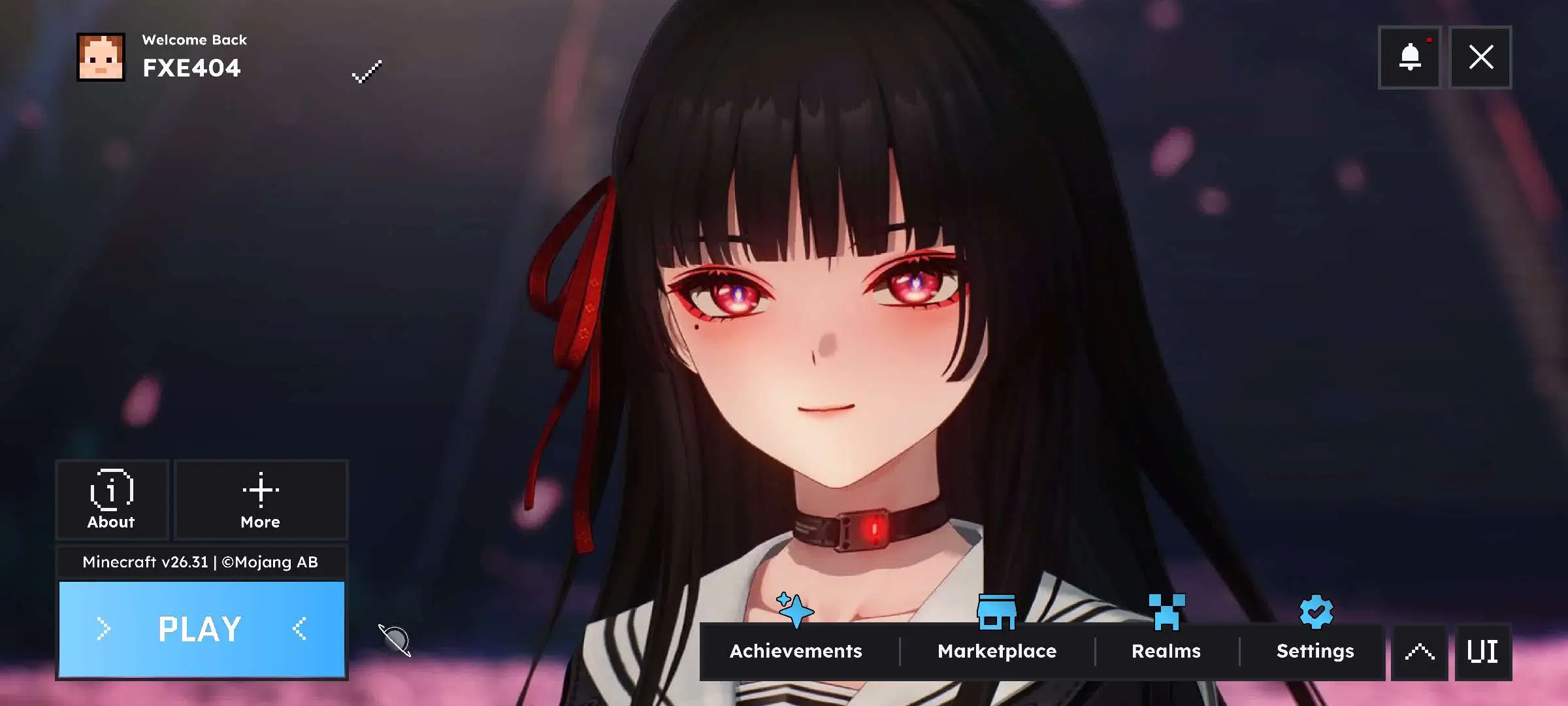
=== Out Game UI ===
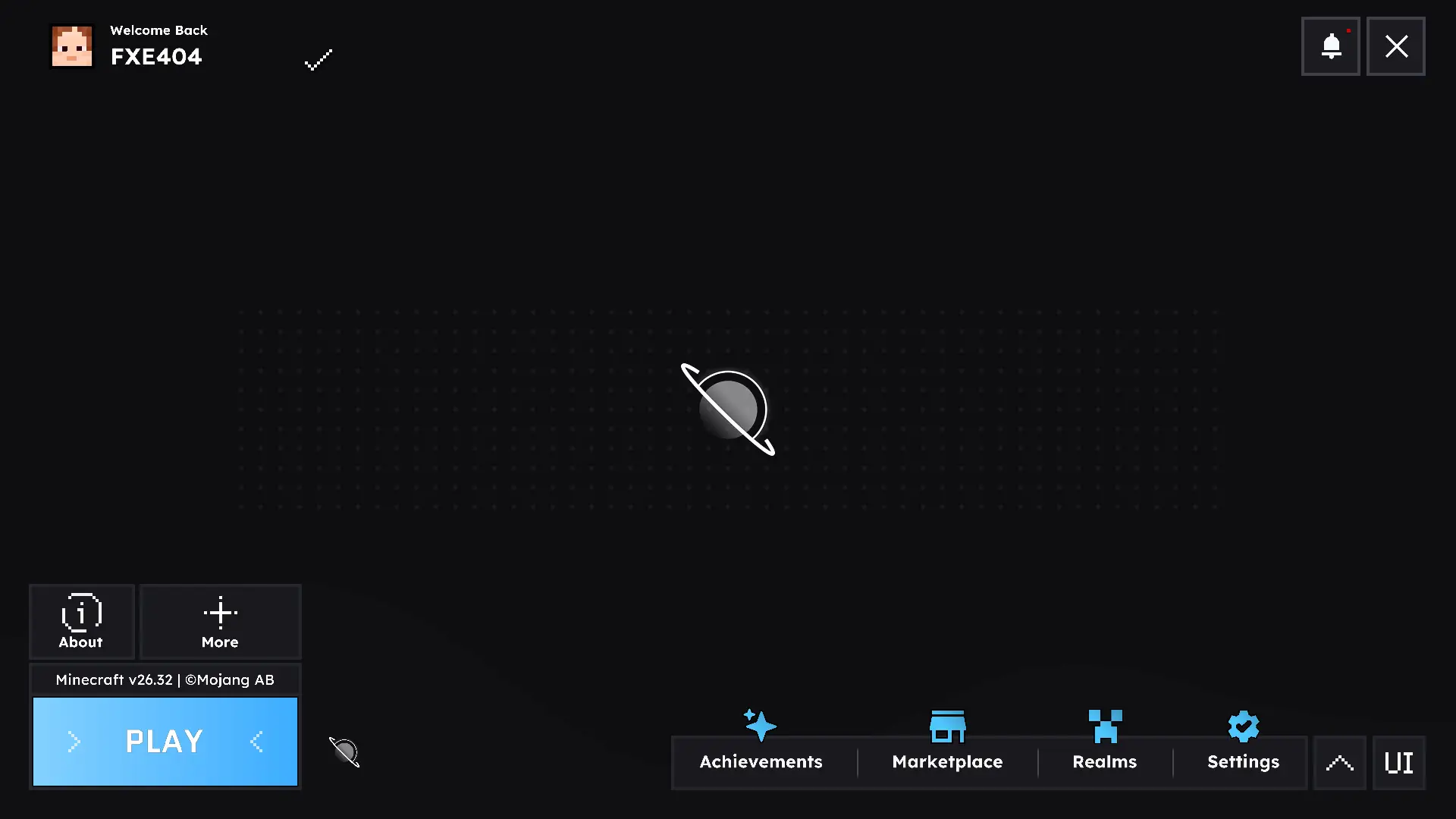
- Main UI + Chisa -
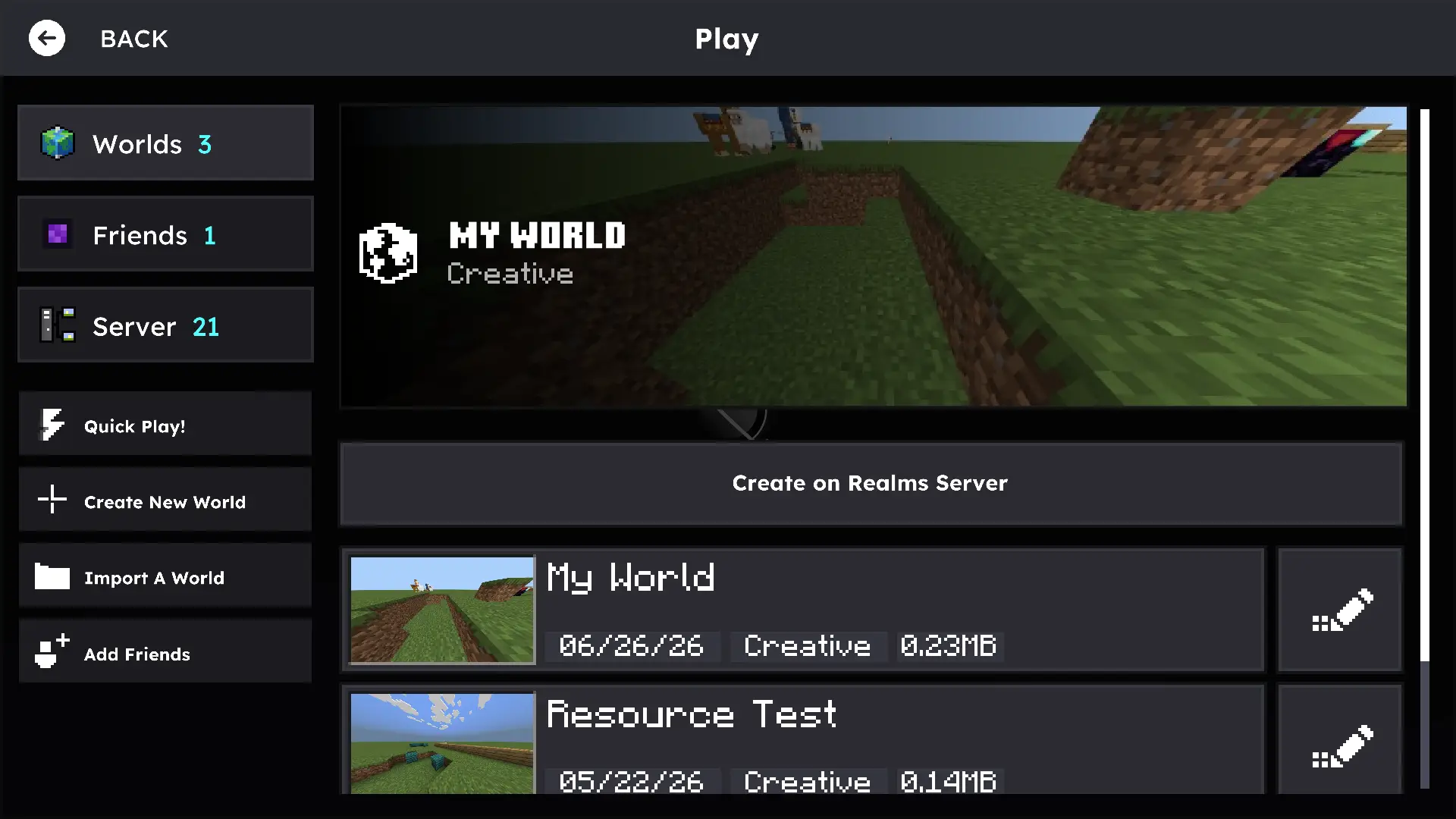
- Play Screen -
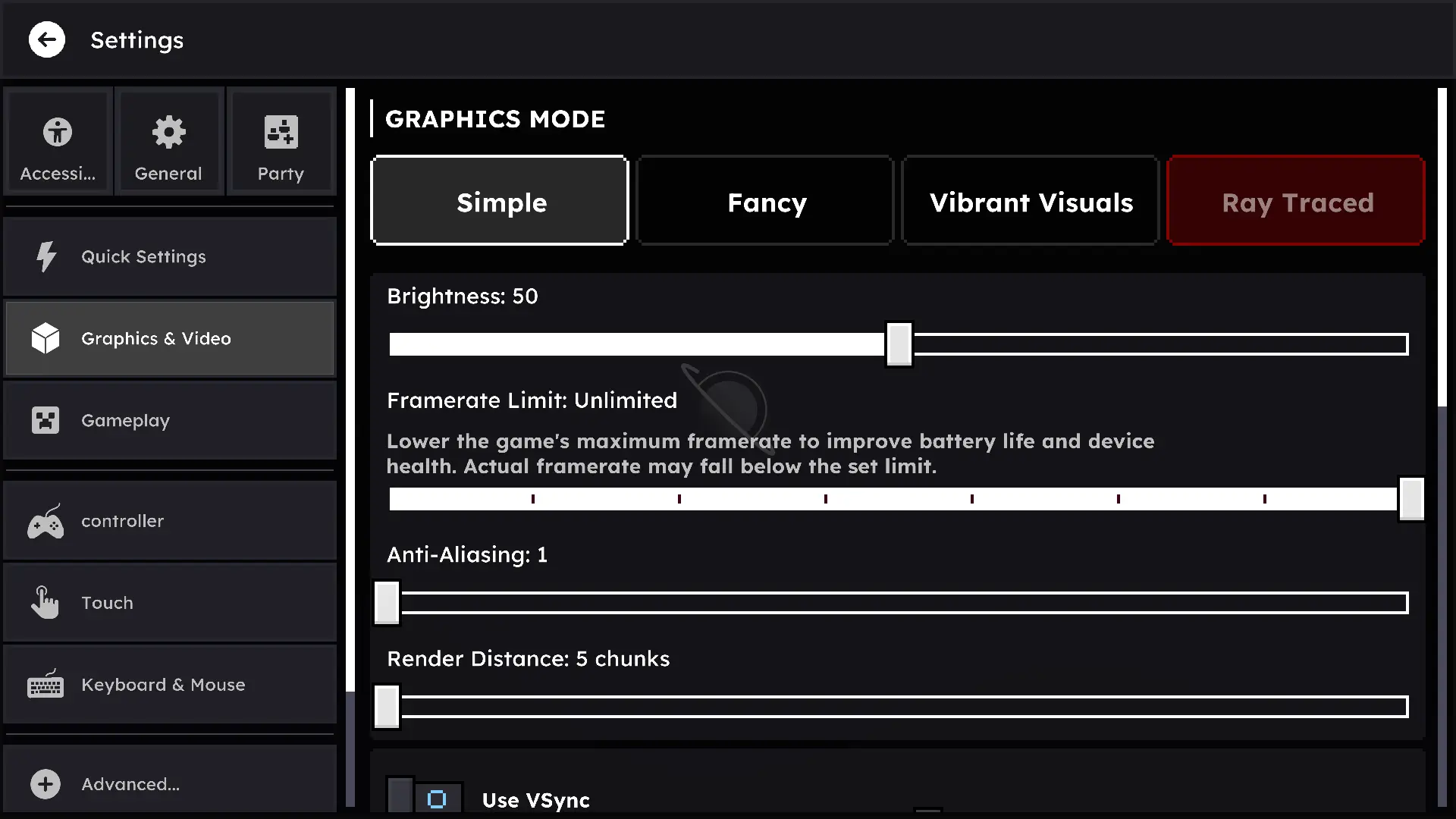
- Settings Screen -
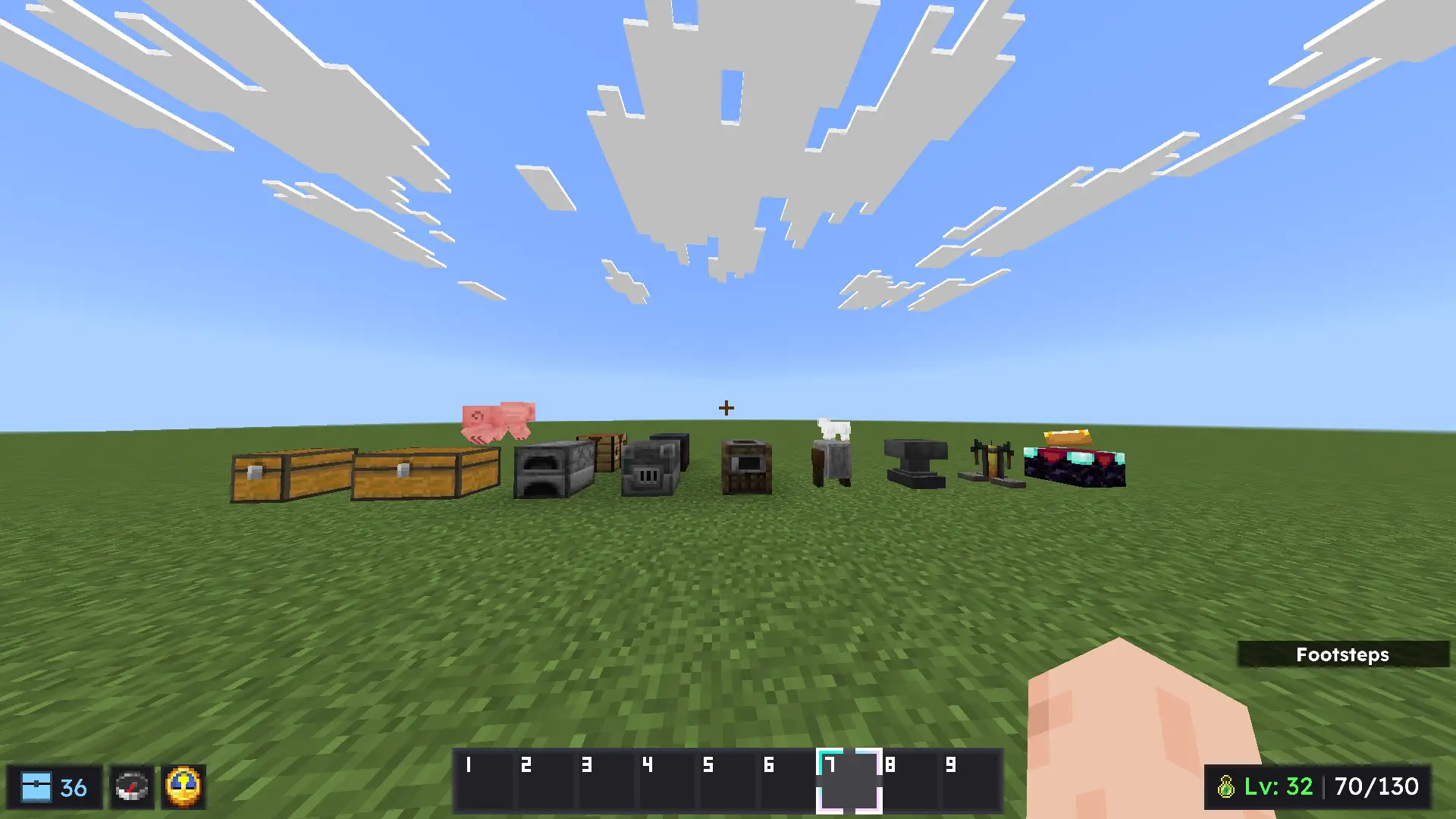
=== In Game UI ===
- Hud -
- Chest -
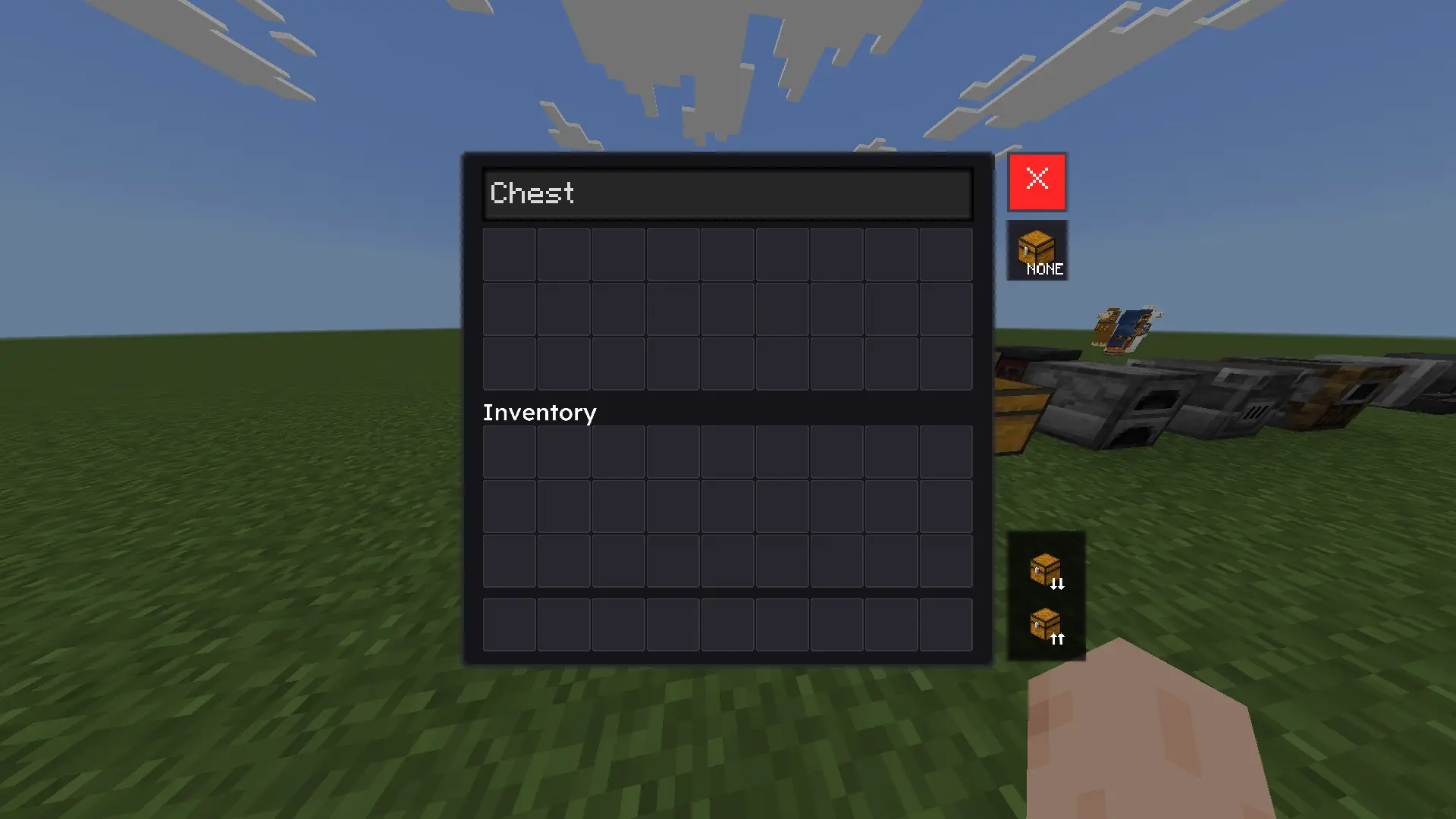
- Furnace ( All ) -
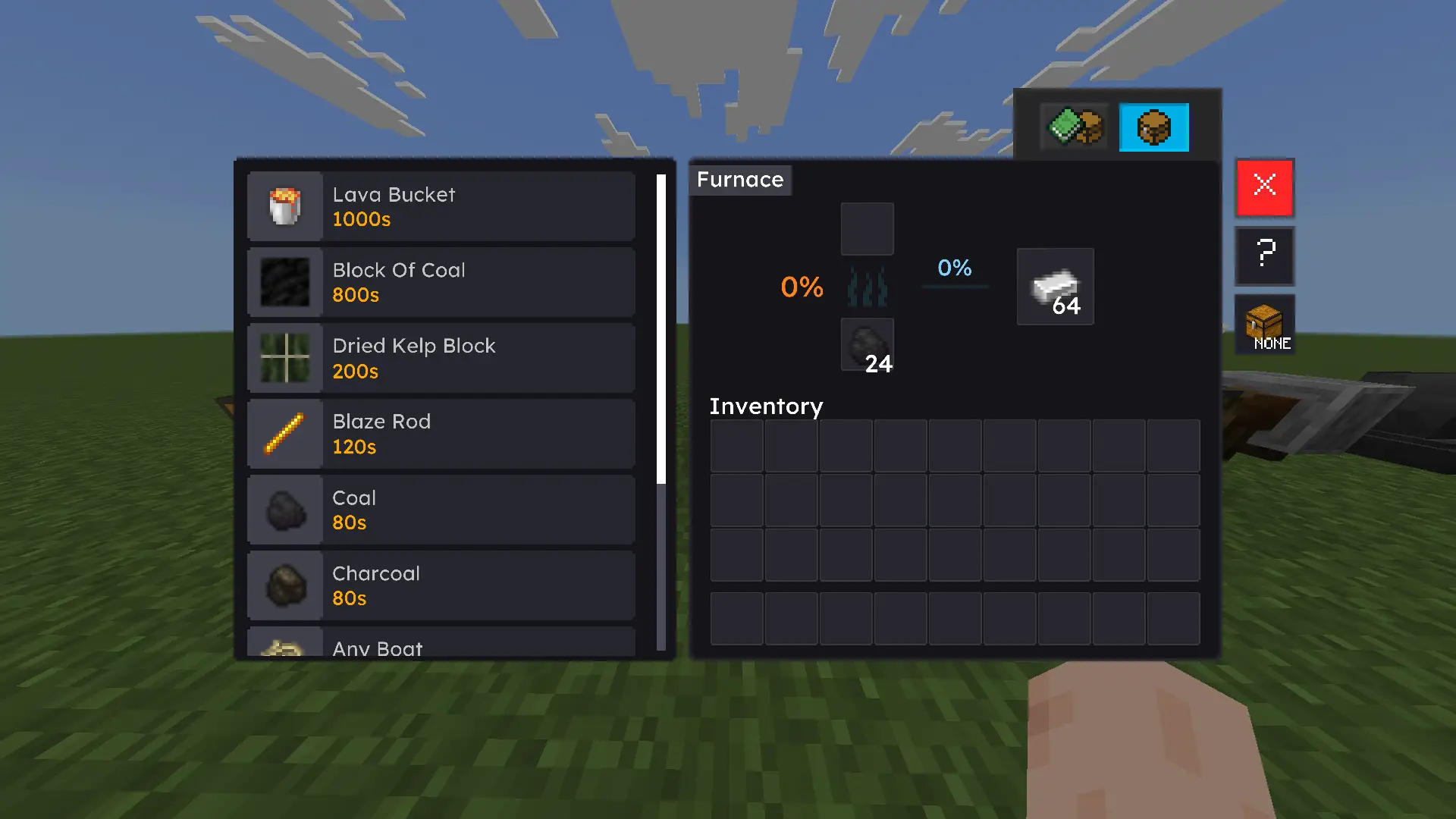
- Smithing Table -
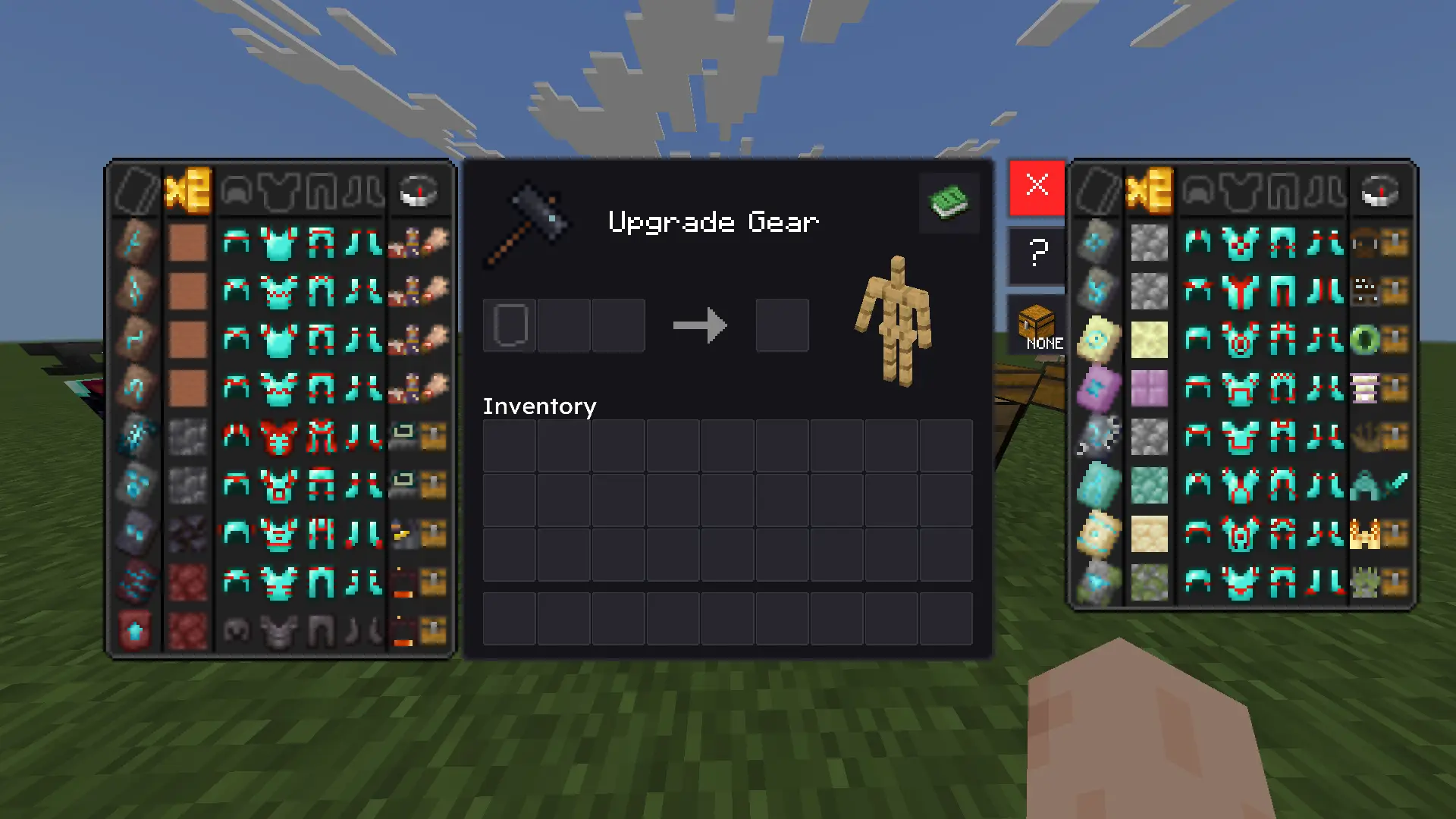
Video Showcase:
https://www.youtube.com/watch?v=FL9uC9odj2o
Special Thanks To:
- TheAndromedarius
- Pepe's ( YouTube )
- Ardzz ( YouTube )
- DimzCraft ( YouTube )
- Nokarin ( YouTube )
- ExplerHD ( YouTube )
Updated on September 18, 2026
- Core
- [ SUBPACKS ] Added support for disabling and enabling features from HorizonUI: BE
- [ CODE ] Updated the vanilla base UI code from v26.33 to v26.44
- Backgrounds
- [ Background System ] Removed support for low-resolution animated backgrounds. If you want to use animated backgrounds, it is recommended to use devices with high-end specifications
- Recommendations
- iOS = 4.5 GB → 8 GB (*Untested)
- Android = 8 → 12 GB
- Windows = 16 → 32 GB
- Notes
- RAM usage may vary depending on the number of images and FPS in the extension.
- HorizonUI can detect if you’re using an animated background without having to configure subpacks
- Textures
- [ GUI > INVENTORY ] Updated “Cell” textures.
- [ GUI ] Updated “Hotbar” textures.
- [ GUI ] Updated “Tab” textures.
- UI & UX
- [ CHEST ] The “Search Items” feature now uses a toggle.
- [ MAIN ] The “Hide UI” and “Skin” buttons are now hidden.
- [ MAIN ] Adjusted padding for mobile devices.
- Bug Fixes
- [ FURNACE COMMON ] Fixed an issue where there were two “Help” buttons.
- [ NIGHT VISION ] Fixed an issue where the button to adjust brightness was missing.
Changelog for June 29, 2026 / Old Update
- Manifest
- Removed the word [ Pre-Release ] from the pack
- Button IDs
- Replaced $pressed_button_name for the profile button from [ button.to_profile_screen ] to [ button.menu_profile ]
- Bug Fix
- Fixed an issue where Low Animated Backgrounds > Chisa had missing frames
Changelog for June 26, 2026 / Old Update
- Core
- [UI] HorizonUI now supports Minecraft v26.30 (Chaos Cubed)!
- [Manifest] The minimum Minecraft version required to use HorizonUI has been changed to v1.26.30 (v26.30)
- [Manifest] Added a subpack system for [ Low Animated Backgrounds ] and [ High Animated Backgrounds ]
- Textures
- [UI > POCKET] Updated the TAB texture
- [UI > POCKET > FURNACE] Added percentage information for “Fuel Item” & “Burning Process”
- Features
- [Inventory Slot Counter] Now shows available slots instead of remaining used slots (Indonesia: "Sekarang fitur ini menampilan Slot Tersedia dan bukan lagi sisa Slot Yang Digunakan.")
- UI & UX
- [COMMON] UI Font Update
- [MAIN UI] Added toggle [More] — contains Manage Account, Feedback, Socials, and Dressing Room buttons
- [MAIN UI] Added toggle [About] — shows HorizonUI Version and Changelog (more items to be added in future updates)
- [Pause UI] Redesigned the Pause Screen
- [Play UI] Minor design changes to the Play Screen
- [Settings UI] Minor design changes to the Settings Screen
- [Furnace] Updated the UI design for “Fuel Items” (additional fuel items to be added in future updates)
- Bug Fixes
- [SUBPACKS] Fixed an issue where [ Low Animated Background ] could not be enabled
- [VANILLA] Fixed an issue where players could not enable Ray Traced / Vibrant Visuals
- [Settings] Fixed an issue where the icon warning for enabled Ray Traced / Vibrant Visuals was missing
- [Main UI] Fixed an issue where some button (truncated in source)
Changelog for June 4, 2026 / Old Update
- / Etc
- Removed the “F1” and “F8” keys due to conflicts with players using PS and Xbox controllers (Temporary)
- // Cores
- [ SUBPACKS ] Added subpacks to enable and disable Animated Backgrounds
- // Backgrounds
- Added L2D Chisaa (千咲) from Wuthering Waves
- // UI & UX
- Pause Screen
- Layout slightly adjusted for User Experience
- social and achievement buttons are now combined
- HorizonUI logo will adapt to each device
- Icon update for the “How To Play” button
- Main Screen
- HorizonUI text information will be hidden if the extension is active
- Adjusted button sizes
- Updated the “About UI” display
- Pause Screen
- // Bug Fix
- Progress: Fixed an issue where the “Mobile Data” icon always appeared even when the player was using Wi-Fi
- LOG: Fixed an issue where the “$custom” error log always appeared when the player enabled the LOG Content GUI
Download links
Tags