How to Craft Name Tags in Minecraft Bedrock
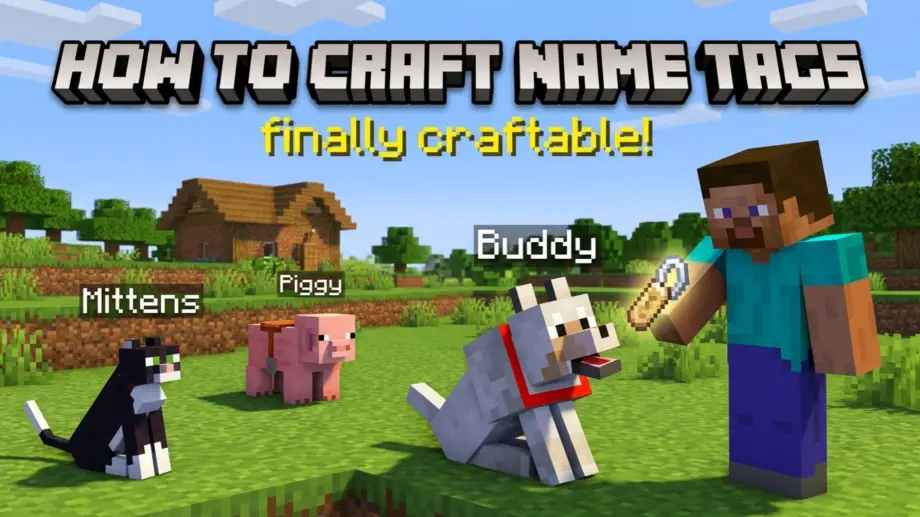
For over a decade, name tags were one of the most frustrating items in Minecraft. You couldn't craft them. You had to hunt through dungeons, mineshafts, and woodland mansions, or get lucky fishing, just to find a couple. Naming your pet wolf or protecting a rare mob from despawning meant a serious scavenger hunt.
That's over. As of the Tiny Takeover update (Bedrock 26.10), released March 24, 2026, name tags are finally craftable from two cheap materials. Here's the recipe, how to use them, and a few things that still trip people up.
The Recipe
You need just two items:
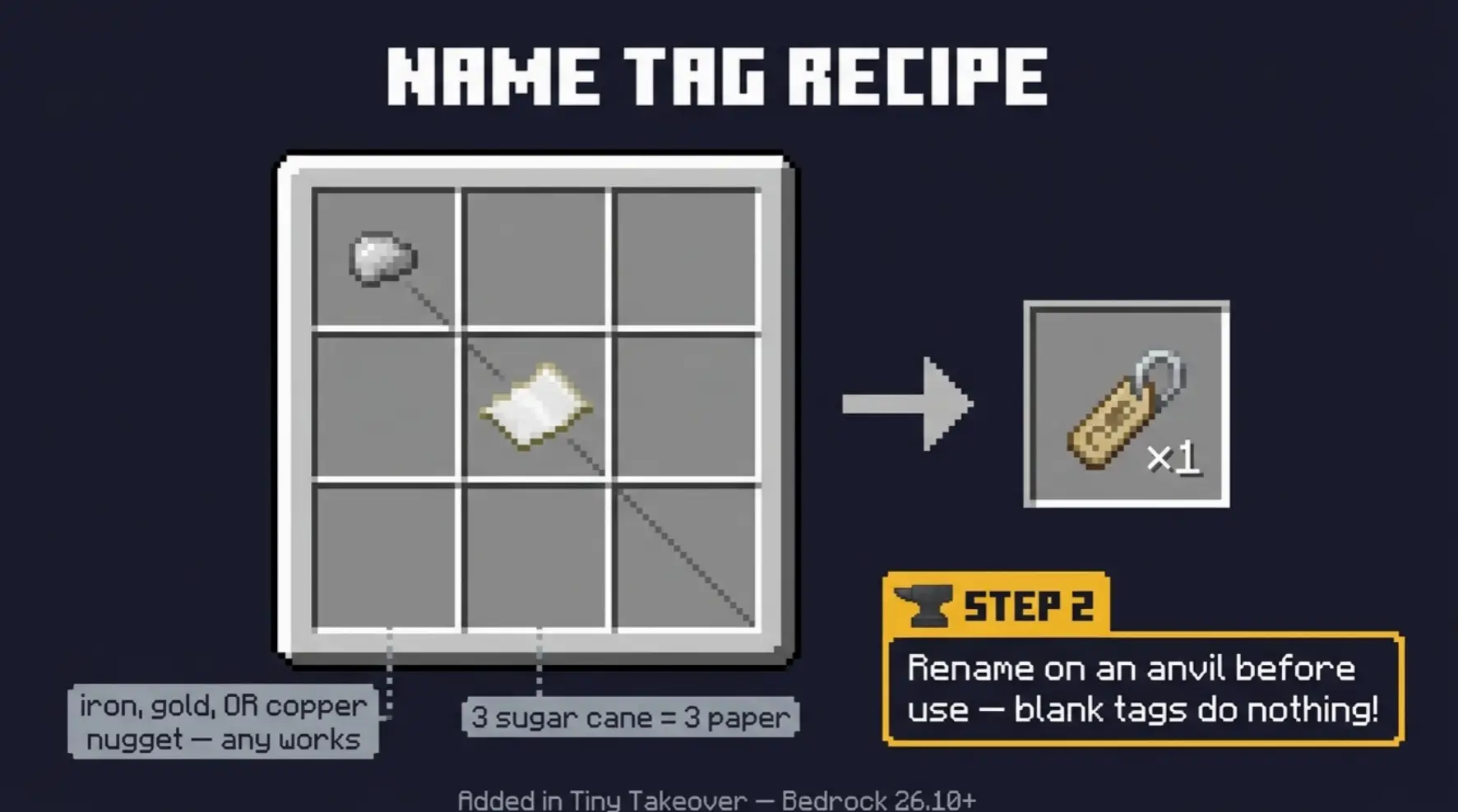
- 1 Paper (crafted from 3 sugar cane in a row)
- 1 Metal Nugget (iron, gold, or copper, any one works)
This is a shaped recipe, so placement matters. It's not shapeless. You can't just toss both items anywhere in the grid.
Placement:
- Put the metal nugget in a top corner slot (top-left or top-right)
- Put the paper in the slot diagonally below the nugget
So if the nugget is top-left, the paper goes in the center slot. If the nugget is top-right, the paper goes in the center slot below it. The two items sit diagonal to each other.
The recipe fits in your 2×2 inventory crafting grid, so you don't even need a crafting table. Handy when you're out in the world and want to name something on the spot.
The Metal Type Doesn't Matter
Iron, gold, or copper nugget: all three produce the exact same name tag. The metal type doesn't change the appearance, durability, or function. Use whatever you have the most of. Iron nuggets are usually the easiest since you can get 9 from a single iron ingot (place an ingot anywhere in the grid to break it into nuggets).
You Still Need an Anvil to Name It
This is the step people forget. A freshly crafted name tag is blank. It does nothing on its own. If you right-click a mob with a blank name tag, nothing happens.
To activate it:
- Place the blank name tag in an anvil
- Type the name you want in the text field
- Take the renamed tag from the output (costs 1 level of XP)
- Now right-click (or interact with) a mob to name it
Only after the anvil step does the name tag work. No anvil, no name.
What Name Tags Actually Do
Two main functions:
Prevent despawning. This is the big one. Named mobs never despawn, no matter how far you travel or how long you're away. Essential for pets, rare mob variants, trading villagers, and farm animals you want to keep permanently.
Display a name. The mob shows its name floating above its head when you look at it from within about 4 blocks. Useful for identifying specific animals in a crowded pen or labeling important mobs.
One exception: naming a mob does not prevent despawning for a few specific mobs that despawn regardless (like the ender dragon, which is a non-issue anyway). For every normal mob, a name tag locks them in permanently.
Where Else to Get Name Tags
Crafting is now the easiest method, but name tags still appear in a few other places:
- Wandering traders now sell name tags for 1 emerald (7% chance to offer the trade). A quick, cheap option if a trader shows up.
- Loot chests in dungeons, mineshafts, and some other structures still generate name tags, though Mojang removed them from certain loot pools when the craft was added.
- Fishing can still occasionally reel one in as treasure.
Honestly, now that they're craftable from a nugget and a piece of paper, there's little reason to rely on the other methods. Keep some sugar cane and a few nuggets around and you'll never run out.
Fun Easter Egg Names
A few special names trigger hidden effects when applied via anvil:
- "Dinnerbone" or "Grumm" — flips the mob upside down
- "jeb_" on a sheep — makes its wool cycle through rainbow colors (the wool it drops is still the original color)
- "Toast" on a rabbit — gives it a special skin, a memorial Easter egg
These are purely cosmetic and just for fun, but they're a nice touch if you want a rainbow sheep or an upside-down cow in your base.
Common Mistakes
"The recipe isn't working / nothing appears in the output." Two likely causes. First, check your game version. If your world or server isn't updated to Tiny Takeover (Bedrock 26.10) or later, the recipe doesn't exist yet. Second, check your placement. It's a shaped recipe. The nugget and paper must be diagonal to each other, not side by side or stacked.
"I right-clicked a mob but it didn't get named." The tag is still blank. You have to rename it on an anvil first. A blank name tag does nothing.
"I named the tag but can't afford the anvil cost." Renaming costs 1 XP level. If you're at level 0, you need to gain a little XP first. Kill a few mobs or smelt some items.
"My server doesn't have the recipe." Servers and Realms need to be updated to the Tiny Takeover version. If the host hasn't updated, the recipe won't be available even if your client is current.