Backpacks
 Go to files
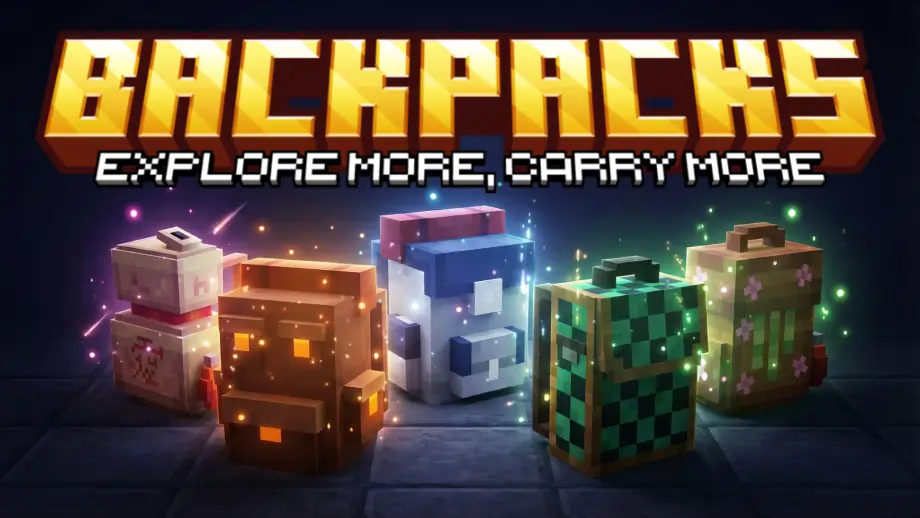
Say goodbye to inventory clutter! This addon adds 8+ fully functional, upgradable Backpacks to your survival world. Unlike basic mods, you can place these down to interact with them or carry them on your adventures.
(ENGLISH)
(SPANISH)
IMPORTANT:
- Does NOT require experimental features.
- Requires version 1.21.60+ or newer.
- Achievements are enabled.
- Make sure you download and install both packs Resource and Behavior.
How to wear
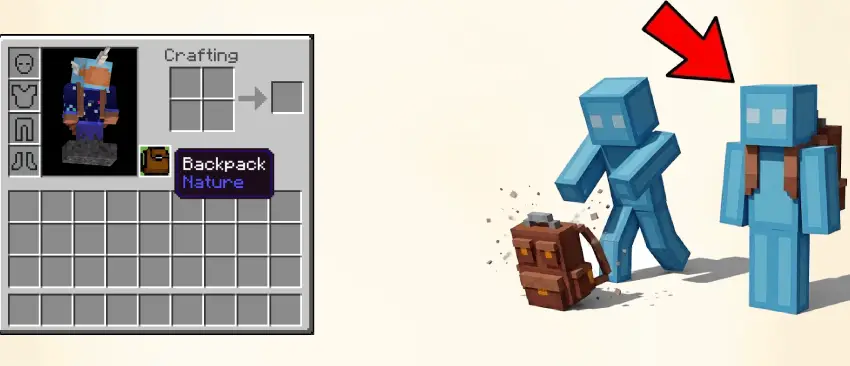
To wear the backpack, place the backpack item in the off-hand slot. If the backpack is placed on the ground, hit the backpack and this will auto-equip it to your off-hand slot. If you are already wearing a backpack it will drop the item.
How to upgrade
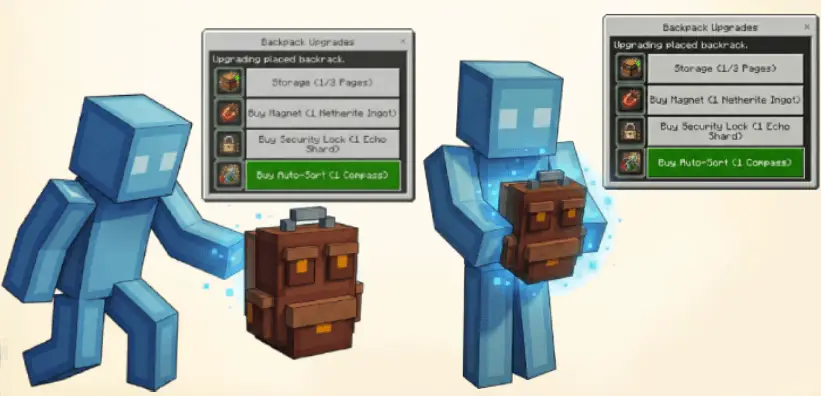
To upgrade your backpack there are two ways to access the menu:
- Method 1: Place down the backpack, sneak and interact with it to open the upgrade menu.
- Method 2: Hold the backpack in your hand and interact with the item to open the upgrade menu.
Upgrades
Upgrade: Extra Storage
Not enough room? Get the Storage Upgrade! This upgrade adds extra pages to your backpack, letting you carry even more items on your adventures.
How it works: When placed you'll see arrows inside the backpack. Click them to flip between your inventory pages.
Upgrade: Magnet
Tired of running to pick up items? Let them come to you! This upgrade automatically pulls all nearby items right to you so you don't have to pick them up one by one.
How it works: Purchase the Magnet upgrade from the backpack's upgrade menu. After buying it, you can turn the magnet ON or OFF from the same menu.
Upgrade: Security Lock
Keep your items safe and sound! This upgrade locks your backpack so only you, the owner, can open it or pick it up. No one else will be able to get inside.
How it works: Purchase the Security Lock from the backpack's upgrade menu. This will also set you as the owner. After buying it, you can make your backpack LOCKED or UNLOCKED from the same menu. (Be careful! Unlocking it lets anyone get inside!)
Upgrade: Auto-Sort
Is your backpack a mess? Clean it up with one click! This upgrade gives you a new button in the upgrade menu that lets you instantly sort all the items on your backpack's current page. It will stack everything together neatly.
How it works: Purchase the Auto-Sort upgrade from the backpack's menu. Then sort by Name or by Amount. Note: This upgrade only works on a backpack that has been placed in the world.
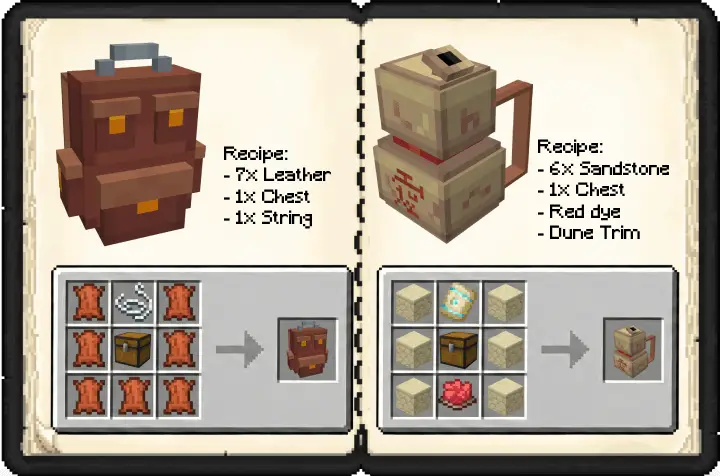
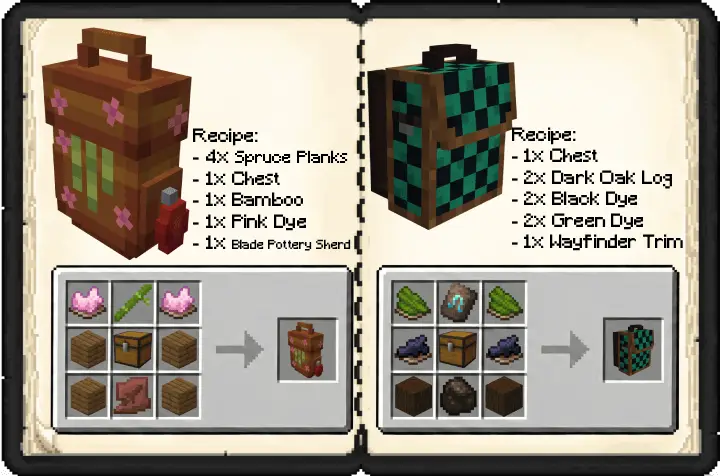
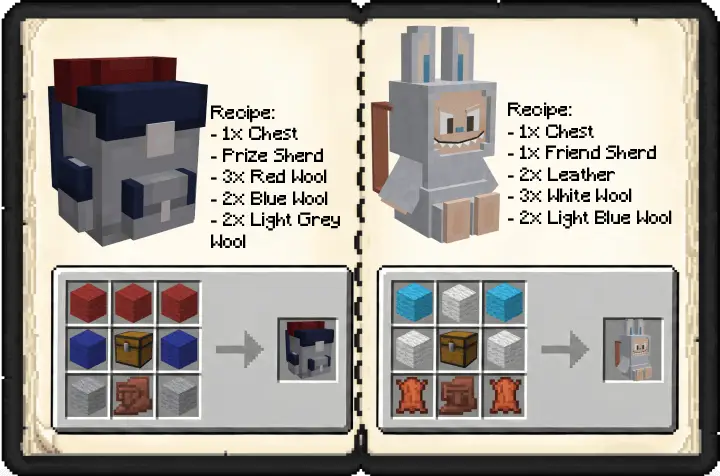
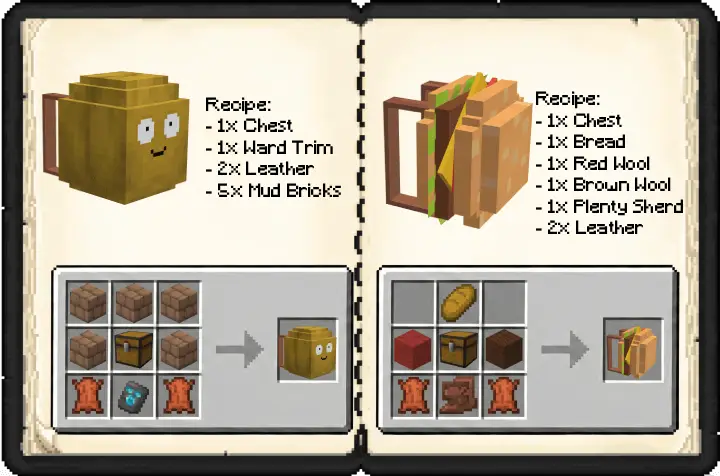
Crafting Recipes