
Copy link
Real-Time Clock (Schedule Addon)
 Go to files
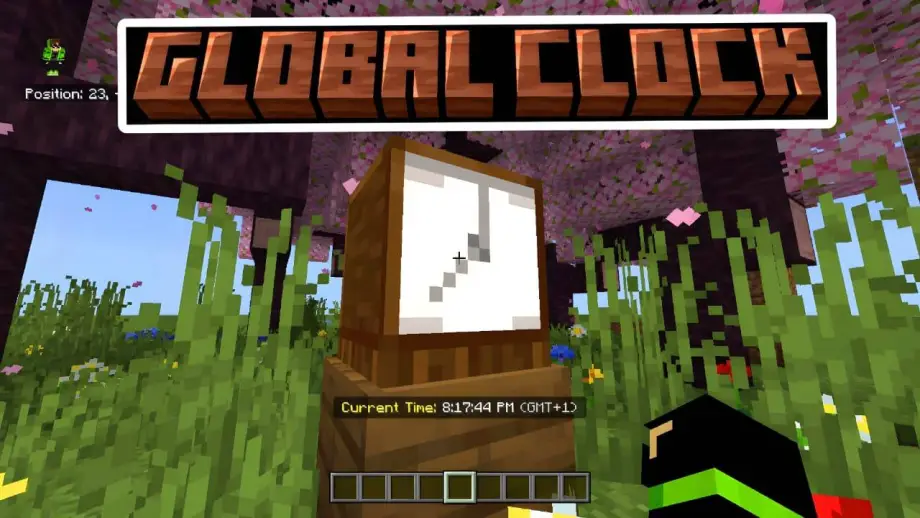
Are you tired of checking your phone to see what time it is while playing? Do you want a decorative clock that actually works? Real-Time Clock is a Bedrock Edition addon that displays your real local time directly in the Action Bar.
Schedule Clock Add-on: Features & Usage
✨ Key Features
- 🕒 Real-World Time: Displays the actual real-world time (HH:MM:SS), not Minecraft tick-based time.
- 🌍 Time Zone Support: Custom UI menu to select your GMT time zone (from -12 to +14).
- 📟 Action Bar Display: Shows the time cleanly above the hotbar with optional AM/PM support.
- 🪵 Beautiful 3D Model: Custom "Schedule Clock" block with a rustic wooden aesthetic.
- 🔗 Smart Linking: After setting your time zone, the system remembers you. Time can be viewed by looking at the Schedule Clock block or (NEW) holding a vanilla Clock item.
🛠️ How to Use
- Get the Block: Search for "Schedule Clock" in the Creative Inventory or use
/give @s custom:schedule_clock. - Place & Setup: Place the clock on the ground or wall.
- Interact: Right-click (Windows) or tap (Mobile) to open the Settings Menu.
- Select Zone: Choose your GMT offset (e.g., GMT+1, GMT+3).
- Done: Your local time will now appear when looking at the block or holding a normal clock.
Download links
Supported versions
Tags