QoF (Quality of Feature)
 Go to files
A Minecraft Bedrock addon that adds small vanilla-friendly features. Each module is configurable through the in-game pack settings panel. Requires BetaAPIs enabled under Experiments.
Quality of Feature
A Minecraft Bedrock addon that adds small vanilla-friendly features. Each module is configurable through the in-game pack settings panel.
Requires BetaAPIs enabled under Experiments.
Overview
- Dynamic lighting
- Repair damaged anvils
- Concrete powder hardens when it touches water as an item entity
- Composter accepts more items
- Pick up and carry containers while preserving their contents
- Swap mainhand and offhand with a double sneak and place torches from the offhand
- Hold harvest crops with automatic seed replanting with Hoe
- Extra mob drops
- Extra crafting and smelting recipes
- And many more to come later...
Changelog
Modules
Dynamic Light
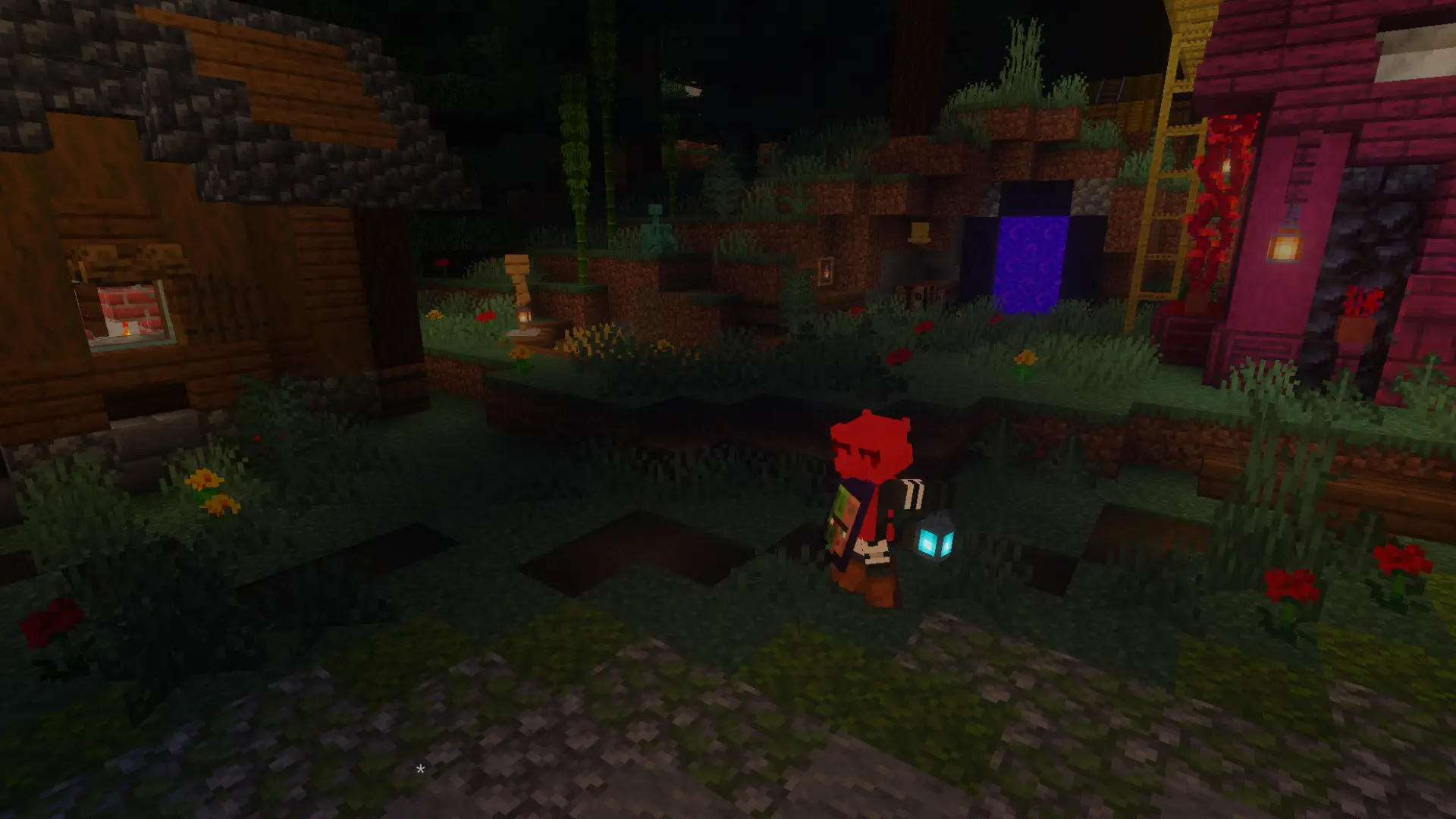
Held and dropped items emit light based on their type. The light smoothly fades after the source moves away or is removed. burning entities, glowing entities and item frames also emit light based on what they contain.
How It Works:

alt-message In a mushroom cave, a soul lantern sits on the ground emitting light. The player walks in from the right, picks it up, and the room goes dark. And then drops it back in the same spot and walks away.
- When a player holds or drops a light-emitting item, a
qof:light_blockis placed at the relevant position each tick.- When the source is gone, the light level decreases linearly each tick until it reaches zero, then the block is restored to air or water.

alt-message A flaming arrow is fired into a target block. While the arrow is burning, it emits light. The player walks through the lit area, picks the arrow up, and leaves. Light disappears when the source is gone.
- Nearby glowing or burning entities also emit light passively.
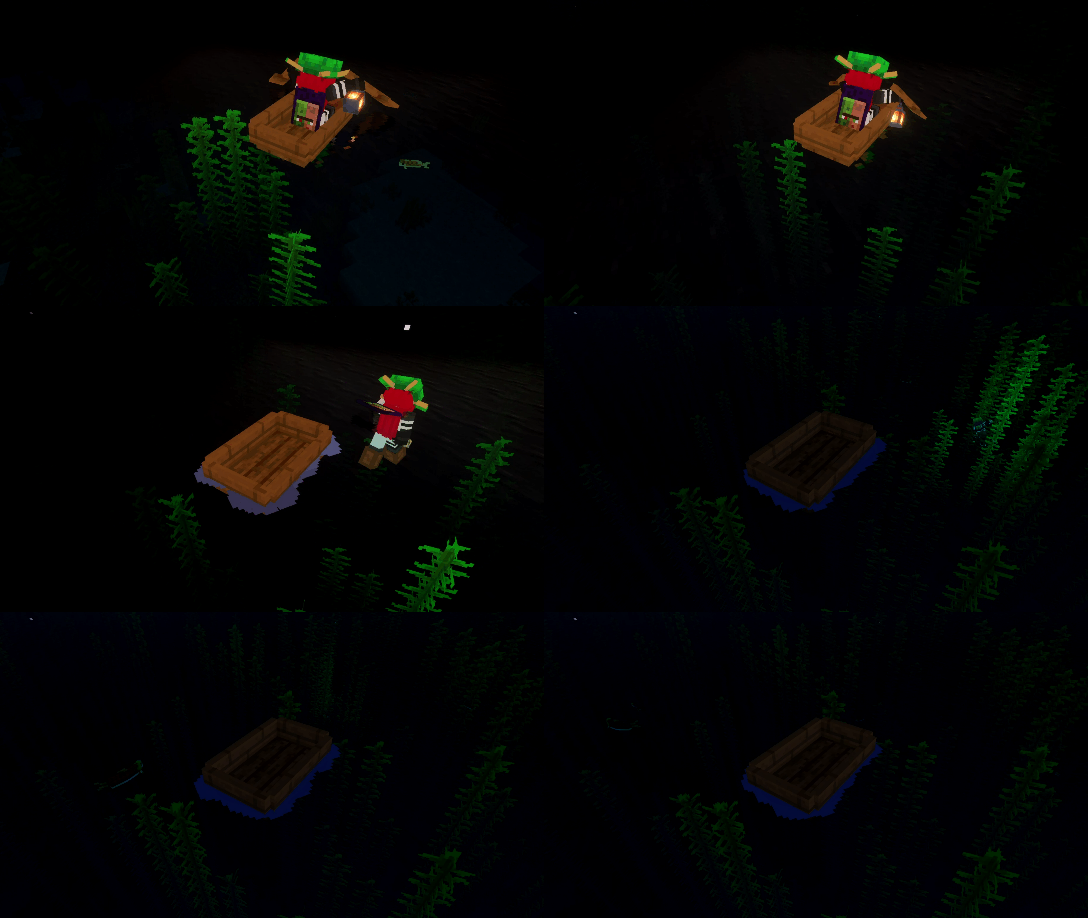
alt-message In the open ocean, the player rows a boat while holding a lantern, making the water surface glow below. They stop, jump in, switch to a conduit, and swim deeper. The qof:light_block is placed inside the water itself, illuminating the seafloor and kelp.
- Some items are prevented from emitting light underwater.
- Table at github.com/aitji/QoF
Anvil Repairing
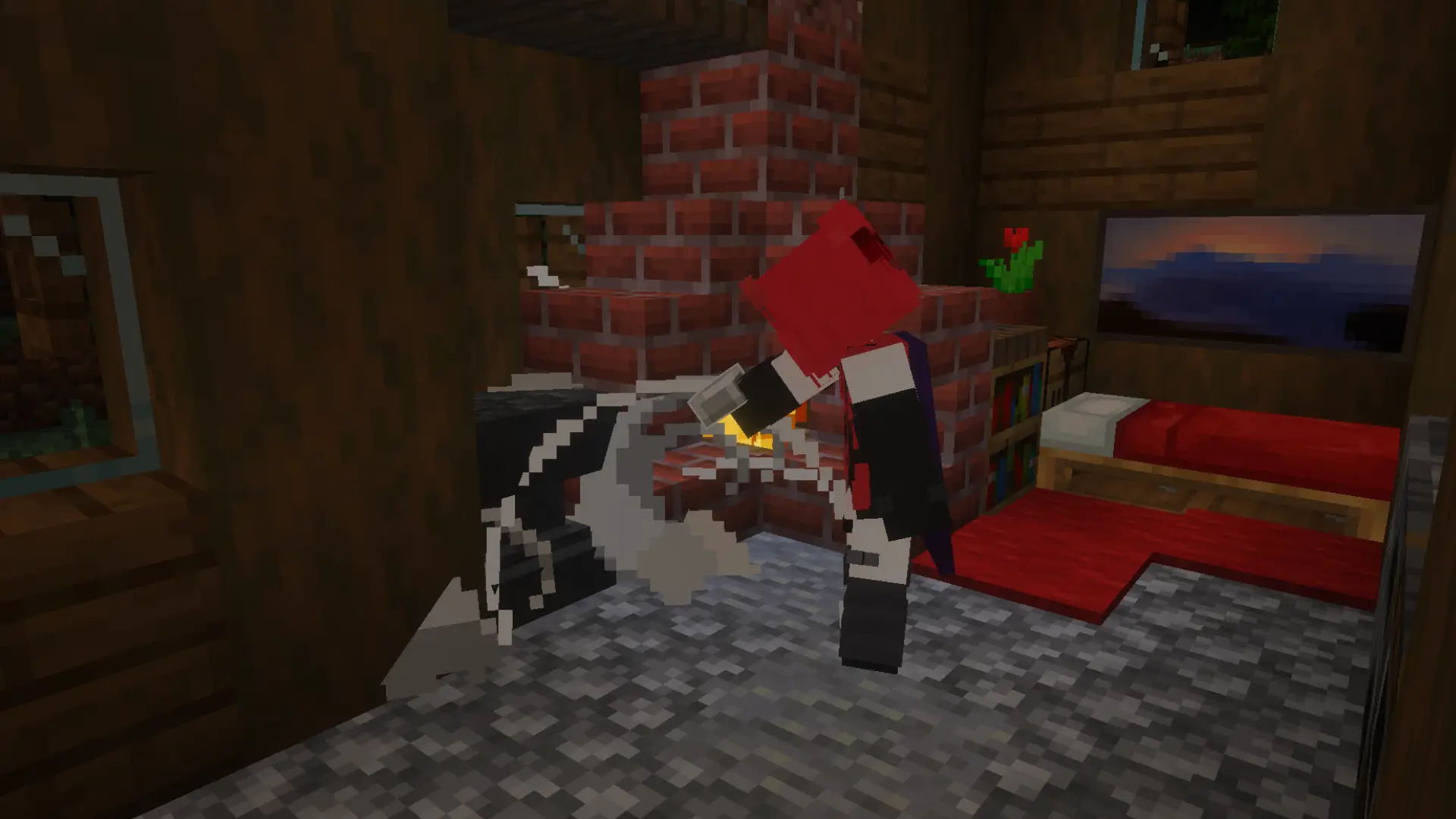

Damaged anvils can be repaired by interacting with them while holding an iron ingot. The anvil steps up one stage per ingot consumed.
Repair chain:
Damaged Anvil -> Chipped Anvil -> AnvilFull Repairing Loop

alt-message The player walks into a cozy spruce house, repairs a damaged anvil twice to bring it back to full, mines it with an iron pickaxe, places a new damaged anvil, and walks out.
[TIP] Hold the interact button to repair continuously. A short delay between repairs is applied to prevent accidental over-use.
Wet Concrete Powder
Concrete powder items automatically convert to concrete when they enter water. The conversion happens after a short delay that scales with the stack size, and the resulting concrete item inherits the original velocity.
How It Works:
- When a concrete powder item entity spawns, QoF begins tracking it.
- Once the item enters water, a timer starts. Larger stacks wait slightly longer.
- After the timer expires, the powder entity is removed and a concrete item entity is spawned in its place.
- A particle and sound effect play on conversion.
The delay formula is: DELAY = BASE + [√(item_amount - 1) * MULTIPLIER ]
\ where BASE and MULTIPLIER are configurable in pack settings.
Conversion In Action
alt-message Top-down view centered on a water pool with an allay floating nearby emitting soft light. The player walks in from the bottom-center and throws concrete powder into the pool. After a short delay the powder converts, and the player picks up the resulting concrete and walks off.
Composter+
Expands the composter to accept many more item types not supported in vanilla, including mob drops, food, wool, and various materials.
How It Works:
- Player interaction with supported items triggers compost fill with a per-item success chance.
- On reaching level 7, a short delay passes before the composter becomes ready (level 8).
- Hoppers check for composting items on a configurable interval and process one item per check.
Hopper Integration

alt-message The player manually composts some string (not in the vanilla list), then places a hopper above the composter and throws in rotten flesh (also not in the vanilla list). The hopper feeds the composter automatically until it fills and becomes ready.
Stew & Soup Bowl Returning
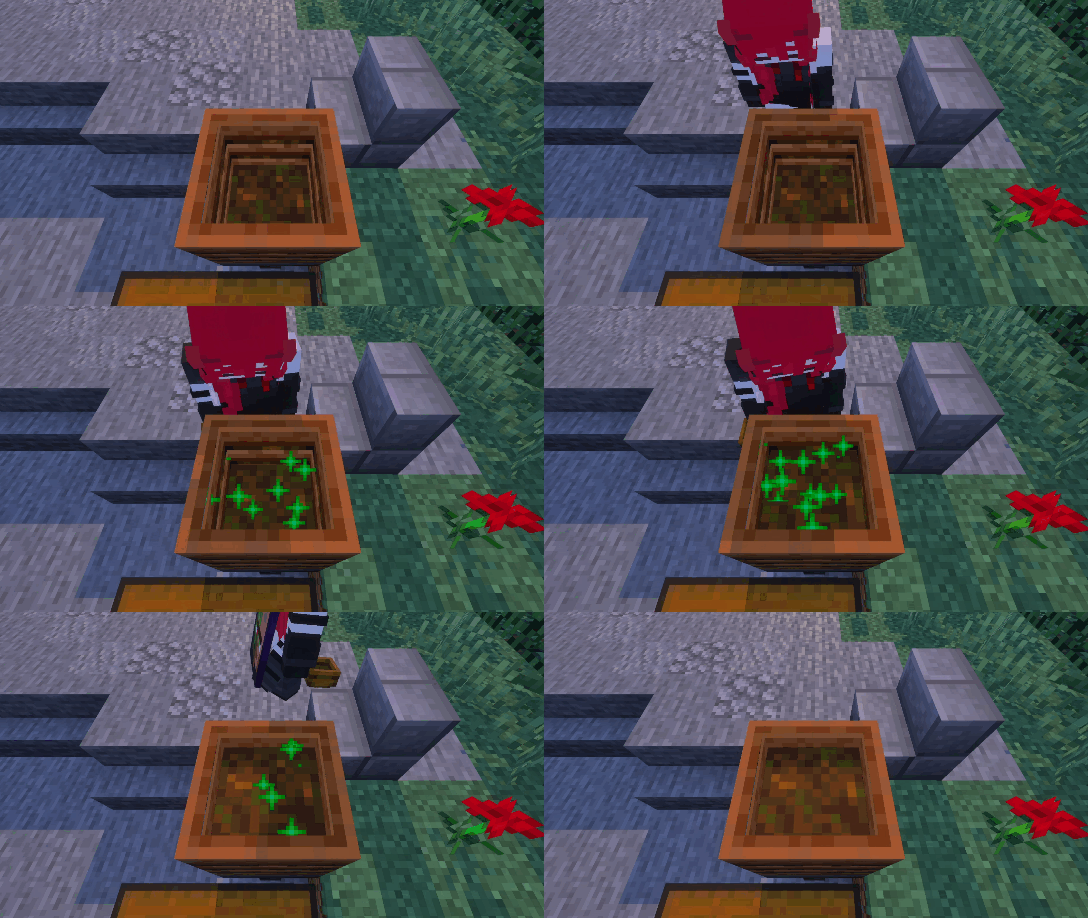
alt-message Stew and soup items are composted one by one. After each is consumed, an empty bowl is returned in player hand matching the vanilla eating behavior.
[WARNING] Enabling hopper integration with many composters and hoppers in a loaded area may affect performance. Tune the hopper interval setting if needed.
Carrying Container
Allows players to pick up chests and other containers while preserving their contents. Sneaking and interacting with a container picks it up. Placing the carried item puts the container back down with all items restored.
Behavior while Carrying:
- Slowness is applied continuously.
- Jumping is disabled by default (configurable).
- Jumping in water or lava can be allowed independently.
- Climbing scaffolding and ladders can be allowed independently.
- Players in Creative mode are exempt from jump restrictions.
Full Carry Example

alt-message The player walks in holding a cod, places it inside a barrel, then picks the barrel up. They carry it slowly across the scene, with slowness visible, and place it on top of a hopper. The barrel lands with its contents intact.
Slowness and Double Chest

alt-message The player runs in, picks up a chest next to a black sheep, then visibly slows down while carrying it. They walk to a second chest and place theirs beside it, forming a double chest. Contents from both halves are preserved.
Offhand
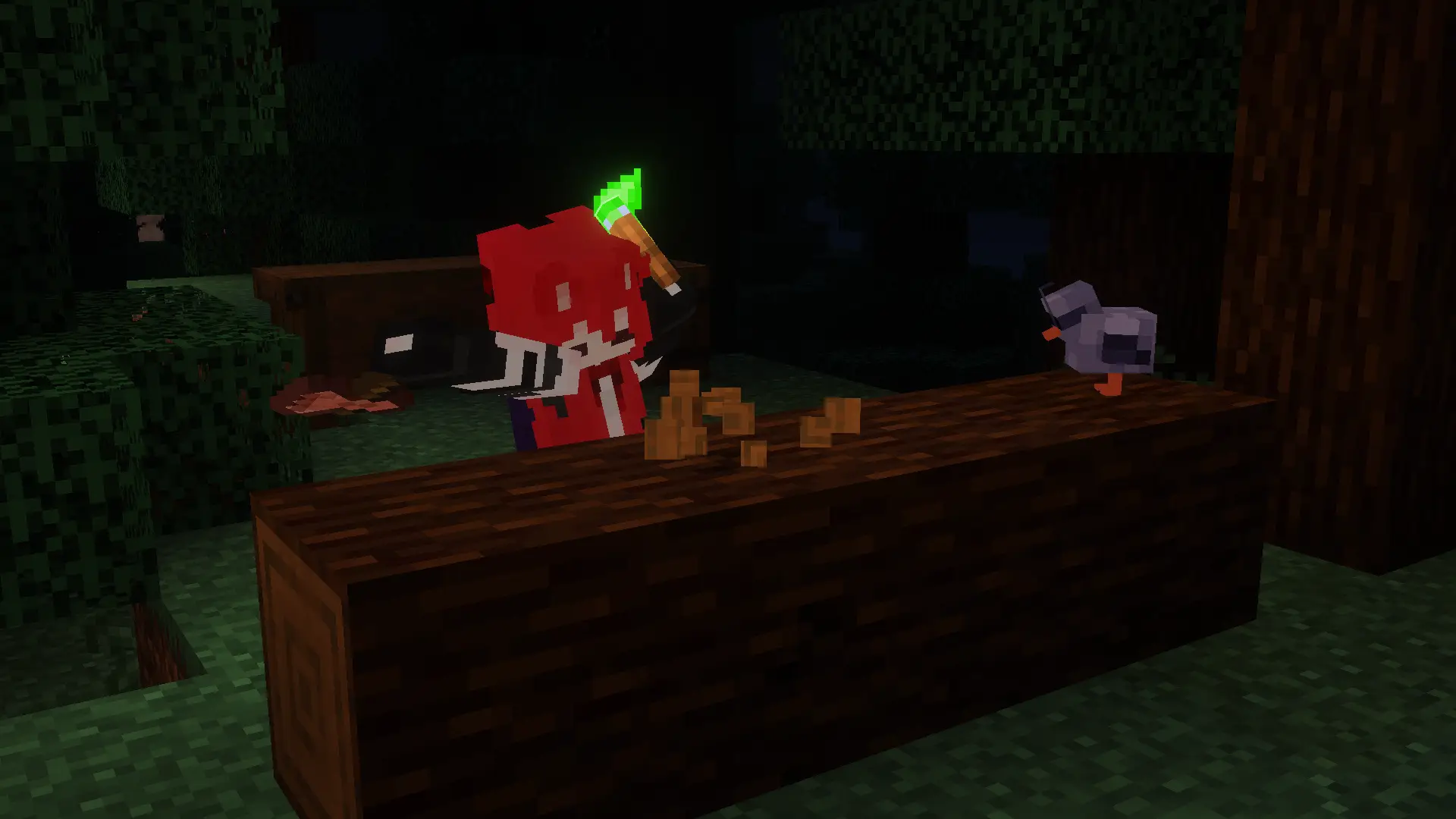
Allows players to double-sneak to swap items between their mainhand and offhand. Additionally, torches and other light sources held in the offhand can be placed directly without switching slots.
How It Works:
- Double sneak within a configurable time window to swap mainhand ↔ offhand.
- The sneak window gap is independently configurable for Mobile, Console, and Windows.
- Torches placed from the offhand correctly consume the offhand item stack.
[NOTE] Enchantments and item color cannot be transferred between hands due to API limitations that do not allow editing the offhand cleanly.
Swap and Torch Placement
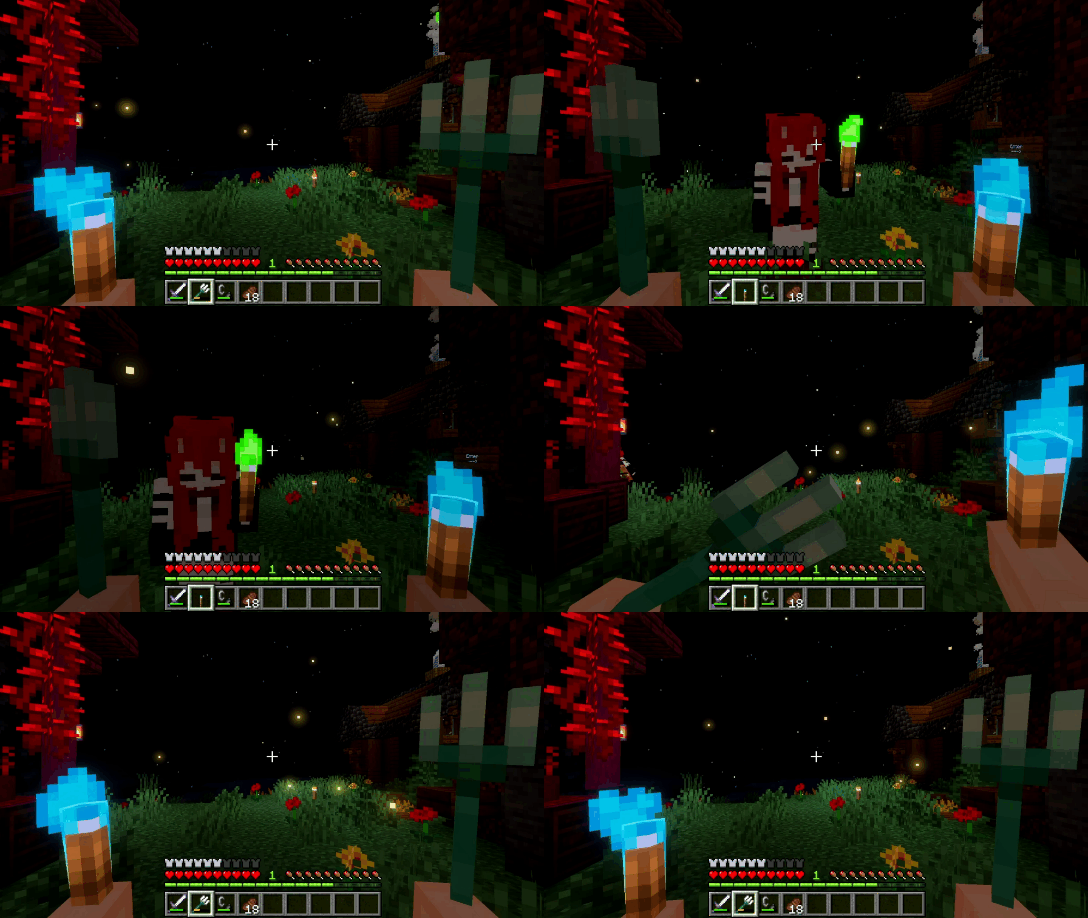
alt-message First-person view. The player is holding a Trident in the main hand and a Soul Torch in the offhand. They double-sneak, causing the Trident and Soul Torch to swap places, while another player walks across the screen.
Harvest
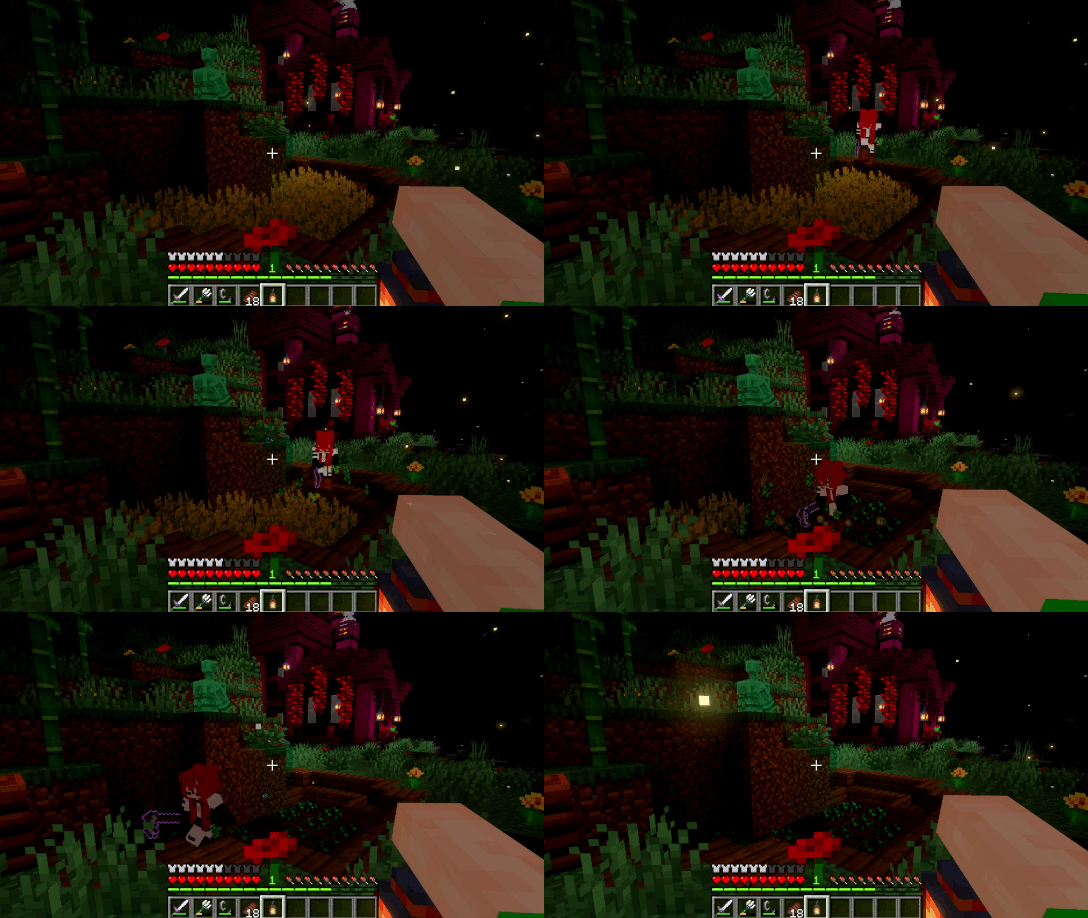
Allows players to harvest fully grown crops while holding any hoe. Seeds are automatically replanted after harvesting, and the hoe loses durability on each harvest to balance the automation.
How It Works:
- Hold any hoe and interact with a fully grown crop to harvest it.
- Seeds are automatically replanted in the same location.
- If seeds drop on the ground and the player has none in inventory, dropped seeds used for replanting are reduced by 1, with a
40 gametickdelay before the player can pick them up. - Hoe durability loss follows the vanilla formula: Loss = random < ( 1 / (level + 1) )
wherelevelis the hoe'sUnbreakingenchantment level.
[TIP] Using a hoe with high Unbreaking reduces durability loss significantly on large farms.
Mob Loot+

Adds drops to previously mobs without loot, making them more rewarding to farm.
Mob Loot Table
- Goat drops
Raw Mutton
2. Silverfish drops String3. Sniffer drops Moss Block4. Piglin Brute drops Gilded Blackstone
Recipe+
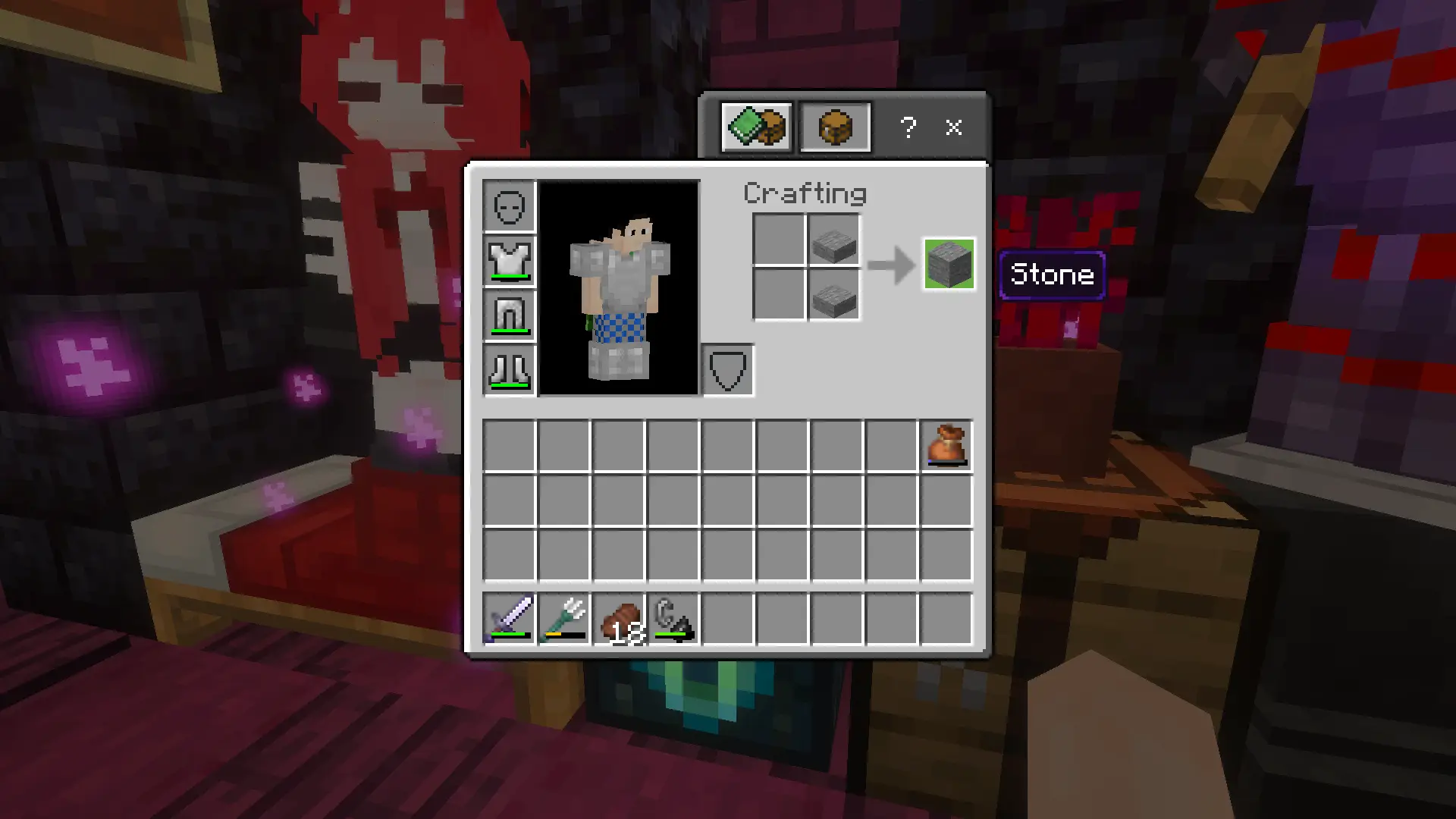
Adds new crafting, smelting, and stonecutter recipes for a more accessible way to obtain items.
Recipe Showcase
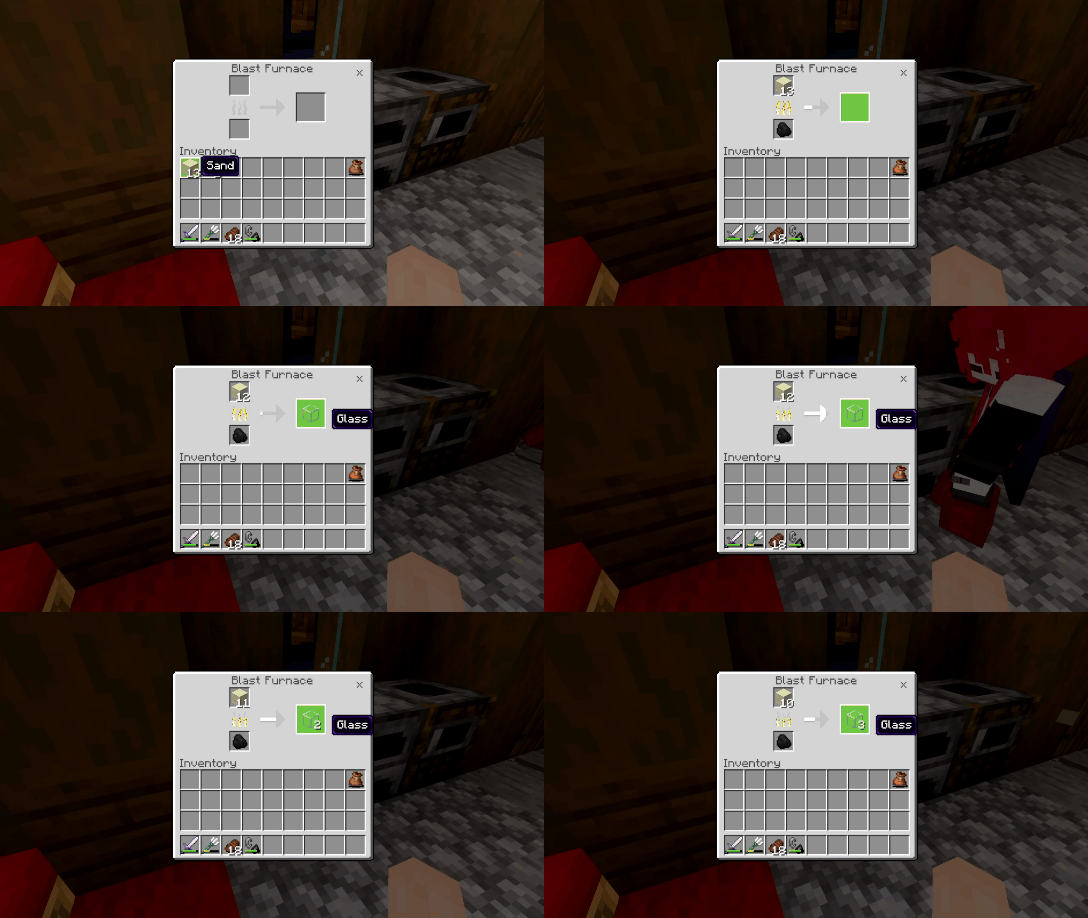
Configuration References
All settings are accessible through the pack settings panel in-game. No manual file editing is required.
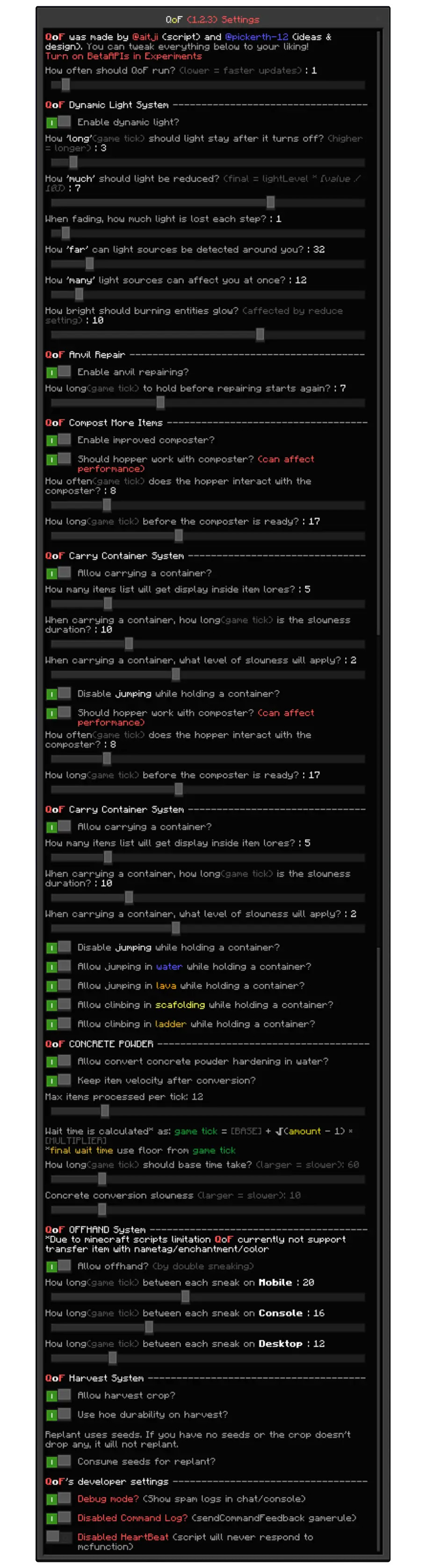
Known Limitations & Notes
These are known behavioral constraints, not all of which will be fixed in the short term. Most stem from Bedrock scripting API limitations.
Dynamic Light
LimitationsLight blocks are placed only in air or liquid. Solid blocks are never replaced, which can cause light gaps in tight or enclosed spaces.LimitationsArmor stands do not support the equippable component in the current API. Items held by armor stands do not emit dynamic light. Only item frames are supported for static placed sources.- Very high render radius or sources-per-player values will increase tick time noticeably. Keep defaults unless your world has very few active players.
Composter+
- Hopper feed processes one item per interval tick. High-throughput automatic farms will be rate-limited by the hopper interval setting.
LimitationsWe have a system that prevents custom list items from being processed when vanilla items are already being processed. However, if our custom list items are processed first and vanilla items are in the next slots, the vanilla items will be processed at the same time as ours in the hopper.
Carrying Container
- Only the player who picked up the container can place it back. Other players cannot interact with the carried item slot.
Offhand
LimitationsEnchantments and item color cannot be transferred between hands due to API limitations that do not allow editing the offhand cleanly.
License
This project is licensed under the MIT License.
Disclosure
All gameplay footage, images, and GIFs were recorded using Vibrant Visual and Action And Stuff.
LLMs were used to assist with wording and grammar in this documentation.
English is not our native language. Thank you for your understanding!
Credits
- @aitji scripting & design
- @pickerth-12 design, json & molang
QoF™
Copyright (c) 2026 aitji & pickerth-12 Licensed under the MIT License
Source: github.com/aitji/QoF

  README INFO
Version: v1.3.0
Last updated: 2 Apr 2026
Has README Update: False

  PACK INFO
Last Release: v1.3.0
Last Pre-Release: v1.3.3
Last Minecraft Version: 26.12
Used Dependencies: ^2.7.0-beta.1.26.10-stable



![Thumbnail: More Armor Weapons Tools and Swords Items Mod! – 𝗠𝗶𝗻𝗲𝗰𝗿𝗮𝗳𝘁 𝗙𝗼𝗿𝘁𝗶𝗳𝘆 𝗥𝗲𝘄𝗼𝗿𝗸𝗲𝗱 [v1.0.2] [New Mods New Addons Update!] [Compatible with any Addon!]](/uploads/posts/2025-02/b0534b5772_minecraft-fortify-cover.webp)