Clear And Borderless Glass
 Go to files
Clear & Borderless Glass for Minecraft Bedrock 1.26 — three tiny packs that fix ugly glass
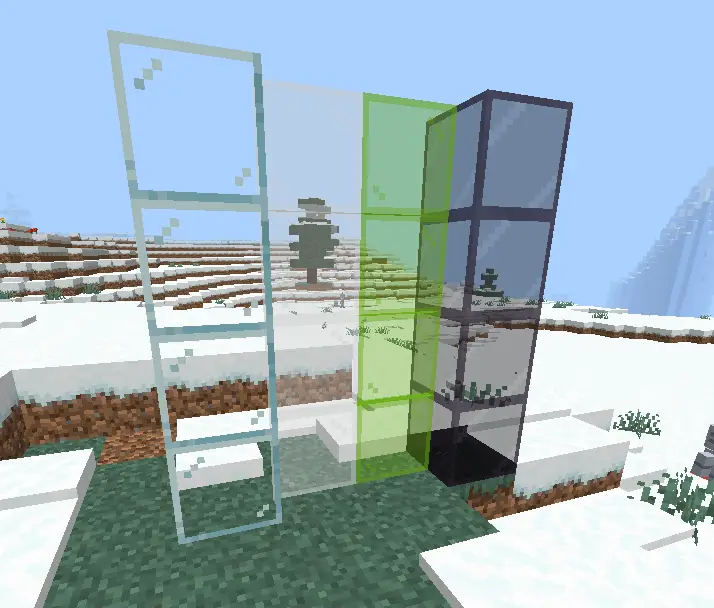
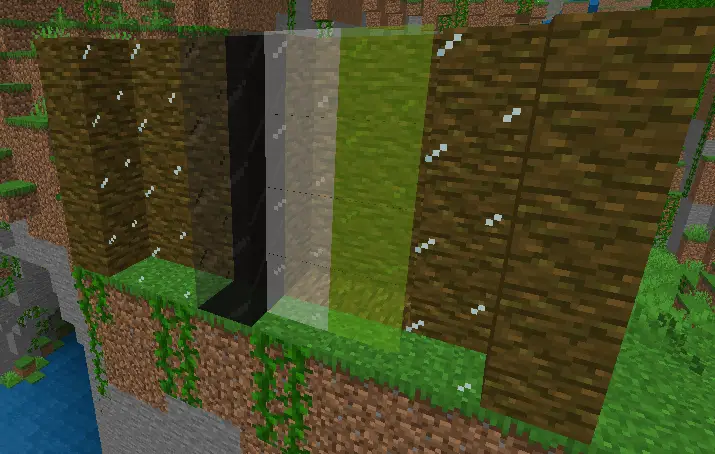
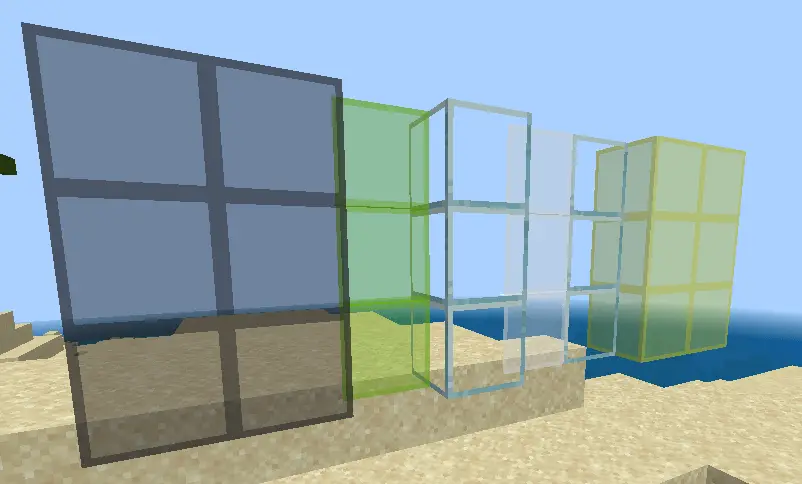
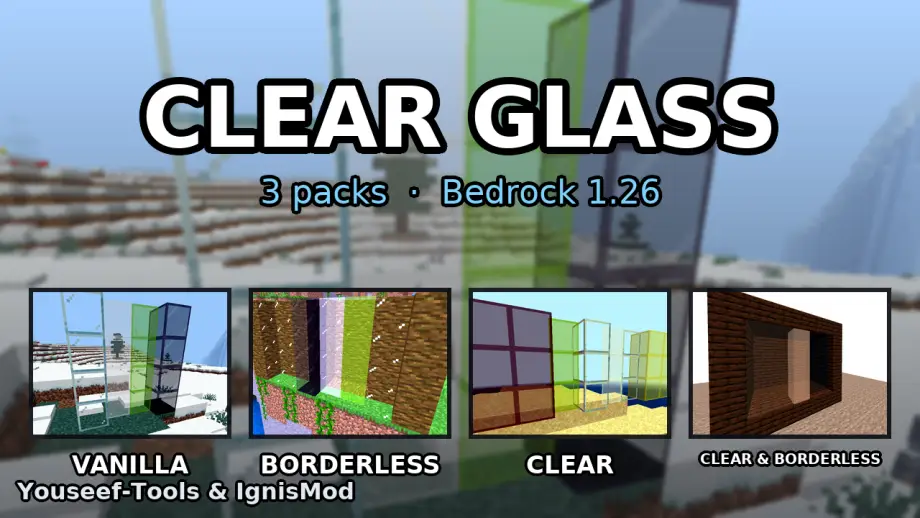
Glass is one of the best building blocks in Minecraft — right up until you actually look through it. In vanilla Bedrock every glass block carries a thick, opaque frame, so a wall of glass ends up looking like a spreadsheet instead of a window. Clear & Borderless Glass is a set of three standalone resource packs that remove that frame, keep the transparency, and let your builds finally look the way you imagined them.
No subpacks, no settings, no behaviour pack, no experimental toggles. You pick one file, you tap it, and your glass changes.
The problem with vanilla glass
Open any modern house build and look through the windows. What you see is not the view — it is a grid of white borders stacked on top of the view. Two things make it worse:
- The frame is per block, not per pane. A 6×4 window is 24 blocks, so you get 24 frames instead of one window frame.
- The frame is fully opaque, so it survives any lighting, any shader and any angle.
That is fine when glass is decoration. It is painful when the glass is the point of the build: aquariums, greenhouses, sky bridges, ocean monuments, modern villas, observation decks, mob farms with glass walls.
The three variants
| Pack | File | Look | Best for |
|---|---|---|---|
| Borderless Glass | release/borderless-glass.mcpack |
The frame is gone; only four small corner dots remain | Big window walls, aquariums, greenhouses |
| Clear Glass | release/clear-glass.mcpack |
Fully transparent centre with a thin, visible frame | Builds where glass must still read as glass |
| Clear & Borderless Glass | release/clear-borderless-glass.mcpack |
Transparent centre and no frame at all | The cleanest look — glass that disappears |
All three cover the same 35 textures, so nothing is missing when you switch:
- plain
glass tinted_glass- all 16 stained glass colours
- the matching 16
glass_pane_toptextures (the pane face)
Because the packs are three separate files with three different UUIDs, you can install all of them at the same time and activate a different one per world without any conflict.
How to install
- Download the
.mcpackyou want. - Open the file — Minecraft Bedrock launches and imports the pack automatically.
- Open your world → Settings → Resource Packs → activate the pack.
- Done. There is no subpack menu and nothing else to configure.
It is a pure resource pack: it never touches your world data, so it is safe to add to and remove from an existing survival world, and it works on Realms and servers (client side).
Performance
Textures are the original 16×16 resolution, so the packs weigh ~90 KB each and cost nothing in FPS — they are the same size files the game already loads, just redrawn.
Requirements
- Minecraft Bedrock 1.26.0 or newer (
min_engine_version: [1, 26, 0]). - No experimental toggles, no Beta APIs, no behaviour pack.
- Works on Windows, Android, iOS, Xbox, PlayStation and Switch.
| Asset | Path |
|---|---|
| Master video (1:41, 1920×1080) | video/clear-borderless-glass-full-video.mp4 |
| Shorts (30s / 29s / 43s, 1080×1920) | video/shorts/*.mp4 |
| Thumbnails | media/thumbnails/ |
| Pack icons (256×256) | source/icons/ |
| Subtitles (AR + EN) | video/subtitles-*.srt, video/shorts/*-ar.srt, *-en.srt |
Frequently asked questions
Do I need all three? No. Install the one you like; install all three if you want to switch per world.
Can I use it with other resource packs? Yes — put this pack above packs that also touch glass, or below packs that should win.
Is it allowed on Realms / servers? Yes. It is client-side only; nobody else has to install it to see their own glass, and it changes no gameplay.
(C) Youseef-Tools & IgnisMod