SimpleGMUI
 Go to files
Description
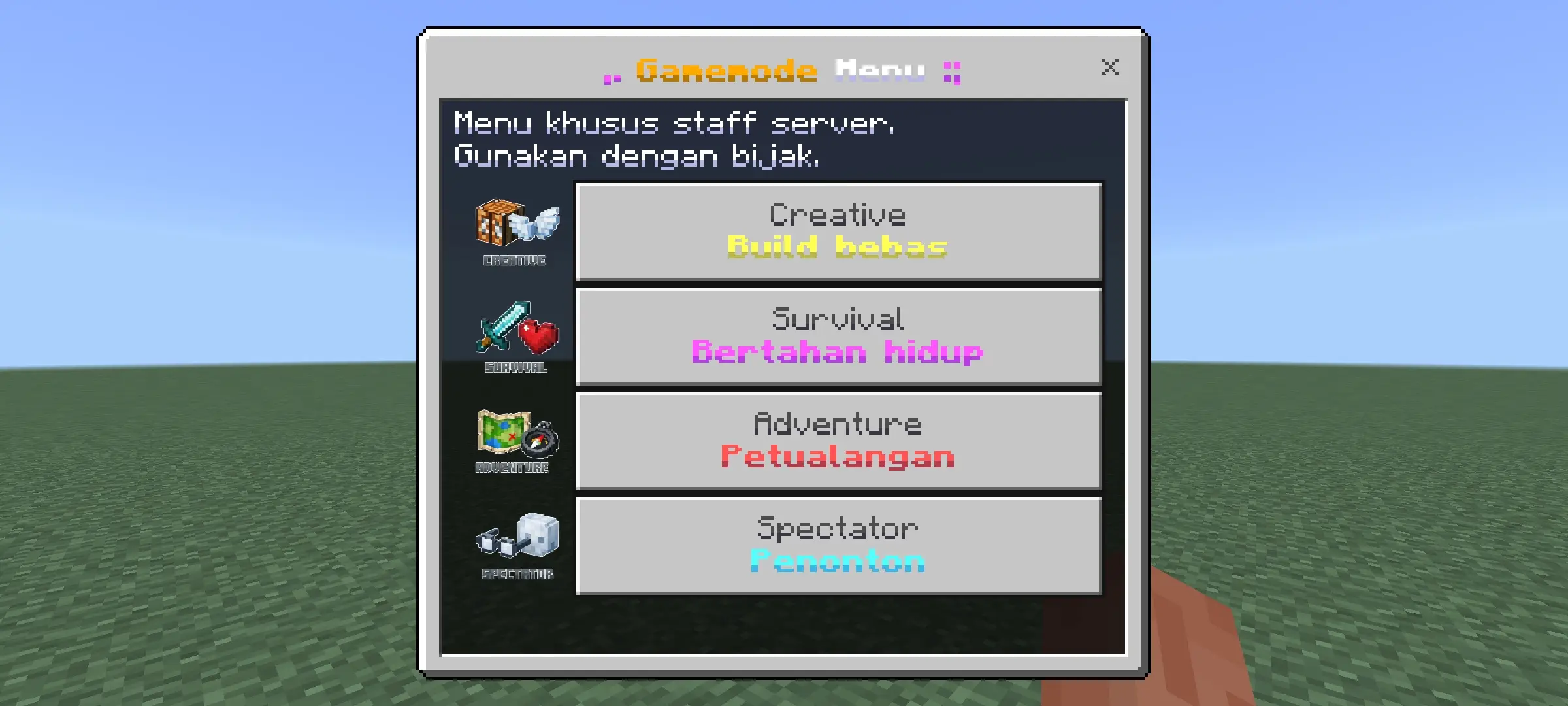
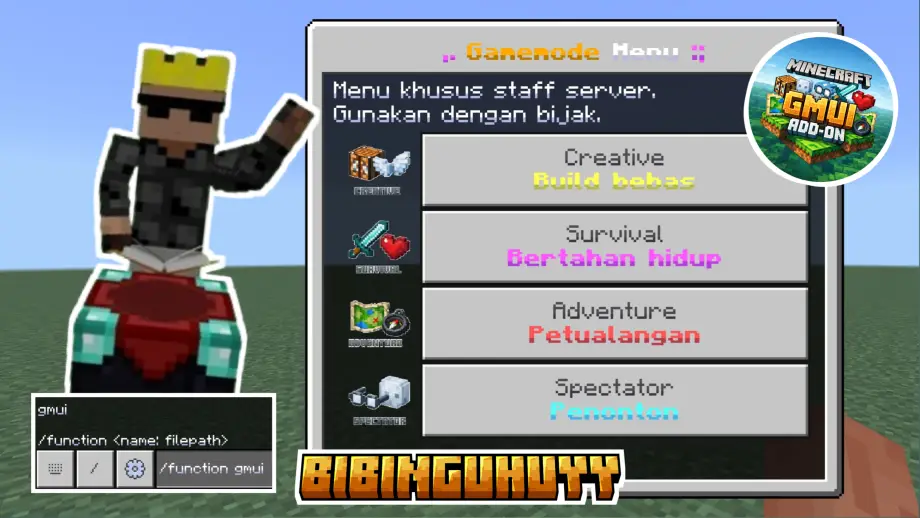
Simple-GMUI is a professional and lightweight Minecraft Bedrock Edition addon designed to simplify gamemode management for server staff while maintaining security and performance. Instead of relying on manual command input, authorized players can open a clean and interactive gamemode menu using the /function gmui command, allowing fast and error-free gamemode switching.
Permissions
The addon uses a tag-based permission system to control access, ensuring that only trusted staff members can use the GMUI menu. Server owners and administrators can grant access with commands such as /tag {gamertag} add admin. All permission tags are fully customizable, allowing servers to define their own role structure, including admin, moderator, developer, builder, helper, or any custom tag as needed.
Features
- Secure staff-only interactive gamemode UI accessed via
/function gmui. - Customizable tag-based permissions for fine-grained access control.
- Lightweight and optimized to avoid impacting server performance.
- Compatible with other addons — does not alter core gameplay mechanics.
- Easy to use for both experienced administrators and new staff members.
Usage
Authorized players open the GMUI menu with /function gmui and select the desired gamemode from the interface. The UI minimizes typing errors and speeds up common staff tasks such as switching between survival and creative modes for builds, testing, or moderation.
Compatibility
Simple-GMUI is suitable for a wide range of server types, including survival, creative, roleplay, and development worlds. Its intuitive UI and technical design ensure stability and broad compatibility with other behavior/resource packs.
Installation
Install the behavior pack as you would other Bedrock addons: place the pack in your world or server behavior packs folder, enable it in the world settings, and assign permission tags to staff using the /tag command.