

Fake Chat, Join & Death
 Go to files
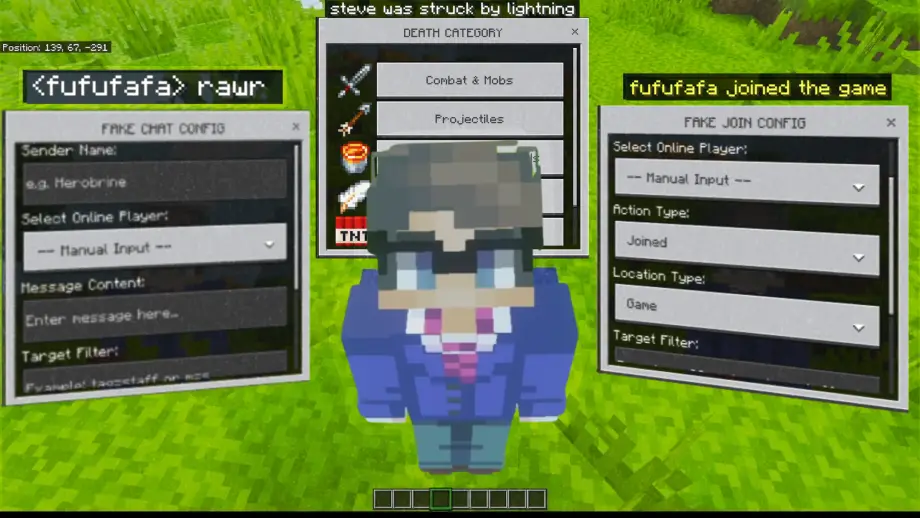
Fake Chat, Join & Death Addon is a powerful utility that allows you to simulate server events like player messages, join/leave notifications, and complex death messages. This addon is designed for fun, storytelling, or pranks. Please use it responsibly and do not be too excessive!
How To Use This Addon
- First, you must obtain the management items: "Fake Join", "Fake Chat", or "Fake Death". You can get them all at once using the command
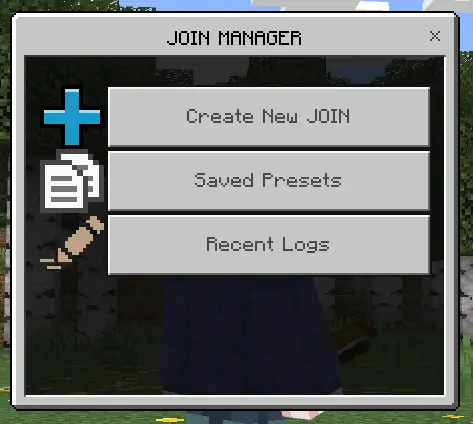
/scriptevent hn:get. - After that, use any of the items by long-pressing the screen (mobile) or right-clicking (PC). A Manager UI will appear with options for Creating New events, Saved Presets, and Recent Logs.
Fake Join
This feature lets you create fake system messages like "Steve joined the game" or "Alex left the Realm".

- Player Name: Manually type a name or select an online player from the dropdown.
- Action Type: Choose between "Joined" or "Left".
- Location Type: Choose between "Game" or "Realm" style messages.
- Target Filter: Limit who can see this message (e.g.,
tag=stafforr=20). Leave blank for everyone. - Private Mode: Toggle this to see the result only for yourself (prefixed with [P]).
- Save as Preset: Save this configuration to use it again instantly later.
Fake Chat
Fake Chat allows you to broadcast messages under any name you define, perfectly mimicking the default chat style.

- Sender Name: Define who is "sending" the message.
- Message Content: Type the message you want to display.
- Target Filter: Control who receives the fake chat.
- Private Mode: Send the test message only to your own chat screen.
- Save as Preset: Store your favorite fake chats for quick access.
Fake Death (New!)
The most advanced feature! Create highly detailed death messages by selecting specific categories and causes.

- Categories: Choose from Combat, Projectiles, Hazards, Falling, Explosions, or Magic.
- Victim & Killer: Define who died and who (or what) killed them.
- Item Name: Specify the item used in the death message (e.g., "Steve was slain by Alex using Excalibur").
- Auto-Translate: Uses Minecraft's internal translation keys, so the message appears in the local language of every player.
Presets & Detailed Logs
Manage your activities efficiently with the new database and logging system.
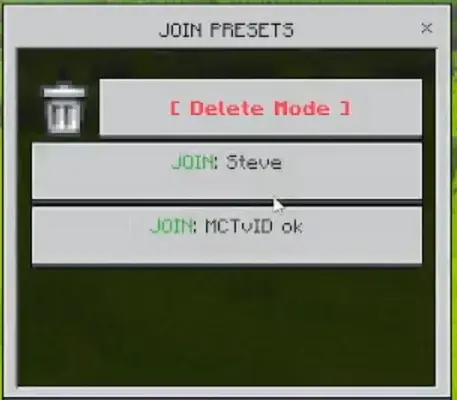
- Saved Presets: No need to type the same names over and over. Save up to 30 presets across all categories. You can also enter "Delete Mode" to clean up old presets.
- Detailed Logs: Monitor every fake event triggered. The logs now show who (the admin) sent the message, the mode (Global/Private), the timestamp, and the target selector used.
We really appreciate your suggestions and feedback in the comments column, and please report if you find any bugs in this addon!
Disclaimer
If you want to review this addon on YouTube or other platforms, please include the download link to this official site.
Subscribe to my channel for updates!








![Thumbnail: More Armor Weapons Tools and Swords Items Mod! – 𝗠𝗶𝗻𝗲𝗰𝗿𝗮𝗳𝘁 𝗙𝗼𝗿𝘁𝗶𝗳𝘆 𝗥𝗲𝘄𝗼𝗿𝗸𝗲𝗱 [v1.0.2] [New Mods New Addons Update!] [Compatible with any Addon!]](/uploads/posts/2025-02/b0534b5772_minecraft-fortify-cover.webp)
