

One Piece Addon (26.x, 1.21) – Best Anime Mod for Minecraft
 Go to files
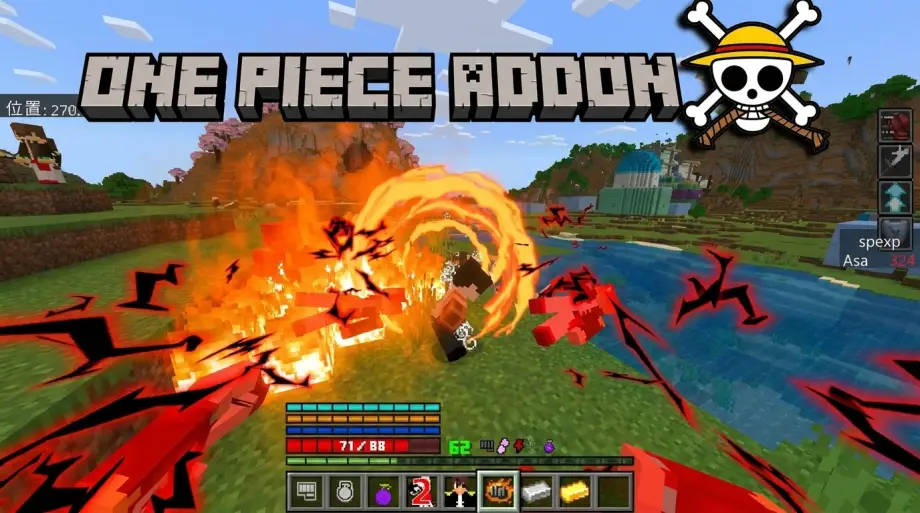
If you’re a fan of One Piece and Minecraft, then the One Piece Addon (26.x, 1.21) is easily one of the most exciting anime addons available for MCPE right now.
This addon transforms normal Minecraft survival into a full pirate adventure with:
- Devil Fruits
- Haki powers
- Legendary swords
- Pirate crews
- Boss fights
- Bounty systems
- Anime-style combat
And honestly? It feels much bigger than a normal addon.
After testing it in survival mode, I can say this addon gives Minecraft a completely different vibe — almost like an RPG anime game inside Bedrock Edition.
What is Asa’s One Piece Addon?
Asa’s One Piece Addon is a massive anime-inspired addon for Minecraft Bedrock Edition based on the world of One Piece. It introduces powerful Devil Fruits, custom mobs, Haki systems, pirate mechanics, islands, weapons, and special abilities directly into MCPE. (9Minecraft)
The addon is designed for:
- Survival gameplay
- Multiplayer servers
- Roleplay worlds
- Anime PvP battles
- Adventure maps
And the best part is that it supports newer Minecraft Bedrock versions including 1.21. (9Minecraft)
Main Features of One Piece Addon
🏴☠️ 1. Devil Fruits System
The biggest feature of the addon is the Devil Fruit mechanic.
Players can consume fruits to unlock unique powers inspired by anime characters like:
- Luffy
- Ace
- Enel
- Law
- Whitebeard
Each fruit gives different abilities such as:
- Fire attacks
- Lightning powers
- Rubber abilities
- Teleportation
- Shockwaves
According to the addon documentation, eating multiple Devil Fruits in survival can cause death — just like anime lore.
⚔️ 2. Legendary Weapons & Swords
The addon also includes famous anime swords like:
- Enma
- Yoru
- Wado Ichimonji
Many weapons feature:
- Custom animations
- Special attacks
- Energy effects
- Unique crafting systems (mcbompe.com)
Combat feels far more cinematic compared to normal Minecraft fighting.
👊 3. Haki Abilities
One of the coolest systems added is Haki.
You can unlock:
- Observation Haki
- Armament Haki
- Conqueror’s Haki
Some abilities require interacting with NPCs like Rayleigh while wearing specific items. (9Minecraft)
This progression system makes the addon feel more balanced instead of instantly overpowered.
💰 4. Bounty & Pirate Progression
The addon introduces a bounty system where defeating enemies increases your wanted level.
This creates a real pirate progression feeling:
- Stronger enemies appear
- Better rewards drop
- PvP becomes more competitive
Wanted posters and bounty mechanics are included for immersion. (9Minecraft)
🌎 5. New Islands & Exploration
Exploration becomes much more interesting with custom locations inspired by the anime world.
Some themed areas include:
- Sky islands
- Pirate towns
- Hidden treasure locations
- Custom structures
Several community reviews mention locations inspired by:
- Dressrosa
- Water 7
- Skypiea (mcbompe.com)
📱 6. Mobile-Friendly Performance
One thing I noticed during testing:
the addon runs surprisingly well on mobile devices.
Even with:
- effects
- abilities
- custom mobs
- animations
…it stayed relatively smooth on Bedrock Edition.
Community feedback also praises the optimization and stability.
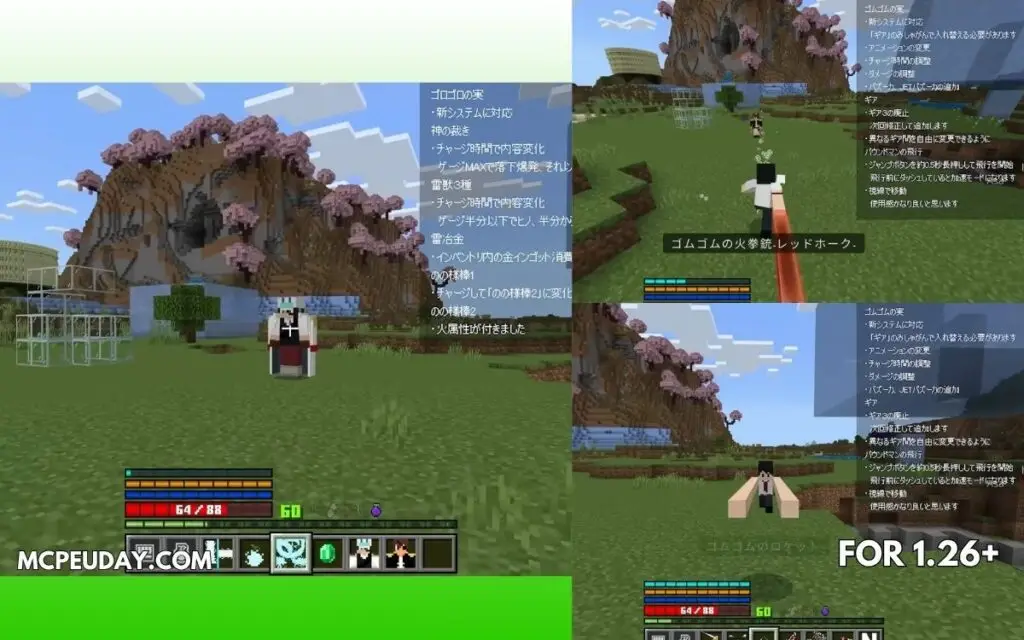
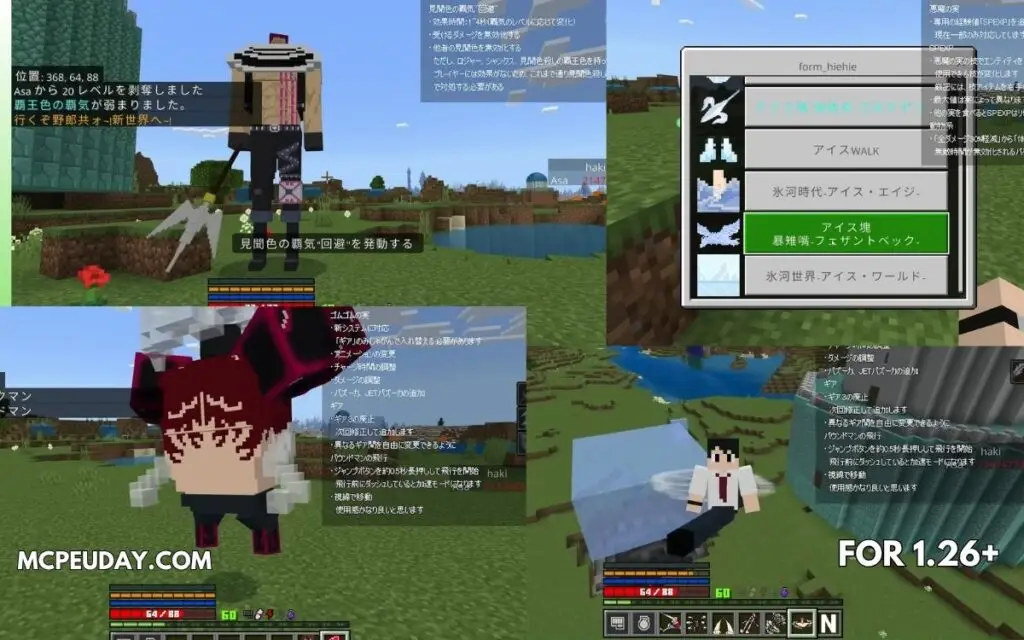
Screenshots:-
My Experience Testing the Addon
I tested the addon in a survival world with friends for around 2 hours.
The most fun part was definitely:
- finding Devil Fruits
- testing powers
- doing anime-style PvP fights
The combat feels chaotic in a good way.
Using Luffy-style attacks while fighting custom mobs genuinely changes how Minecraft combat feels.
However, beginners may initially feel overwhelmed because the addon adds many systems at once.
So I’d recommend:
✅ Start in creative mode first
✅ Learn powers
✅ Then switch to survival
Pros and Cons
| Pros | Cons |
|---|---|
| Huge amount of content | Can feel complex for beginners |
| Amazing anime combat | Some abilities may lag on low-end phones |
| Great multiplayer experience | Requires experimental settings |
| Regular updates | Certain addons may conflict |
| High-quality animations | Large file size |
Installation Guide (MCPE 1.21)
Installing the addon is simple:
Step 1
Download the .mcaddon file.
Step 2
Open the file using Minecraft Bedrock Edition.
Step 3
Enable:
- Resource Pack
- Behavior Pack
Step 4
Turn on:
- Experimental Gameplay
- Beta APIs (if required)
The official addon page specifically mentions enabling experimental gameplay for proper functionality.




![Thumbnail: More Armor Weapons Tools and Swords Items Mod! – 𝗠𝗶𝗻𝗲𝗰𝗿𝗮𝗳𝘁 𝗙𝗼𝗿𝘁𝗶𝗳𝘆 𝗥𝗲𝘄𝗼𝗿𝗸𝗲𝗱 [v1.0.2] [New Mods New Addons Update!] [Compatible with any Addon!]](/uploads/posts/2025-02/b0534b5772_minecraft-fortify-cover.webp)
