CraftEdge Client
 Go to files
🎮 CraftEdge Client V1.1
The most feature-packed utility client for Minecraft Bedrock Edition
Built from the ground up by CraftEdge Productions
No mods. No launchers. Just install and play.
| 🧩 30+ Modules Fully toggleable HUD |
🎨 Deep Customization Editors for every element |
👗 Cosmetics Stand out in-game |
⚡ Zero Setup Works on vanilla servers |
✨ Overview
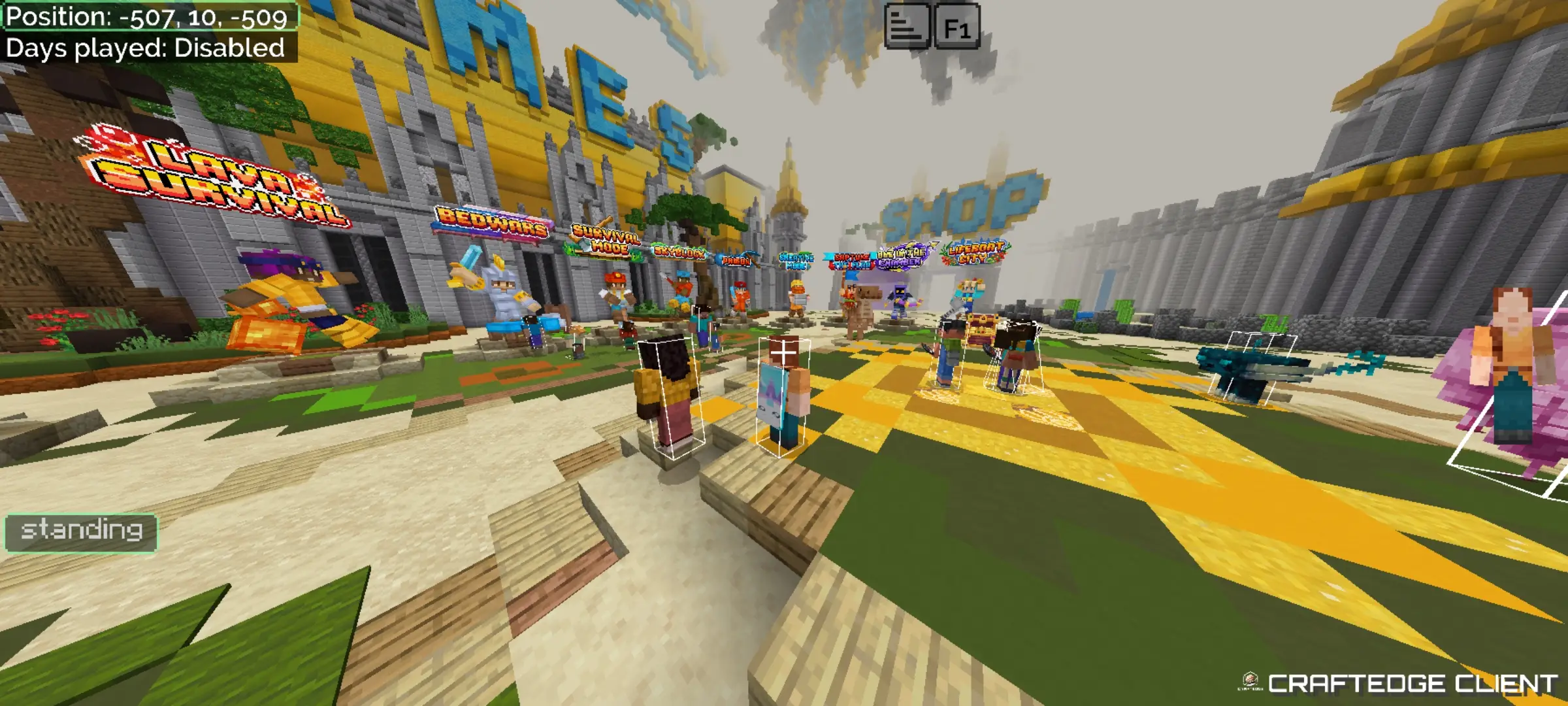
CraftEdge Client transforms your vanilla Bedrock experience with a powerful in-game mod menu, fully customizable HUD modules, a cosmetics system, and deep game enhancements — all packed into a single resource pack. Open the in-game menu, toggle what you need, and play.
🧩 Modules — Toggle 30+ HUD Features In-Game
📊 Info & Stats
| Module | Description |
|---|---|
| Debug HUD | Version, OS, gamemode, moon phase, XP, item ID and more |
| Coordinates | XYZ coords with Nether conversion support |
| Force Coords | Shows coords even when disabled in settings |
| FPS Counter | Real-time frame rate display |
| Clock & Compass | In-game compass and clock overlay |
| TimerHUD | Real-time clock in h/m/s format |
| Day Event | Current in-game time of day |
| Exp Calculator | XP needed for next level |
| Speedometer | Your movement speed in m/s |
| Walk Distance | Tracks blocks walked |
| StatusHUD | Current player activity indicator |
| DirectionHUD | Camera direction indicator |
⚔️ Combat & Gear
| Module | Description |
|---|---|
| Armor HUD | Displays your current armor and durability |
| MainhandHUD | Shows held item with durability |
| OffhandHUD | Offhand item display |
| Bow Indicator | Shows bow charge progress |
| Low Durability | Alert when your gear is about to break |
| TargetHUD | Health and distance of nearest player |
| Items Counter | Track potion, totem, and arrow counts |
| Shiny Potions | Adds a glint effect to potions |
🗺️ World & Server
| Module | Description |
|---|---|
| Chunk Map | Visual map with normal and slime chunks |
| Safe Zone Viewer | Visual box around the safe zone |
| Server Display | Shows current world or server name |
| Player Tab List | See player names in world/server |
| Fullbright | Removes darkness — see everything clearly |
📦 Inventory & UI
| Module | Description |
|---|---|
| Inventory HUD | View your inventory on the HUD |
| Slot Counter | Free inventory slot tracker |
| Chat | Repositionable top/bottom chat display |
| Mobile Shortcuts | Quick-access buttons for touch players |
| HUD Popup | Toggle the startup advertisement popup |
🎨 Elements Tab
Fine-tune vanilla UI elements to fit your style:
- Reposition Bossbar & Scoreboard
- Toggle item name text, jukebox text, tip text, action bar
- Show or hide boss health values
✏️ Editors Tab
Deep customization for the HUD components you use most:
- Hotbar Editor — item count, slot numbers, inventory button
- Crosshair Editor — size, color presets, outline toggle
- XP Bar Editor — color presets, percentage display, creative mode bar
- Display Filter — Fullbright + color overlays (Aqua, Red, Yellow, Blue, Orange, Purple, Green)
👗 Cosmetics System
Express yourself in-game with CraftEdge's built-in cosmetics system — unique visual customizations that make your character stand out, with no external tools required.
📦 Installation
- Download the
.mcpackfile - Open it — Minecraft will auto-import it
- Apply the pack to your world or global resources
- Join any world and double-tap the menu button to open CraftEdge
ℹ️ Info
| Version | 1.1.0 |
| Game Version | Minecraft Bedrock 1.21.0+ |
| Type | Resource Pack (Client-side only) |
| Platform | Mobile, Windows, Console |
| By | CraftEdge Productions © 2026 |
CraftEdge Client is a resource pack — it does not modify game files or require external software, and is fully compatible with vanilla servers.
💜 Made with care by CraftEdge Productions
Enjoy the client? Leave a rating — it helps a lot!
Need help or found a bug? Join our Discord for support.
Updated on July 24
- Added Hitbox
- Enhanced UI