
Nino Nakano Anime Sky
 Go to files
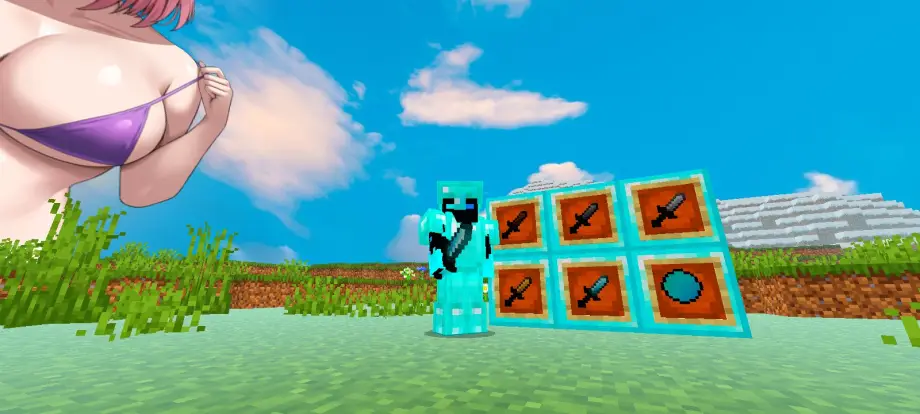
Transform your MCPE/Bedrock world with a high-resolution Nino Nakano anime skybox—stylized day/night panoramas, optimized for mobile, compatible with popular texture and UI packs.
🦋 Nino Nakano Custom Anime Sky (MCPE / Bedrock)
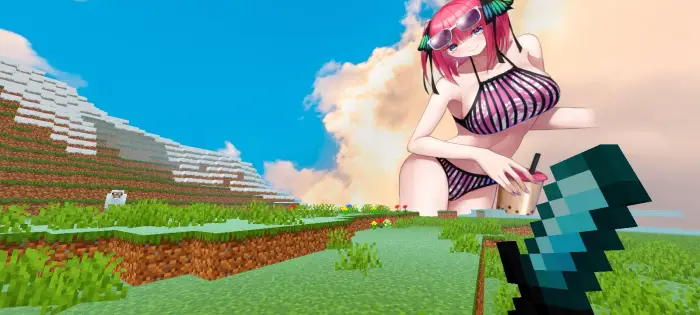
Transform your Minecraft world with the ultimate sky override dedicated to the boldest and most confident Nakano quintuplet! This aesthetic resource pack replaces the default Minecraft sky with high-resolution custom panoramas of Nino Nakano from The Quintessential Quintuplets.
Whether you're building, playing survival, or dueling in PvP, Nino will be watching over your world.
🌟 Key Features
- Stunning High-Resolution Visuals: Crisp, clear custom sky textures that look great on mobile screens and tablets.
- Dynamic Time Transitions: Seamless skybox blending across day, sunset, and night cycles.
- Aesthetic Color Palette: Rich purples, soft pinks, and dreamy pastel hues tuned to Nino's theme.
- Lag-Free Performance: Optimized for MCPE (Bedrock Edition) to minimize FPS impact.
- Cross-Version Support: Compatible with recent Minecraft Pocket Edition / Bedrock releases.
🌓 Day and Night Cycle Breakdown
Morning / Day: Clear horizons featuring Nino’s iconic look to keep daytime play visually motivating.
Sunset / Dusk: Warm pink and violet gradients capturing an emotional, dramatic anime aesthetic.
Nighttime: Dreamy, star-filled skies with cozy visuals of Nino under the stars.
🛠️ Installation Instructions
- Download the .mcpack file directly to your device.
- Open the file using Minecraft Pocket Edition; the game will import the pack automatically.
- Go to Settings > Global Resources > My Packs.
- Select Nino Nakano Anime Sky and click Activate.
- Ensure the "Beautiful Skies" option is toggled ON in video settings.
📦 Compatibility & Recommendations
Works well alongside plastic, faithful, or PvP texture packs. Recommended to use with a clean UI pack for the best anime-themed look.
Optimized for lower-end devices—1 GB RAM can handle this pack.