
HTZ'S Crosshair Indicator
 Go to files
HTZ's Crosshair Indicator Texture Pack
✨Overview✨
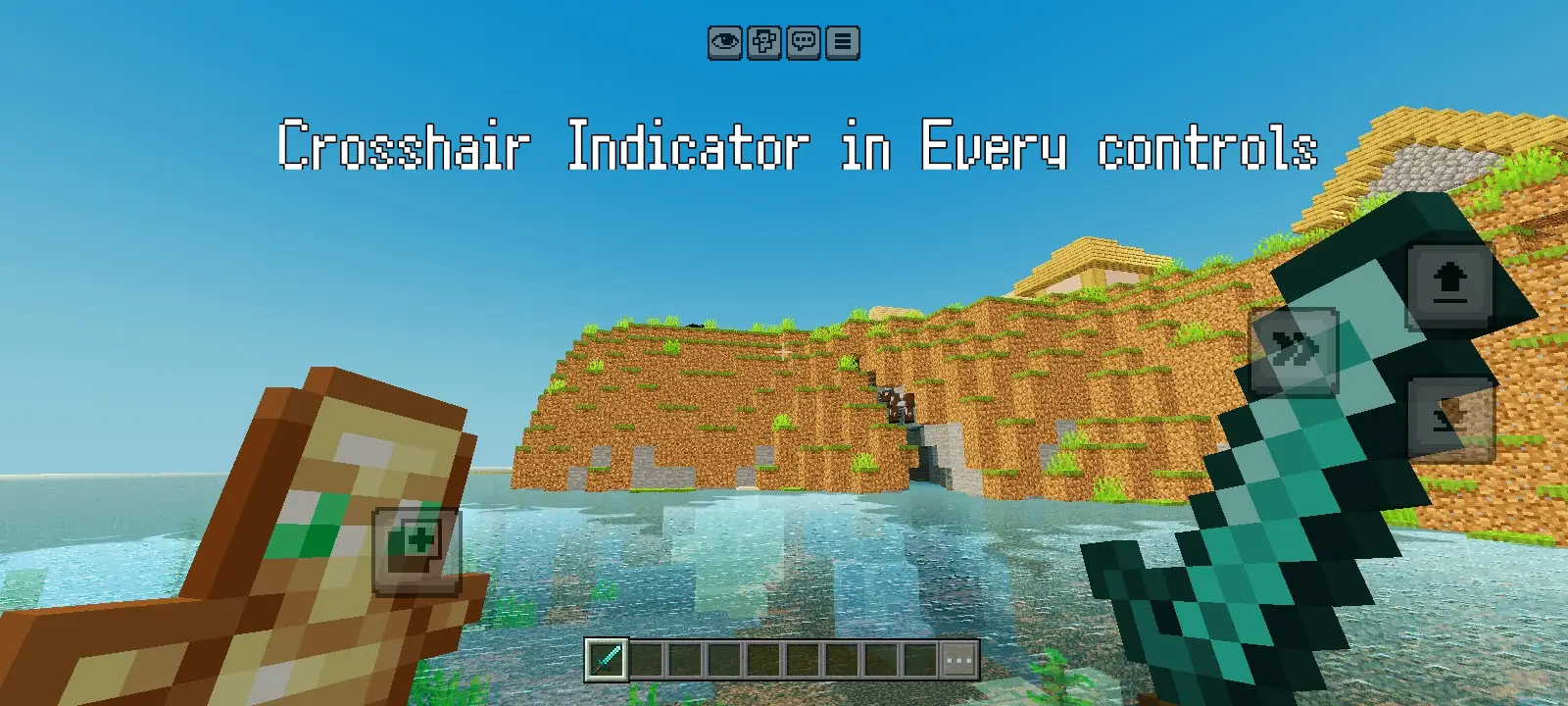
Tired of guessing whether your attacks will land? Say hello to HTZ'S Crosshair Indicator, the ultimate utility texture pack designed to revolutionize your aiming, combat, and interaction precision in Minecraft.
Whether you are a PvP sweaty, an avid survivalist, or a mobile player navigating touch controls, this pack provides instantaneous, real-time visual feedback exactly when you need it. By transforming your standard UI crosshair into a smart, reactive targeting system, HTZ'S Crosshair Indicator removes the guesswork from your gameplay, ensuring you always know exactly when an entity is directly in your sights.
⚙️How It Works
The concept behind HTZ'S Crosshair Indicator is elegantly simple yet incredibly powerful. It acts as an on-screen visual confirmation system that bridges the gap between your crosshair and the world around you:
- Target Locked State: The moment any entity—whether a passive mob, a hostile monster, or another player—enters your crosshair radius, the crosshair instantly morphs or displays a distinct indicator overlay.
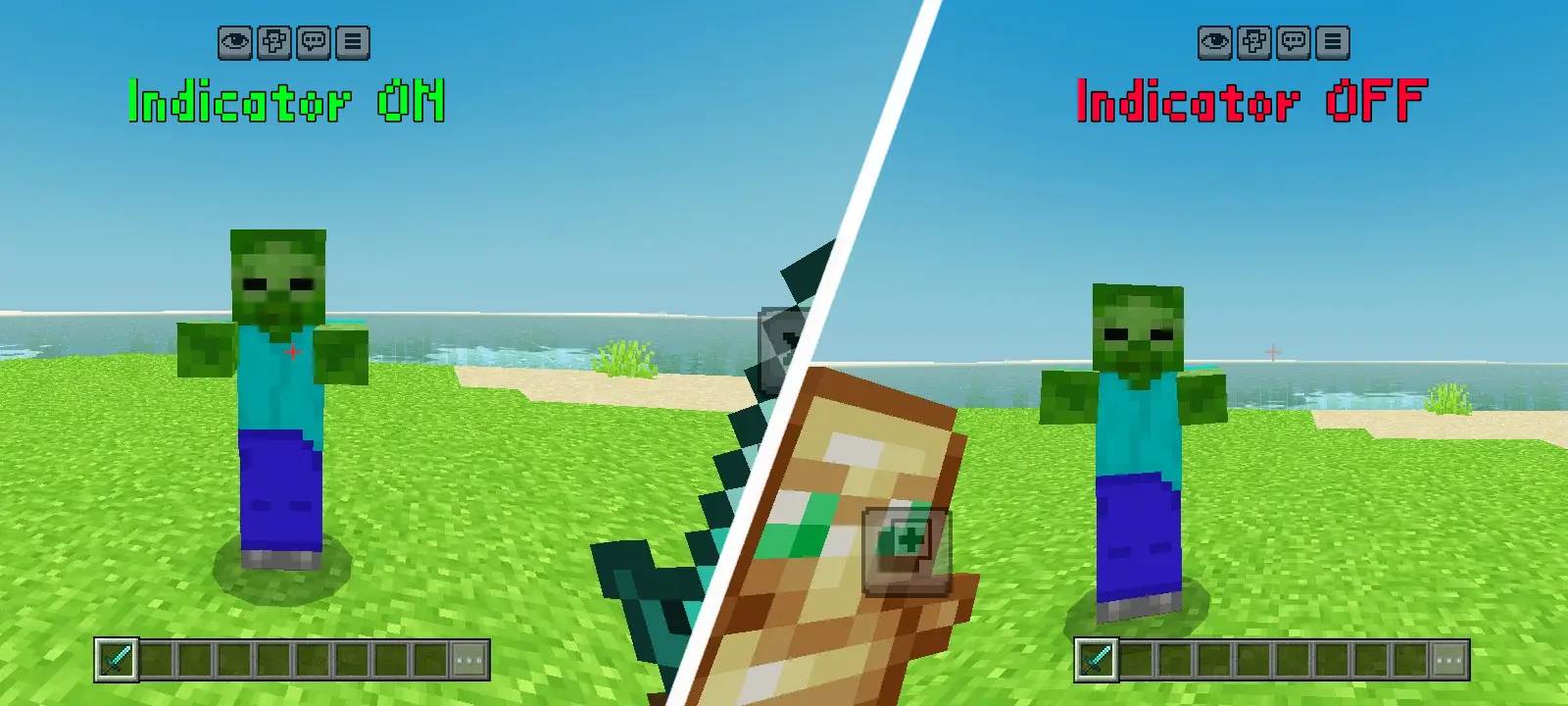
- Idle State: When your crosshair is pointing at open air, blocks, or empty space, it immediately reverts back to its clean, normal, and non-intrusive default appearance.
Key Features
⚡ Instantaneous Visual Feedback
No delays, no lag. The texture pack dynamically reacts to entity presence in real-time, giving you split-second confirmation to swing your sword, fire your bow, or interact with a mob.
🎯 Drastically Improved Combat Precision
Perfect your timing for critical hits and shield-strafing. By knowing the exact pixel-perfect moment a target is lined up, you can optimize your damage output and stop wasting weapon durability on missed swings.
📱 Tailor-Made for Mobile & Touch Controls
Playing Minecraft on mobile platforms can make precise aiming a massive headache. This pack acts as a crucial accessibility tool for touch-screen users, providing a giant visual assist that makes hitting fast-moving targets infinitely easier.
🍃 Lightweight & Performance Friendly
Built entirely within Minecraft's native UI texture framework, this pack requires absolutely zero external mods, resource-heavy scripts, or experimental toggles. Enjoy a massive gameplay advantage without sacrificing a single frame per second (FPS).
🤝 Seamless Multi-Pack Compatibility
The asset structures are optimized to sit perfectly atop your favorite PvP, fantasy, or realistic resource packs. Place HTZ'S Crosshair Indicator at the very top of your global resources list to add smart targeting functionality to any look you prefer.
Detailed Mechanics & Gameplay Impact
⚔️ Enhanced PvP & PvE Awareness
In fast-paced combat scenarios like BedWars, SkyWars, or fighting off a horde of phantoms at night, tracking target hitboxes can get chaotic. HTZ'S Crosshair Indicator cuts through the chaos. If the crosshair changes color or flashes its indicator, you are mathematically guaranteed to land your hit.
🐮 Efficient Mob Farming & Interaction
Whether you are shearing a massive flock of sheep, breeding cattle, or trying to trade with hyperactive villagers, the indicator tells you exactly when your crosshair is properly focused on the mob, preventing accidental misclicks or missed interactions.
📱Installation Guide
- Download the HTZ's Crosshair Indicator .mcpack or .zip file.
- Launch Minecraft.
- Navigate to Settings > Global Resources.
- Click on My Packs and activate HTZ'S Crosshair Indicator.
- Ensure it is moved to the very top of your Active Pack list so its customized UI crosshair overrides any underlying packs.
- Enter a world and look at a mob to test your brand-new reactive HUD!
📄Creator Notes
- Pack Version: 1.0.0
- Supported Platforms: Any Bedrock-supported device
- Optimized For: All classic split-controls and modern touch layouts.