

SecureLands Addon: The Ultimate Land Claims & Protection System
 Go to files
Tired of griefers destroying your builds and ruining all your hard work on Minecraft servers? Looking for a smart, all-in-one land protection system that won't cause any lag on your server? Here's the ultimate, most powerful solution out there: SecureLands Addon!
This isn't just another basic protection mod — it's a complete security system built on the modern Script API for Minecraft Bedrock, giving servers and players total control and incredible features that used to only be available on massive Java servers!
🛠️ How Do You Get Started? The Magic Selection Tool

Instead of complicated, tedious commands, the mod comes with an extremely simple tool called the Land Shield.


- Selecting corners: All you have to do is hold the tool, then press Shift (Sneak) + Right-click on two blocks (Block 1 and Block 2) to mark the corners of your land in full 3D.
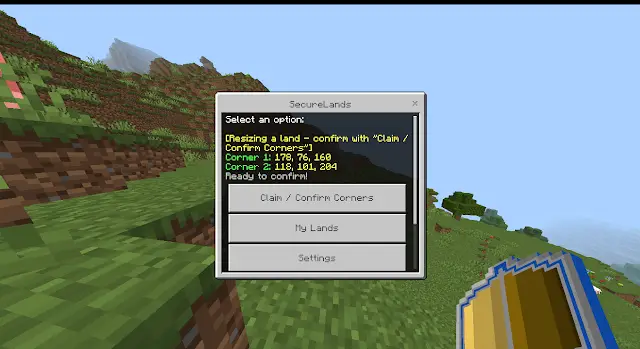
- Confirming or editing land: Once the corners are set, you can open the menu to confirm instantly and turn the area into your own fortified stronghold!
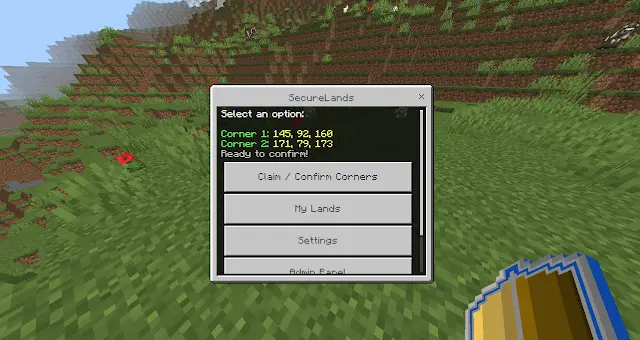
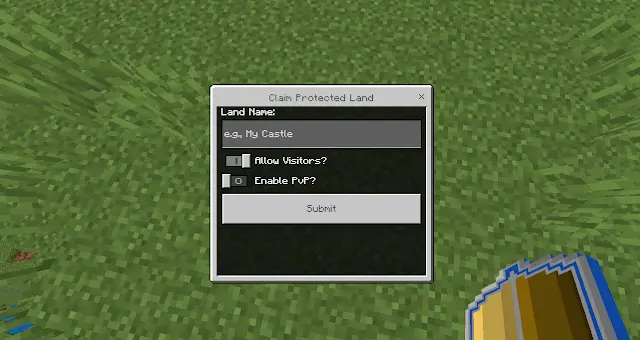
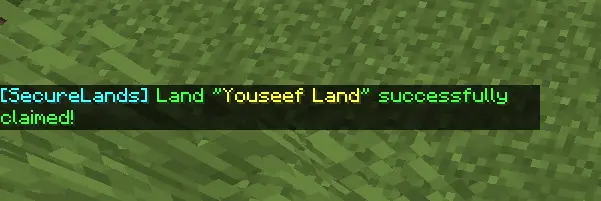
🖥️ Main Control Panel (Main Menu)
The interface is clean and well organized to make the player experience as smooth as possible, taking you to all of the mod's sub-systems with just a single button press.
When you use the protection tool or open the menu, you'll see the following options:
- Claim / Confirm Corners: to confirm new land claims after marking the corners.
- My Lands: browse and manage all the land you own.
- Admin Panel: the admin panel (only visible to staff).
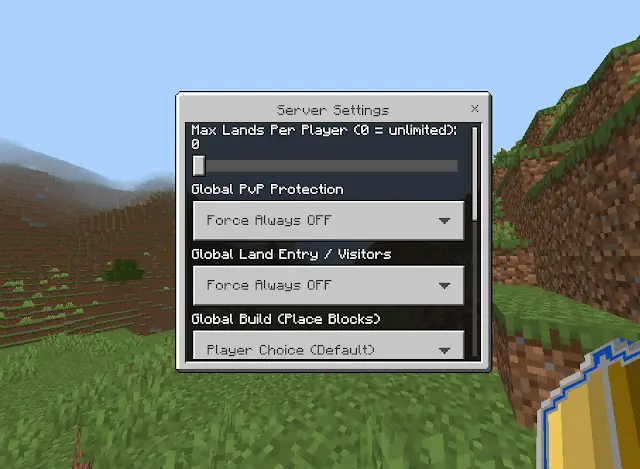
- Server Settings: global server settings (hidden, only visible to the server owner).
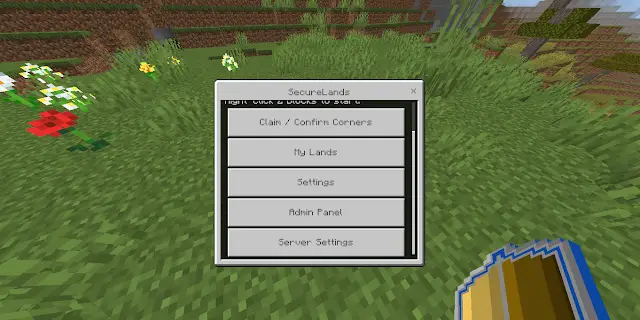
🎛️ The Full Domain Management Panel (Manage Domain UI)
When you enter your land and choose to manage it, a huge, professionally organized control panel opens up, giving you complete control over every inch of your territory.
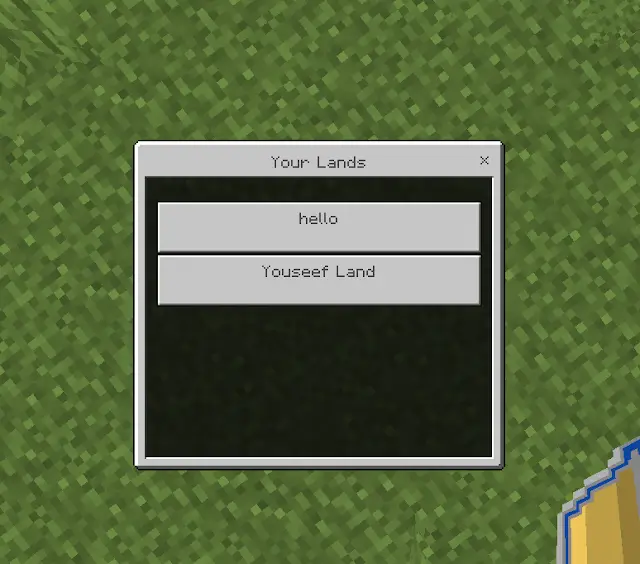
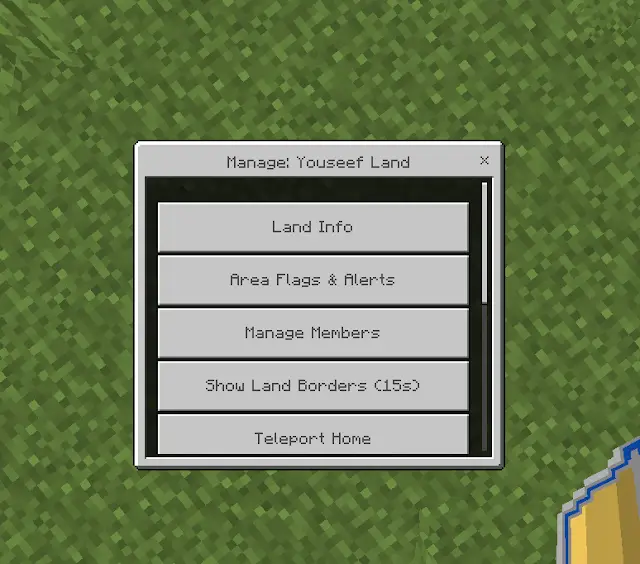
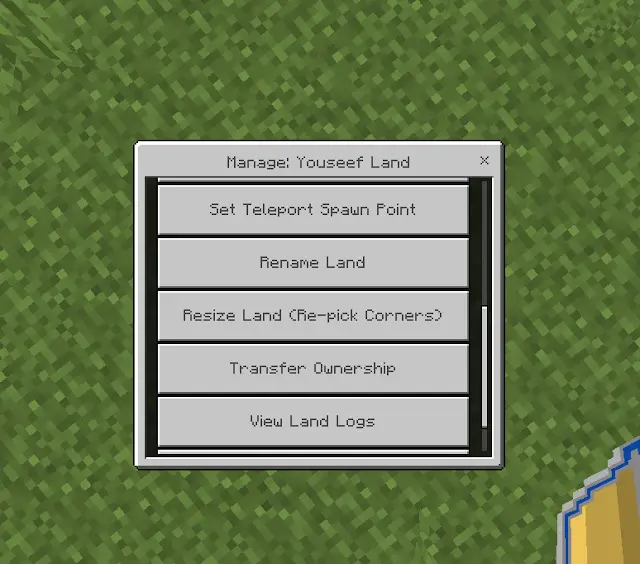
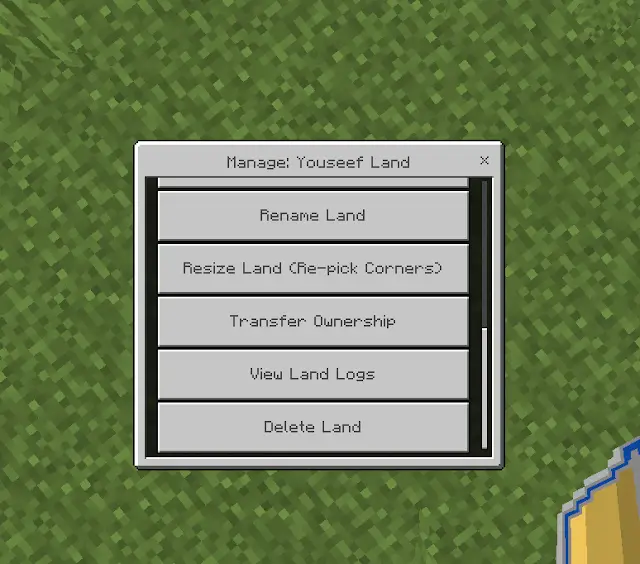
This panel branches out into the following smart systems and tools:
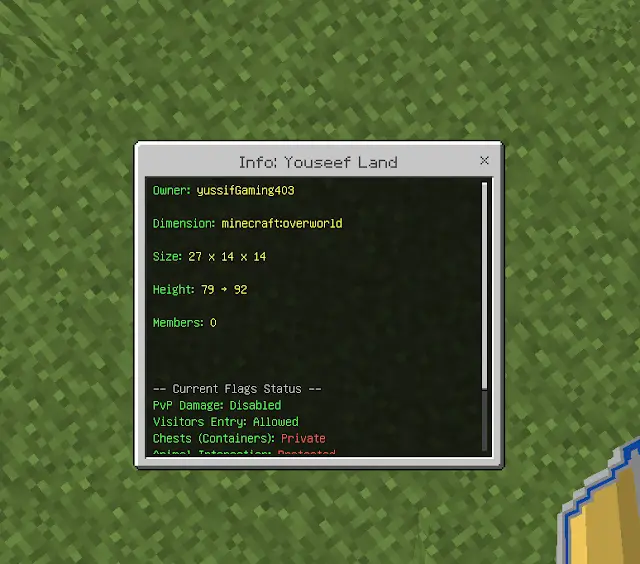
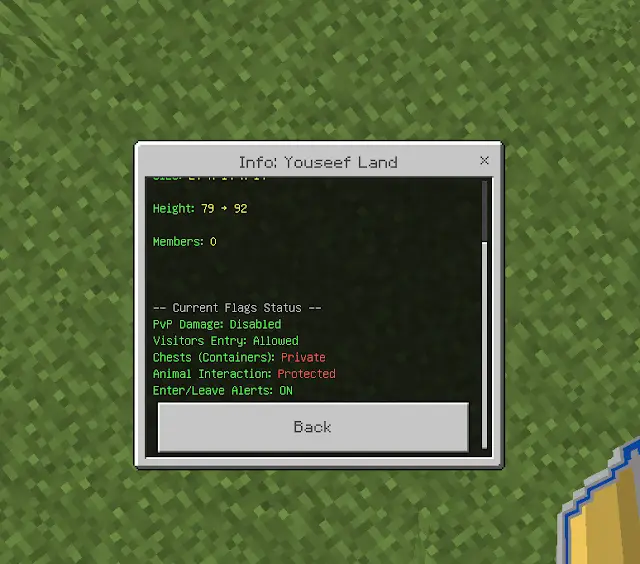
1. Land Info
This option lets you and visitors see all the details of the current land with a single tap; it shows the land's name, the original owner, the exact corner coordinates, and the total protected area.
2. Flag Menu
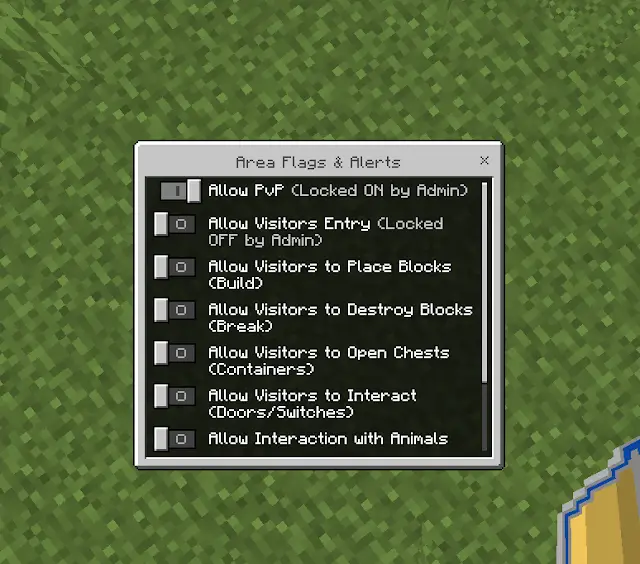
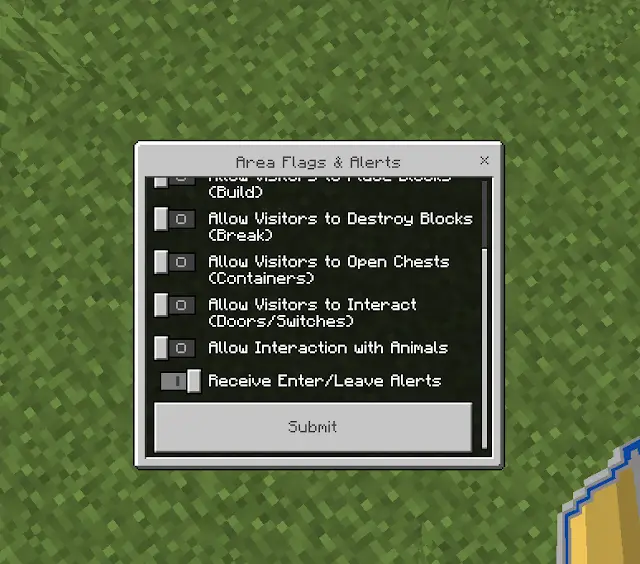
This is where the real power of SecureLands shines! As an admin or land owner, you can control the finest details of protection, toggling general flags for outside visitors with a simple switch:
- PVP: turn fighting inside your land on or off (to stop betrayal).
- Entry: allow or completely block strangers from entering your land!
- Build & Break: turn building and breaking on or completely off.
- Containers: protect your chests, furnaces, and shulker boxes from being opened or stolen from by onlookers.
- Entities (Mobs): protect your animals and farms from being killed or interacted with (like shearing sheep).
- Alerts: turn the notifications that appear the moment a player enters or leaves your land on or off.
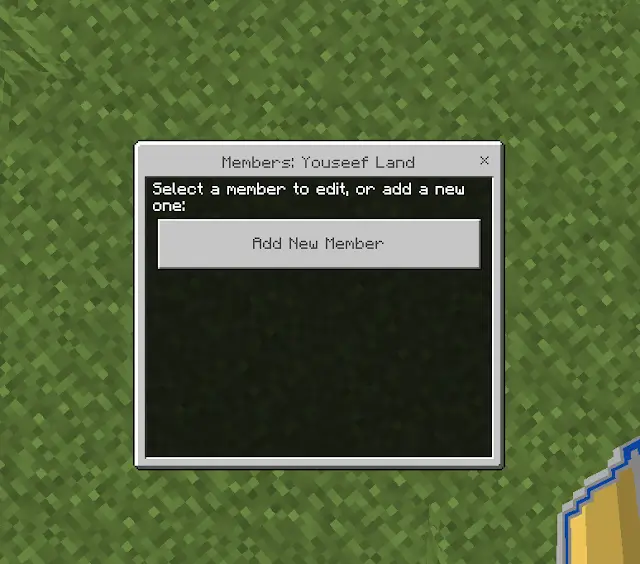
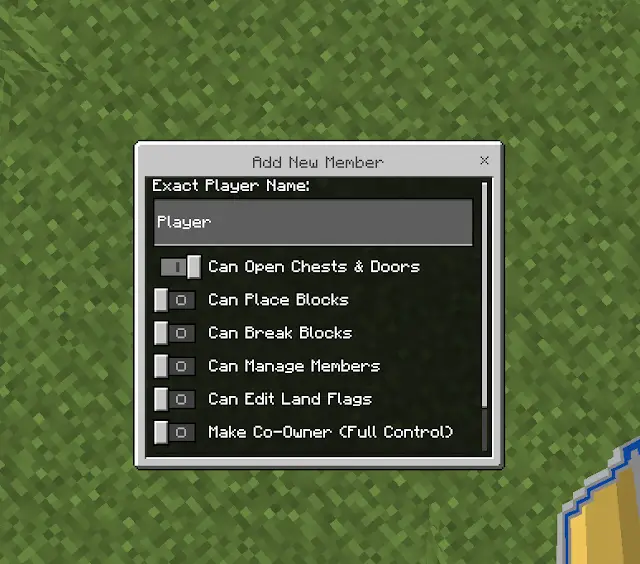
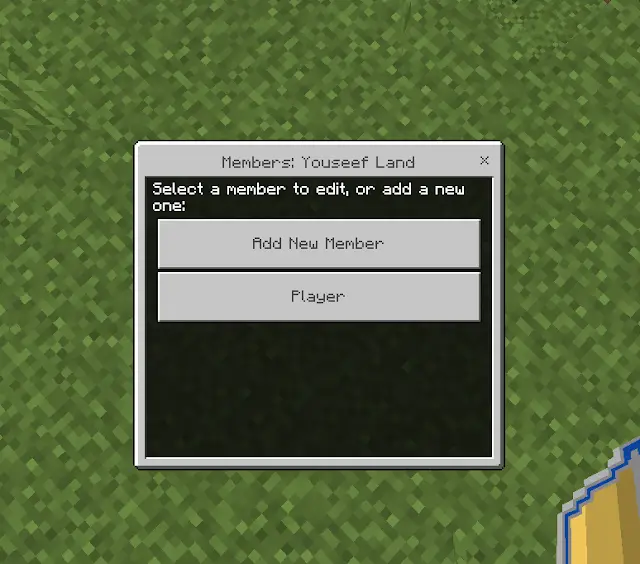
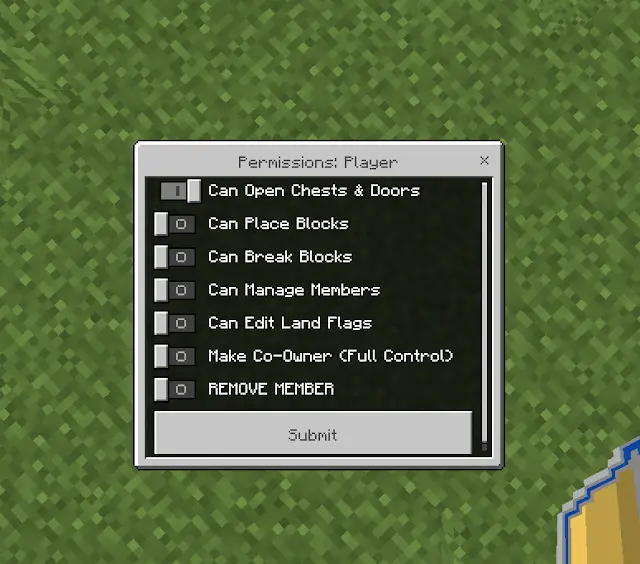
3. Members Management
No need to ban your friends to protect your land! The mod has a built-in rank-and-permission system for members:
- You can add friends to your land and set individual permissions for each one (for example: give a friend you trust permission to build and break, and another friend permission to open chests only!).
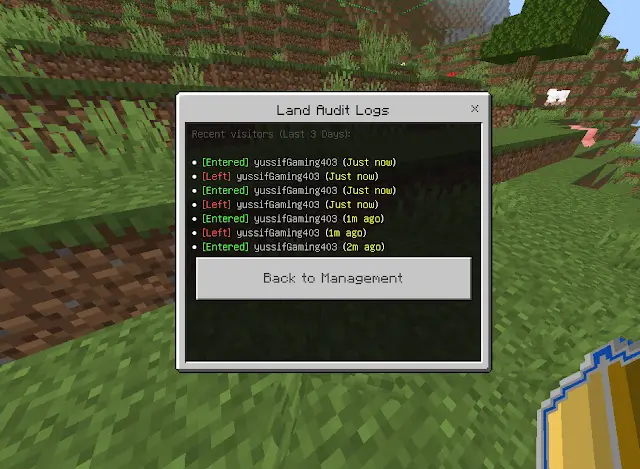
4. Audit & Security Logs (Land Logs UI)
Did someone enter your land while you were away? No worries! The mod includes an advanced radar and logging system that automatically keeps track of visitor movement for the last 3 days, with automatic self-cleanup to keep performance smooth:
- It shows you, down to the exact minute, who entered your land and when they left!
- Names are color-coded and organized for easy reading (green for entering, red for leaving).
5. Teleport & Home System


You'll never get lost in your world again! The mod includes a full teleport system just for your land:
- Set Teleport Point: pick a specific spot inside your land to act as your main base.
- Teleport Home: with one button press from the menu, instantly teleport from anywhere in the world straight to the home point you set inside your land.
6. Resize Land Dynamically

Did you expand your builds and want to increase your protected area? Or want to shrink it? The mod offers a brilliant feature to resize your land without needing to delete and re-claim it:
- You can adjust the corners and borders to expand the area, then confirm the new size instantly so protection covers the new builds.
7. 3D Border Display

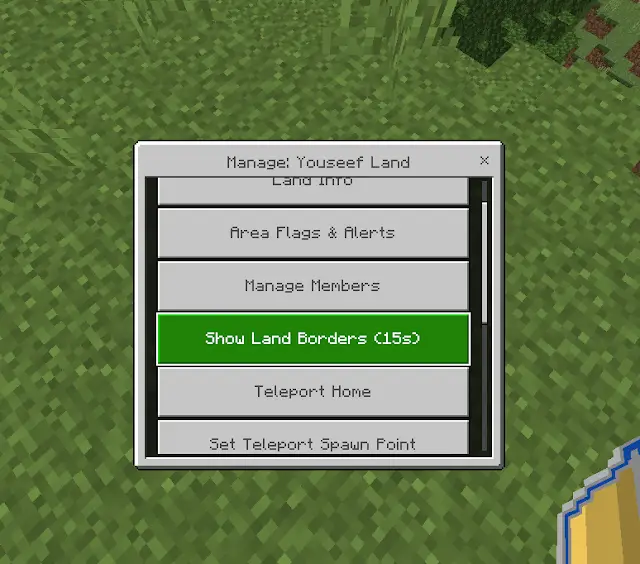
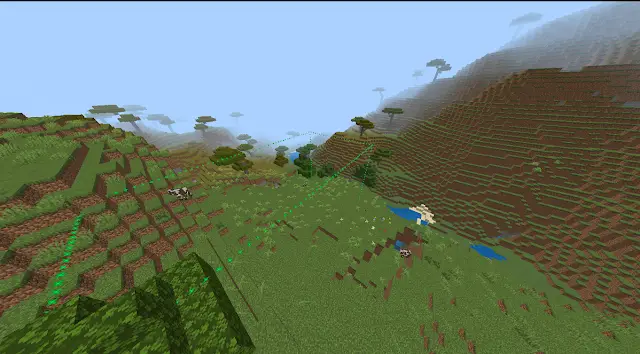
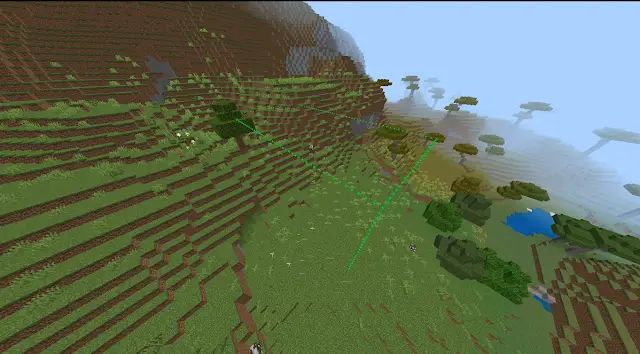
When you turn on the border display option from the menu, the mod generates glowing magical 3D particles that draw the full cube of your land in the air for 15 seconds! This feature lets you see your protection boundaries up in the sky and underground in a stunning way, all without any effect on FPS.
8. Rename Land
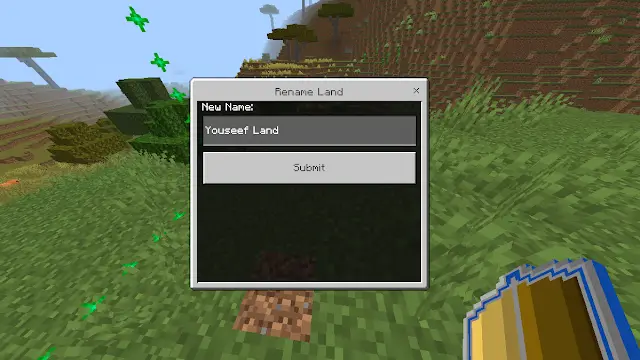
If you're bored of your land's old name, you can change it whenever you want — just type a new name that reflects your identity or your clan, and it'll show up for everyone the moment they enter the area.
9. Transfer Ownership
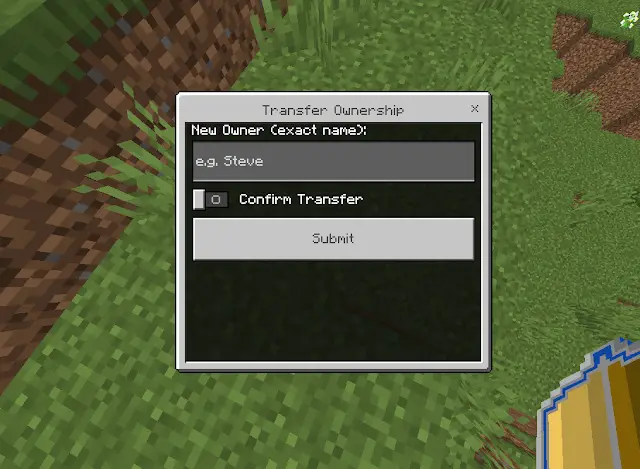
Want to gift your land to a friend or sell it to them in-server? The mod has a fully secure ownership transfer system; just pick the player's name from the menu and hand over full control of the land, making them the new owner while you become a visitor or member.
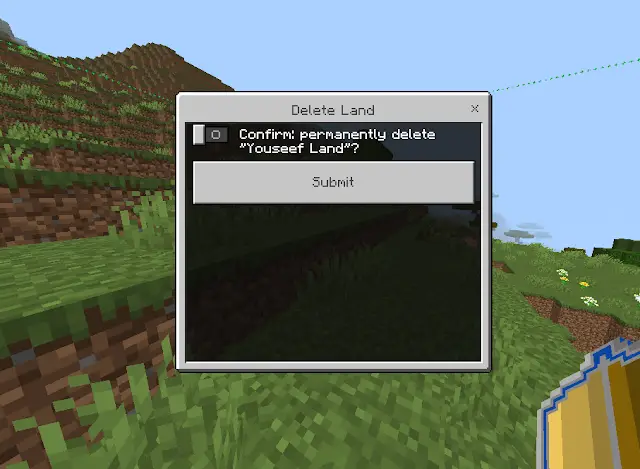
10. Delete Land
If you decide to move somewhere else entirely on the server, you can use the delete option to remove the protection and unblock the area's blocks, so you can reclaim your points and protect a new region in the world.
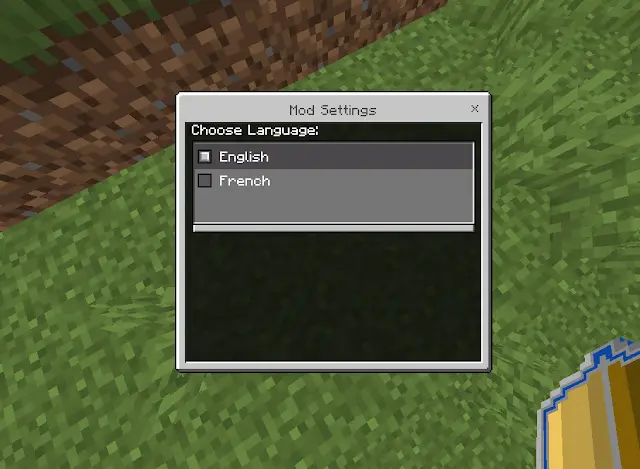
🌐 Full Multi-Language Support (Automatic Translation System)
The mod is fully ready for global and local communities, supporting an advanced Translations System:
- Automatically detects your device language: if your game's language is French or English, it'll respond to you in that language instantly.
- Settings UI: lets players manually switch the mod's language easily between English and French, with all text, chat messages, and menus updating instantly!
🛡️ Admin & Server Panel Radars (Admin & Server Panel)
For server owners and admins (those holding the SecureLandsOwner tag only):
/tag add name SecureLandsOwner
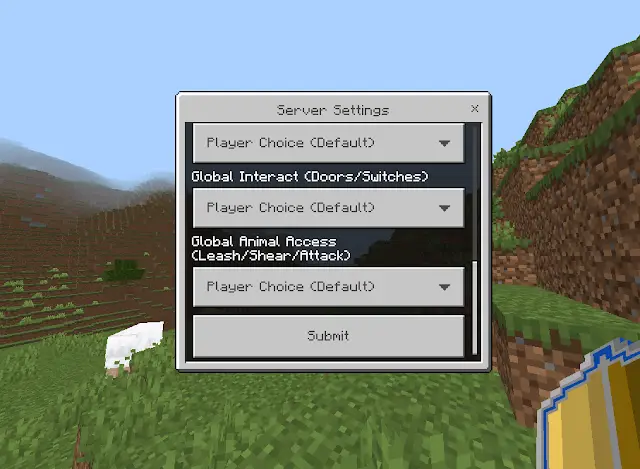
- Server Settings: a hidden panel that lets the server owner set a maximum number of lands per player (Max Lands per Player), or force every land on the server to lock PVP or open entry, to enforce server-wide rules.
- ActionBar Radar: as you travel through the world, the mod automatically displays at the bottom of the screen the name of the land you're currently standing on and its real owner, to prevent confusion.
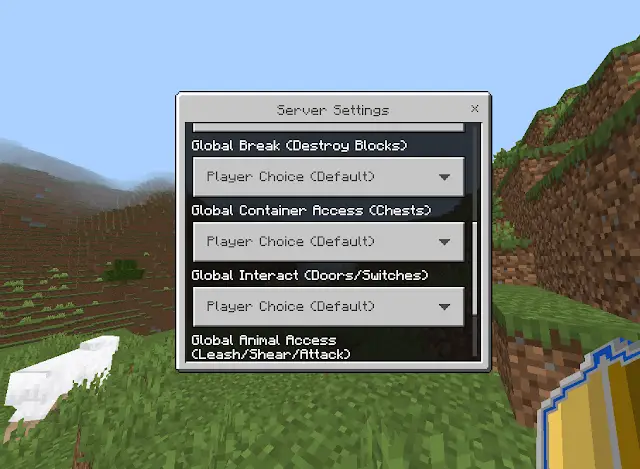
👁️ Advanced Admin Control Panel (Admin Panel 2)
In addition to the server panel (for those holding the tags SecureLandsOwner and LandAdmin)
/tag add name SecureLandsOwner
/tag add name LandAdmin
Advanced options have been added for admins to handle issues across the server; this second panel lets staff browse a list of flagged/problematic lands, unclaim land belonging to a player who's gone inactive on the server, and manage sensitive settings directly from the UI.
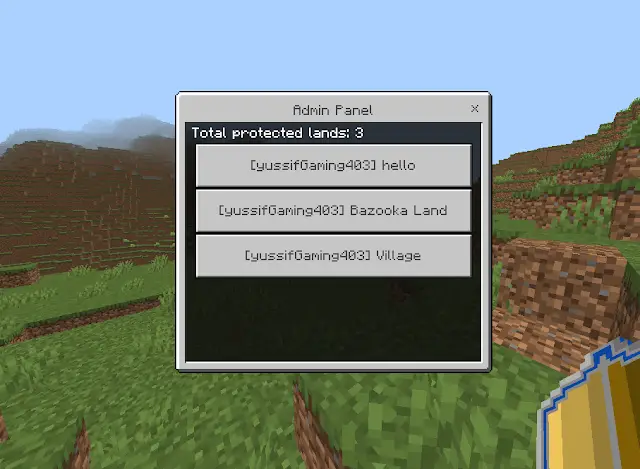
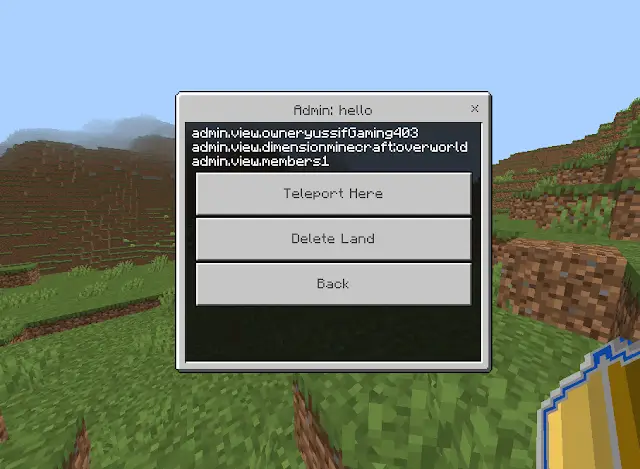
If you noticed an odd or inaccurate name in the screenshot for the second admin panel, don't worry! That's just an unintentional file-naming bug from the quick development and packaging stage, and the system works safely and completely normally 100%. This small naming issue will be fixed in the next update of the mod (v2.0) to make it fully consistent. Thanks for your support and understanding!
🔥 Why Should You Download SecureLands Right Now?
- Outstanding performance (Zero Lag): built on the latest Minecraft scripting techniques and Dynamic Properties for safe data storage.
- Complete protection: covers building, breaking, chests, doors, animal combat, and PVP.
- Easy to customize: fully convenient UI menus that save you from typing a single command.
Don't wait until your world gets destroyed! Download SecureLands Addon today and turn your land into an unbreakable fortress!





![Thumbnail: More Armor Weapons Tools and Swords Items Mod! – 𝗠𝗶𝗻𝗲𝗰𝗿𝗮𝗳𝘁 𝗙𝗼𝗿𝘁𝗶𝗳𝘆 𝗥𝗲𝘄𝗼𝗿𝗸𝗲𝗱 [v1.0.2] [New Mods New Addons Update!] [Compatible with any Addon!]](/uploads/posts/2025-02/b0534b5772_minecraft-fortify-cover.webp)
