
Dimz's Armor HUD (formerly Durability Armor Viewer)
 Go to files
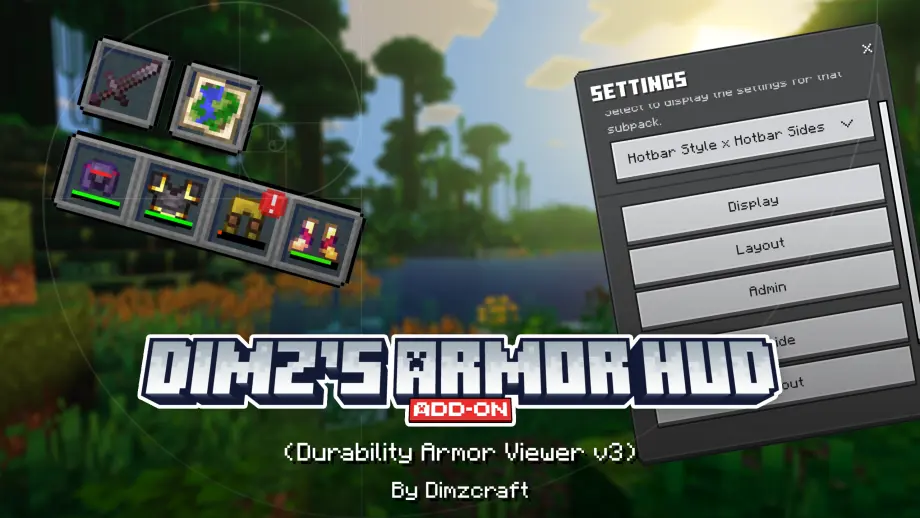
Display armor, offhand, and main hand items in the HUD—fully customizable! [Achievement-friendly]


Well, well, well... The Armor HUD addon is finally here in its proper, final form! This is the new version of Durability Armor Viewer, so you can consider it V3!
Dimz's Armor HUD (finally, a shorter name 🗿). With this addon, your HUD will be packed... I mean, you'll get an armor bar, an offhand display, and an additional mainhand display! Don't worry, you can customize their appearance!
So, what's this addon all about? Feel free to explore it yourself, hahaha... Alright, alright, I'll give you a quick rundown.
Installation
First of all, this is an addon, so it won't appear in Global Resources! To install it, go to:
World > Edit > Resource Packs > Available
Find Dimz's Armor HUD and activate it (the Behavior Pack will be activated automatically).
Obviously, it won't work on servers unless you're the server owner or administrator with access to manage the server's addons.
Subpacks
You can find these in the settings of your installed resource pack. Here, you can choose between different HUD layouts:
- Hotbar Style

- Hotbar Style x Hotbar Sides

- Hotbar Sides

- Custom

Settings Menu
You can access the settings menu using the /settings command. (Don't worry, cheats aren't required!)
That's pretty much it. Feel free to explore the rest yourself!

DOWNLOAD THE OLD VERSION: DURABILITY ARMOR VIEWER [LEGACY] HERE!!
Showcase Video
watch if you don't understand or want to know how it works!
Dependencies:
UI Neck is now optional. It's only needed when using other addons alongside Dimz's Armor HUD, such as Just Zoom or similar addons that use the UI Neck module. This does not apply to addons that don't use the UI Neck module.

Other Things
Compatibility:
In this new version, you don’t need to worry—it is now compatible with custom item add-ons, and it supports trims and enchanted glints!
However, please note that if you are using other add-ons that utilize titles or subtitles, this add-on will most likely be incompatible.
Known issue:
Well, this addon does come with some known issues, as I created it by pushing past certain limitations. Since it modifies the inventory, I highly recommend backing up your world before using it—or doing so after every play session—just as a precaution in case any items become corrupted or errors occur, though the likelihood of this is quite low.
Developer:
Some variables and event script functions that I created, in case they are needed for compatibility or similar purposes.


Join Our Community
discussions, submit suggestions, report bugs and more